B
About
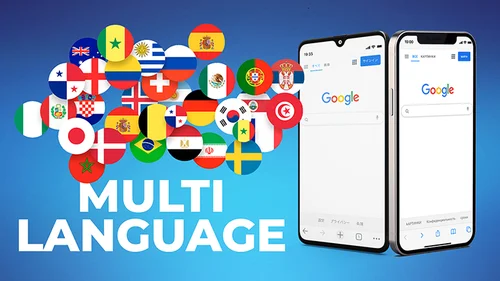
Anyweb 2 by Magic Pro Ideas is a powerful gimmick tool designed for magicians who want to create mind-blowing phone-based illusions. Unlike its predecessor Anyweb 1 — which required using the magician's own phone — Anyweb 2 operates entirely on the spectator's borrowed phone, dramatically increasing the impact of the effect. The tool works by guiding the spectator to what appears to be a completely normal Google search, while in reality displaying a pre-chosen forced image selected by the magician. The setup is straightforward: the magician accesses a secret URL (aaw.im) and enters a personal PIN via the search bar, triggering the gimmicked Google interface. Up to 9 different images can be configured in advance, giving performers flexibility for multiple routines. The interface is visually identical to the real Google, so there's virtually no suspicion from the audience. Anyweb 2 supports over 40 languages through automatic language detection, making it suitable for international performers. It is compatible with all iOS and Android devices including iPads and tablets. Traces can be easily cleared by tapping the Google logo, which redirects back to the real Google. The app is especially suited for close-up, parlor, and stage performances, and is praised for being easy to learn from in-app instructions alone.
Key Features
- Gimmicked Google on Spectator's Phone: Create a convincing fake Google search result on any borrowed phone without touching or owning the device.
- Force Up to 9 Images: Pre-load up to 9 different images into your configuration to support multiple routines in a single performance session.
- 40+ Language Support: Automatic language detection ensures the gimmicked interface matches the spectator's phone language for seamless deception.
- Works on iOS & Android: Fully compatible with all iPhones, Android phones, iPads, and tablets — no restrictions on device type.
- Instant Trace Removal: Tap the Google logo to redirect back to real Google, easily clearing the illusion with no suspicious residue.
Use Cases
- A close-up magician borrows a spectator's phone and 'Googles' a freely named object, which miraculously matches a previously predicted image.
- A stage performer uses Anyweb 2 to reveal a chosen card or number by having a volunteer Google it in front of the entire audience.
- A mentalist uses the forced Google result to confirm a 'mind-read' prediction that the spectator can verify on their own device.
- A corporate entertainer adds a branded or customized image to Google results as part of a themed magic performance at events.
- An amateur magician practices phone-based mentalism routines without needing to learn technical sleight-of-hand skills.
Pros
- No Technique Required: The app handles everything — even beginners can perform professional-level phone magic with minimal practice.
- Works on Any Borrowed Phone: Unlike competitor tools, the magic happens directly on the spectator's own device, making the effect far more convincing.
- Multi-Language & Cross-Platform: Supports over 40 languages and works on all major mobile platforms, making it ideal for international performers.
Cons
- Requires Careful Angle Management: The magician must conceal the moment of entering the secret URL and PIN, requiring some situational awareness during performance.
- Separate Purchase from Anyweb 1: Anyweb 2 is a completely new product and is not a free upgrade — existing Anyweb 1 owners must purchase a new license.
- Limited to Google Search Illusion: Unlike Anyweb 1, this version only gimmicks Google searches and does not support Amazon, Netflix, or Google Maps.
Frequently Asked Questions
What is Anyweb 2?
Anyweb 2 is an app that allows magicians to set up a gimmicked Google interface. By navigating to a secret URL on any spectator's phone and entering a PIN, the performer can force a pre-selected image to appear in what looks like a real Google search.
Does Anyweb 2 work on all phones?
Yes, Anyweb 2 works on all iOS and Android smartphones, as well as iPads and Android tablets.
What is the difference between Anyweb 1 and Anyweb 2?
Anyweb 1 is a magic browser used on the magician's own phone and can spoof Google, Amazon, Netflix, and Google Maps. Anyweb 2 is a gimmicked Google specifically designed to be used on the spectator's phone, making the effect much more powerful.
How do you remove traces from the spectator's phone?
Tapping the Google logo redirects the browser to real Google.com. The only remaining trace is the 'aaw.im' address in browser history, which appears as a non-functional page without the magician's PIN.
How many images can be forced with Anyweb 2?
You can configure and load up to 9 different images into your Anyweb 2 account to use across different routines and performances.