

About
BriefCatch transforms Microsoft Word into an intelligent legal editing environment purpose-built for attorneys, law firms, courts, and government agencies. Developed by Ross Guberman—author of Point Made and Point Taken and widely regarded as the nation's foremost legal-writing expert—BriefCatch delivers AI-driven suggestions derived from decades of courtroom analysis and thousands of elite legal documents, never scraped internet data. The tool integrates seamlessly with existing Microsoft Word workflows, requiring no new platforms, logins, or document uploads. It provides instant, actionable edits for memos, briefs, motions, judicial opinions, and contracts, along with a real-time writing score that helps users gauge and improve document quality over time. BriefCatch is SOC 2 certified and guarantees that no document text is ever stored, shared, or used for model training, making it safe for privileged client communications. Beyond individual editing, it functions as a firm-wide writing coach—reinforcing house style, shortening the onboarding curve for new associates, and turning everyday drafting into continuous professional development. Trusted by 300+ firms including 45+ Am Law 200 firms and 80+ courts, BriefCatch delivers measurable ROI from the first filing. Customers report 3× writing efficiency gains, 100% retention rates, and editing-time reductions of up to 50%—all at a cost well below a single billable hour per month.
Key Features
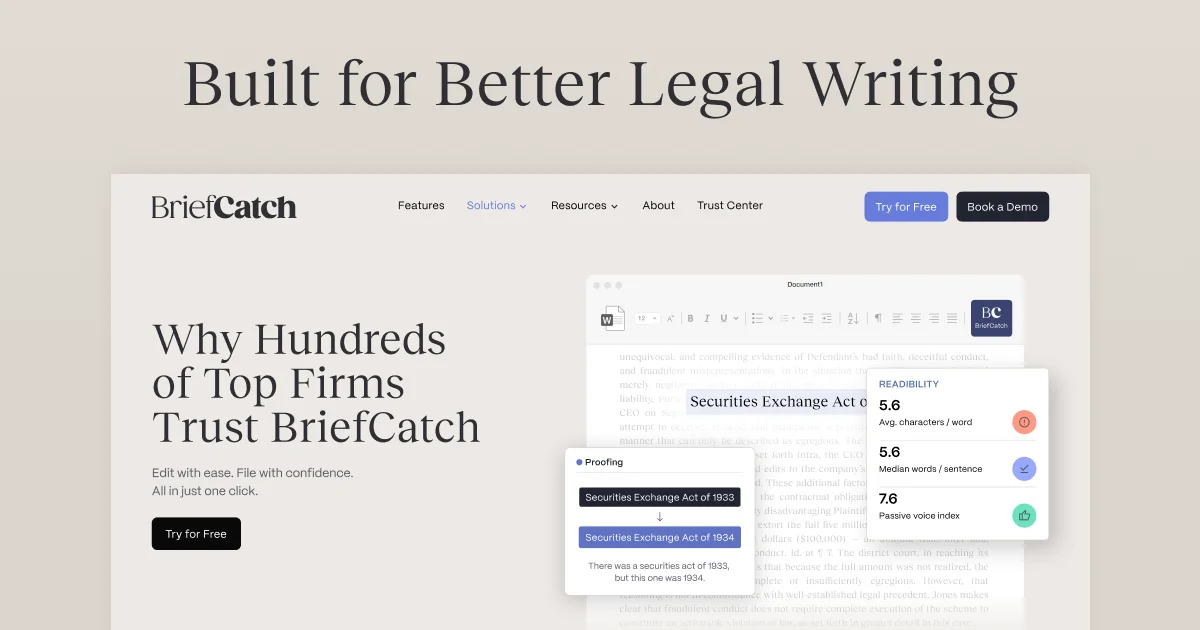
- Native Microsoft Word Integration: Installs directly into Word with no new platforms or workflow changes required, providing real-time AI editing suggestions as you draft.
- Expert Legal Writing Rules: Every suggestion is grounded in thousands of elite legal filings and judicial opinions curated by Ross Guberman, not generic internet data.
- Real-Time Writing Score: Generates a document quality score that benchmarks writing against top legal standards, helping users track improvement over time.
- Zero Data Retention & SOC 2 Compliance: No document text is ever stored, shared, or used for training, ensuring attorney-client privilege is fully protected.
- Firm-Wide Writing Coach: Surfaces consistent, actionable feedback that accelerates associate development and reinforces firm-wide style across all drafting.
Use Cases
- Litigators refining briefs and motions before filing to ensure persuasive, precise language that meets judicial expectations.
- Law firm associates receiving real-time writing feedback that accelerates skill development and reduces partner revision time.
- Courts and judges editing opinions and orders to achieve clarity, consistency, and authoritative legal style.
- Government legal departments standardizing document quality and style across large teams of attorneys.
- Law firm managers implementing a firm-wide writing standard by using BriefCatch as both an editing tool and an ongoing training resource.
Pros
- Purpose-Built Legal Expertise: Unlike generic AI tools, BriefCatch's rules are derived from real legal documents and decades of courtroom research, making suggestions highly relevant for legal professionals.
- Frictionless Workflow: Works entirely within Microsoft Word with no uploads or new interfaces, making adoption effortless for busy legal teams.
- Strong Privacy & Security: SOC 2 certification and a strict no-data-retention policy make it suitable for handling sensitive client and privileged information.
- Measurable ROI: Clients report up to 50% reduction in editing time and 3× writing efficiency, with a price point below one billable hour per month.
Cons
- Microsoft Word Dependency: BriefCatch runs exclusively inside Microsoft Word, making it inaccessible to teams using Google Docs or other word processors.
- Legal Niche Only: The tool is designed specifically for legal writing; it is not suitable for general business, creative, or academic writing needs.
- Pricing Not Publicly Listed: Subscription costs require contacting the team or booking a demo, which adds friction for individuals evaluating the tool independently.
Frequently Asked Questions
How does BriefCatch integrate with my existing workflow?
BriefCatch installs as an add-in directly inside Microsoft Word. It requires no new platforms, document uploads, or changes to how you already work—editing suggestions appear inline as you draft.
Is my client data safe with BriefCatch?
Yes. BriefCatch is SOC 2 certified and operates entirely within the Microsoft environment. No document text is ever stored, transmitted to external servers, or used for AI training, protecting attorney-client privilege at all times.
Who built the AI rules behind BriefCatch?
BriefCatch was developed by Ross Guberman, author of Point Made and Point Taken and widely considered the nation's leading legal-writing authority. Its rules are drawn from thousands of elite legal filings and judicial opinions, not generic web content.
What types of legal documents does BriefCatch support?
BriefCatch supports a wide range of legal documents including briefs, motions, memos, judicial opinions, and contracts—any document drafted within Microsoft Word.
Is there a free trial available?
Yes, BriefCatch offers a free trial so legal professionals can experience the tool before committing to a subscription. A demo can also be booked for team or firm-wide evaluations.