

About
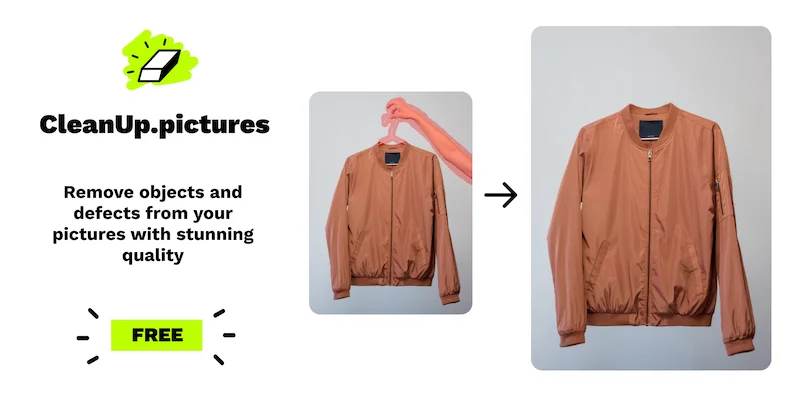
Cleanup.pictures is a web-based AI photo retouching tool built on state-of-the-art inpainting technology. It allows anyone — from professional photographers to real estate agents and e-commerce sellers — to quickly erase unwanted objects, people, text, logos, date stamps, and defects from any photograph without needing advanced editing skills. Unlike traditional clone tools in applications like Adobe Photoshop, Cleanup.pictures uses artificial intelligence to intelligently guess and reconstruct what lies behind the removed element, delivering clean, seamless results in seconds. Users simply drag and drop an image, brush over the area they want removed, and the AI does the rest. Key use cases include portrait retouching, removing tourists from travel photos, cleaning up real estate listing images, generating polished product shots for e-commerce stores, and stripping watermarks or unwanted text from visuals. The platform also exposes a developer API for teams needing high-quality inpainting capabilities built into their own products. Cleanup.pictures offers a free tier with support for unlimited images exported at up to 720p resolution. The Pro plan unlocks unlimited full-resolution exports and a higher-quality refiner, and is part of the broader ClipDrop Pro subscription. It works seamlessly on both desktop and mobile browsers, making it accessible for professionals and casual users alike.
Key Features
- AI-Powered Inpainting: Uses advanced generative AI to intelligently reconstruct the background behind removed elements, producing seamless and natural-looking results.
- Remove Anything with a Brush: Simply brush over any object, person, text, logo, watermark, or defect and the AI removes it automatically — no manual cloning or patching required.
- Free Tier with Unlimited Images: Process unlimited images at no cost with exports up to 720p resolution, making it accessible for casual and professional users alike.
- Full-Resolution Pro Export: Upgrade to Pro for unlimited resolution exports and a high-quality refiner, ideal for print-ready and commercial-grade photography.
- Developer API: Exposes a usage-based inpainting API so developers can integrate Cleanup.pictures' AI object removal directly into their own products and workflows.
Use Cases
- Photographers removing tourists, timestamps, or blemishes from portrait and travel photos before delivering them to clients.
- Real estate agents depersonalizing and cleaning property listing photos by removing clutter, personal items, or unwanted objects from rooms.
- E-commerce sellers creating clean, professional product shots by removing background distractions and imperfections from product photographs.
- Content creators and marketers removing logos, watermarks, or text overlays from stock images to repurpose them for social media or campaigns.
- Developers integrating AI-powered object removal into their own SaaS products or image processing pipelines via the Cleanup.pictures API.
Pros
- Extremely Easy to Use: The simple brush-and-remove interface requires no design or editing experience — most tasks are completed in under 30 seconds.
- Generous Free Tier: Unlimited images can be processed for free at 720p, making it fully functional for many everyday retouching needs without any cost.
- Superior AI Quality: The AI-generated reconstruction is significantly more accurate and natural than traditional clone stamp tools, avoiding smears, lines, and artifacts.
- API Access for Developers: Teams can integrate the inpainting engine into custom pipelines and applications via a well-documented, usage-based API.
Cons
- Free Export Limited to 720p: High-resolution exports require a paid Pro subscription, which may be limiting for professional photographers who need print-quality outputs.
- No Refunds After Trial: The refund policy encourages users to fully evaluate the product during the trial period, as purchases are not refunded after the trial ends.
- Complex Scenes May Vary in Quality: While AI reconstruction is generally impressive, highly detailed or textured backgrounds can occasionally produce imperfect results.
Frequently Asked Questions
What is inpainting and how does Cleanup.pictures use it?
Inpainting is an AI-based photo retouching technique used to remove unwanted objects, people, or text from images by intelligently reconstructing the background behind them. Cleanup.pictures uses advanced AI inpainting that outperforms traditional clone stamp tools by guessing the content that should appear behind the removed element.
Is Cleanup.pictures free to use?
Yes, Cleanup.pictures offers a free tier that supports unlimited image uploads and exports at up to 720p resolution. For full-resolution exports and a higher-quality refiner, a Pro subscription is available starting at $3/month (billed annually at $36/year) or $5/month on a monthly plan.
What image sizes does Cleanup.pictures support?
You can import and edit images of any size. On the free plan, exports are limited to 720p. On the Pro plan, there is no resolution limit, making it suitable for high-resolution commercial and print work.
Can developers access Cleanup.pictures via an API?
Yes, Cleanup.pictures provides a developer API with usage-based pricing. It is designed for teams that want to integrate AI inpainting capabilities directly into their own applications or workflows. Full API documentation is available on the website.
What types of elements can I remove with Cleanup.pictures?
You can remove virtually anything from a photo, including unwanted people, objects, text, logos, date stamps, watermarks, cracks, and other defects. The tool works well for portrait retouching, real estate photo cleanup, product photography, and creative photo editing.