

About
DiffusionBee is the easiest and fastest way to run Stable Diffusion AI art tools on your Mac. Designed for artists, designers, and creative enthusiasts who want full control over their AI-generated content, it delivers a complete generative AI toolkit directly on your desktop — completely free and fully offline. With DiffusionBee, you can generate high-quality images from text prompts, transform existing photos using text instructions, create image variants, upscale images to higher resolutions, and produce AI-generated videos and animations. The advanced AI canvas lets you blend human drawing with AI generation for truly collaborative creative work, using generative fill to effortlessly add or remove objects from any scene. A standout feature is the ability to train custom Stable Diffusion models on your own image dataset with just a few clicks — all 100% locally — enabling personalized generation of specific people, objects, or artistic styles. Because everything runs on your machine, your prompts, models, and generated images never leave your device, providing complete privacy and creative ownership. Optimized for Apple Silicon Macs but also supporting Intel-based machines, DiffusionBee is ideal for designers, illustrators, and content creators who want powerful, privacy-first generative AI without subscriptions or cloud fees.
Key Features
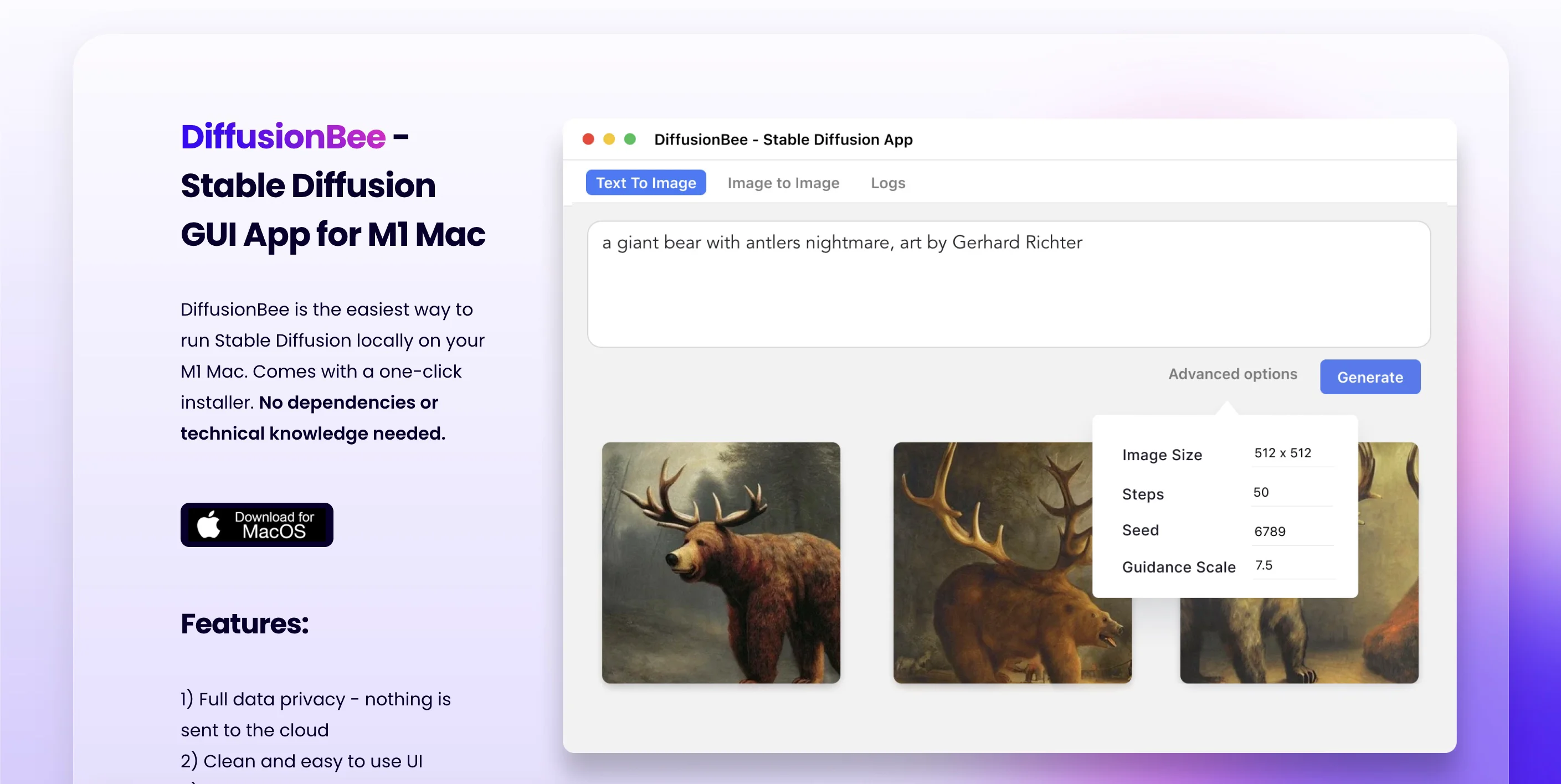
- Text to Image Generation: Create stunning, high-quality images from text prompts using Stable Diffusion models, all processed locally on your Mac with no cloud required.
- Generative Fill & AI Canvas: Add or remove objects in selected image regions using AI, and blend human drawing with AI generation on an advanced canvas for co-creative workflows.
- Custom Model Training: Train personalized image generation models on your own dataset with just a few clicks — entirely offline — to generate images of specific people, objects, or artistic styles.
- Image Upscaling & Variants: Enhance image resolution and sharpness with AI-powered upscaling, and generate multiple creative variants from any source image.
- Video & Animation Tools: Generate AI-powered animations and short videos using a suite of dedicated video creation tools built directly into the app.
Use Cases
- Creating original AI artwork and illustrations from text descriptions for personal projects, prints, or client work
- Editing and enhancing existing photos using AI-powered generative fill and image-to-image transformation
- Training custom Stable Diffusion models on personal photo datasets to generate consistent characters or artistic styles
- Upscaling and improving the resolution of low-quality images for print or high-resolution digital use
- Generating short AI animations and videos for social media content and creative experimentation
Pros
- Completely Free with No Limits: DiffusionBee is 100% free with no subscriptions, usage caps, or hidden fees — the full feature set is available to everyone.
- Total Privacy — 100% Offline: All processing happens locally on your Mac; your prompts, images, and trained models never leave your device.
- All-in-One Creative Suite: Combines text-to-image, generative fill, image-to-image, upscaling, video tools, and model training in a single easy-to-use application.
- No Technical Setup Required: DiffusionBee requires no command-line knowledge or complex configuration, making advanced AI art accessible to non-technical users.
Cons
- macOS Only: DiffusionBee is exclusively available for macOS, leaving Windows and Linux users without native support.
- Best Performance Requires Apple Silicon: While Intel Macs are supported, generation speed is significantly slower without an Apple Silicon chip or dedicated GPU.
- Hardware-Dependent Performance: Image generation speed and quality are constrained by local machine specs, which may limit output for users with older hardware.
Frequently Asked Questions
Is DiffusionBee free to use?
Yes, DiffusionBee is completely free of charge with no subscriptions, usage fees, or premium tiers.
Are my images and prompts kept private?
Absolutely. DiffusionBee runs 100% locally on your Mac. Your prompts, models, and generated images never leave your device.
What are the minimum system requirements?
DiffusionBee requires macOS 13.1 or higher. Apple Silicon Macs are recommended for the best performance, though Intel-based Macs are also supported.
How long does it take to generate an image?
On an 8GB M1 MacBook Air, generation takes approximately 30 seconds. Newer Apple Silicon chips or machines with more RAM produce images significantly faster.
Can I use the generated images commercially?
Yes, you can freely use generated images as long as you comply with the CreativeML Open RAIL-M license included with Stable Diffusion models.



