

About
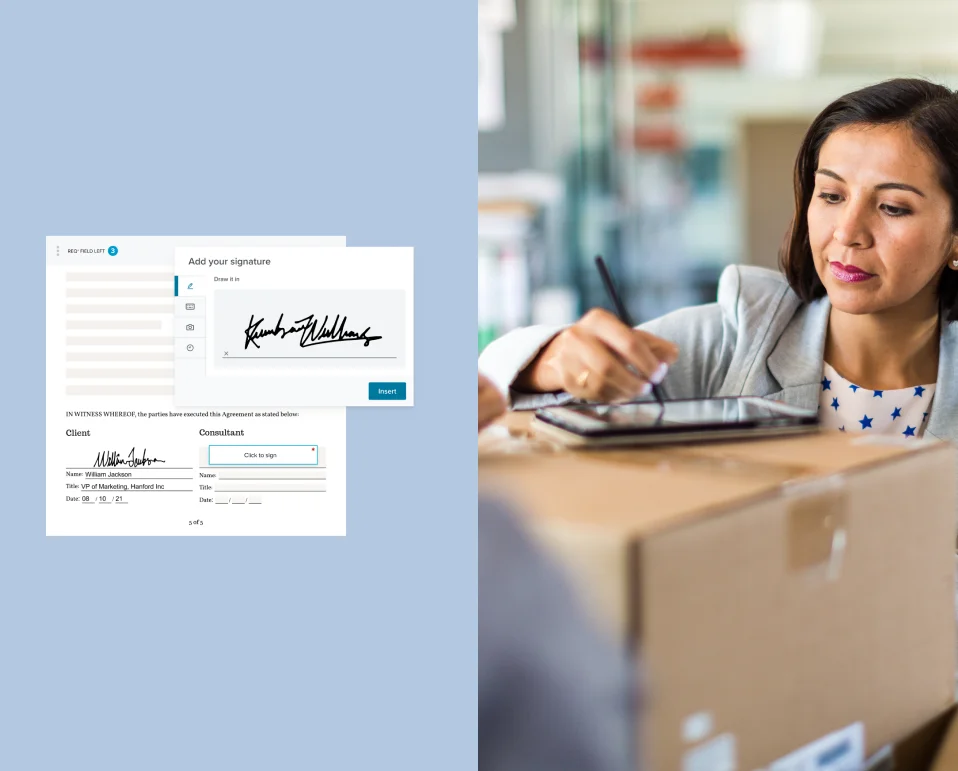
Dropbox Sign is a comprehensive eSignature solution designed to help businesses close agreements faster and with less friction. Formerly known as HelloSign, it enables users to send documents for signature, create reusable templates, fill and sign PDFs, and manage the entire agreement lifecycle in one place. The platform is built for a wide range of teams — from sales and HR to real estate and fintech — offering automated follow-ups, audit trails for legal compliance, and an intuitive signing experience that works for both tech-savvy users and those less comfortable with digital tools. Documents can be signed from any device, making it ideal for remote and mobile-first workflows. For developers, Dropbox Sign provides a robust eSignature API that can be embedded into existing applications in record time, with clear documentation and a developer-friendly sandbox. Native integrations with tools like Salesforce, Dropbox, and others allow teams to sign without leaving the apps they already use. Key capabilities include bulk-send for high-volume signing, signer identity verification, pre-populated forms, mobile signing, and detailed progress tracking to improve completion rates. Teams using Dropbox Sign have reported cutting signature timelines from weeks to hours, reducing loan processes from two weeks to eight minutes, and boosting sales team performance by up to 45%.
Key Features
- Electronic Signature Workflows: Send documents for signature with automated follow-ups, real-time status tracking, and an intuitive signing experience for all parties.
- Reusable Templates & Bulk Send: Create on-brand document templates and send them to multiple signers at once, reducing repetitive setup for high-volume use cases.
- eSignature API: Embed legally binding eSignatures directly into your application or workflow with a developer-friendly API that can be integrated in hours, not days.
- Audit Trails & Legal Compliance: Every signature is backed by a detailed audit trail recording document access, review, and signing events to ensure legal defensibility.
- Native Integrations: Connect with Salesforce, Dropbox, and other popular business tools to trigger signing workflows without leaving your existing apps.
Use Cases
- Sales teams sending contracts to prospects and customers for fast, mobile-friendly signature to close deals sooner.
- HR departments automating offer letters, NDAs, and onboarding paperwork with pre-populated templates and digital signing.
- SaaS and fintech companies embedding eSignatures directly into their product via the Dropbox Sign API to streamline customer agreement flows.
- Real estate professionals collecting signatures on purchase agreements and lease documents from clients in any location.
- Startups and small businesses replacing paper-based approval processes with legally binding digital signatures to move faster and reduce overhead.
Pros
- Dramatically Faster Turnaround: Automated reminders and easy mobile signing reduce signature timelines from days or weeks to hours, keeping deals and processes moving.
- Developer-Friendly API: Clear documentation and a well-designed API allow developers to integrate eSignatures into apps in under a day, with a generous developer sandbox available.
- Works Across Devices: Fully device- and location-agnostic, so signers can complete documents on desktop or mobile from anywhere in the world.
- Broad Integration Ecosystem: Native integrations with CRMs, cloud storage, and HR tools mean Dropbox Sign slots into existing workflows with minimal disruption.
Cons
- Cost Scales with Usage: API pricing is based on request volume (starting at $100 for 50 requests), which can become expensive for high-throughput applications.
- Limited Free Tier: The free trial lasts 30 days; there is no permanent free plan, making it less accessible for very small teams or occasional individual use.
- Advanced Features Require Higher Plans: Features like bulk send, advanced branding, and signer identity verification are locked behind higher-tier subscription plans.
Frequently Asked Questions
Is Dropbox Sign legally binding?
Yes. Dropbox Sign produces legally binding electronic signatures compliant with major eSignature laws including ESIGN, UETA, and eIDAS. Each signature is backed by a detailed audit trail as proof of intent and document review.
What is the difference between Dropbox Sign and the Dropbox Sign API?
Dropbox Sign is the end-user web application for sending and signing documents. The Dropbox Sign API allows developers to embed the same eSignature functionality directly into their own applications and workflows.
Can I try Dropbox Sign for free?
Yes. Dropbox Sign offers a 30-day free trial with unlimited signature sends. No credit card is required to start, and you can cancel at any time during the trial period.
What integrations does Dropbox Sign support?
Dropbox Sign integrates natively with tools including Salesforce, Dropbox, Google Drive, HubSpot, and more, allowing you to trigger signing workflows from the apps your team already uses.
How does Dropbox Sign handle signer identity verification?
Dropbox Sign offers signer identity verification features to protect all parties and ensure that signatures are legally attributable. This includes options for SMS authentication and other identity checks depending on your plan.