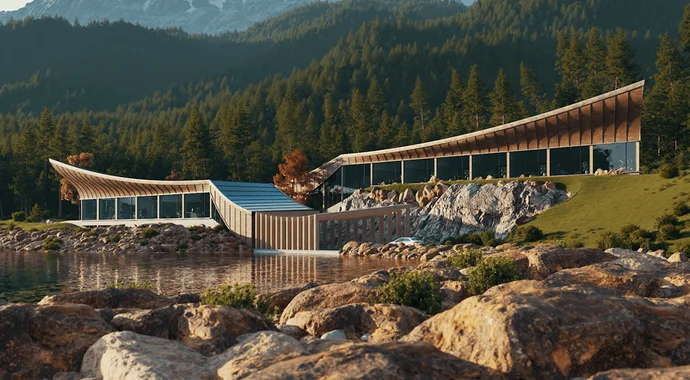

About
Enscape is a real-time rendering and virtual reality solution built specifically for architects, interior designers, and visualization professionals. It integrates directly into leading CAD and BIM applications including Revit, SketchUp, Rhino, ArchiCAD, and Vectorworks, allowing users to open a fully rendered, interactive 3D view of their model with a single click — no complex configuration or specialist knowledge needed. The platform offers a live-sync workflow, meaning changes made in your modeling software are instantly reflected in the Enscape render window. This real-time feedback loop accelerates design decision-making and helps communicate ideas more clearly to clients and stakeholders. Enscape includes thousands of built-in assets, materials, and objects that can be added directly to scenes without external plugins. With integrated AI-powered features, Enscape supports faster ideation and visualization, enabling teams to explore design concepts earlier in the process. Collaborative sharing tools allow teams and clients to view interactive walkthroughs or VR experiences without needing specialized hardware or software. Enscape is ideal for architectural design firms, interior designers, urban planners, and landscape architects who want photorealistic visualizations without the steep learning curve of traditional rendering software. It offers educational licensing with significant discounts for students and institutions, and is available as a subscription with a free trial option.
Key Features
- One-Click Visualization: Open a fully rendered, interactive view of your model in seconds directly from your CAD/BIM application with no configuration required.
- Real-Time Sync: Changes made in your modeling software are instantly reflected in the Enscape viewport, enabling rapid design iteration and feedback.
- AI-Powered Ideation: Integrated AI features accelerate design exploration and visualization, helping teams generate and evaluate concepts faster.
- Built-In Asset Library: Thousands of ready-to-use 3D assets, materials, and objects are available directly within Enscape, removing the need for external content packs.
- Collaborative Sharing & VR: Share interactive walkthroughs and virtual reality experiences with clients and team members without requiring specialized hardware or software.
Use Cases
- Architects presenting real-time walkthroughs to clients directly from their Revit or SketchUp models without exporting files.
- Interior designers exploring material and lighting options interactively using live-sync rendering during the design process.
- Urban planners and landscape architects creating immersive VR experiences to communicate large-scale development proposals.
- Design studios accelerating their visualization pipeline with AI-powered ideation tools and built-in asset libraries.
- Architecture students and educators producing high-quality renders and virtual reality experiences for academic projects and presentations.
Pros
- Seamless CAD/BIM Integration: Works natively inside Revit, SketchUp, Rhino, ArchiCAD, and Vectorworks — no file exports or workflow disruptions needed.
- No Technical Learning Curve: Designed for architects and designers, not rendering specialists, so teams can start producing high-quality visuals immediately.
- Real-Time Feedback: Live sync between the model and render window dramatically speeds up design decision-making and client presentations.
- Educational Discounts: Students and educational institutions can save up to 80% on licenses, making it highly accessible for learning environments.
Cons
- Windows-Focused Platform: Enscape is primarily available on Windows, which may limit accessibility for Mac-based design professionals.
- Subscription-Based Pricing: Enscape operates on a paid subscription model, which may be a recurring cost concern for freelancers or smaller studios.
- Hardware Requirements: Real-time rendering demands a capable GPU and system, meaning older or lower-spec machines may experience performance limitations.
Frequently Asked Questions
Which CAD and BIM applications does Enscape support?
Enscape integrates directly with Revit, SketchUp, Rhino, ArchiCAD, and Vectorworks, enabling real-time rendering without leaving your modeling environment.
Is Enscape suitable for beginners?
Yes. Enscape is designed with a simple, intuitive interface tailored for architects and designers, not rendering specialists. You can start visualizing with one click and no technical setup.
Does Enscape offer a free trial?
Yes, Enscape offers a free trial so you can evaluate the software before committing to a paid subscription.
What AI features does Enscape include?
Enscape includes AI-powered ideation and visualization tools (including integration with Veras) that help designers generate and explore design concepts more quickly within their workflow.
Are there discounts for students and educational institutions?
Yes, Enscape offers educational licenses at up to 80% off for students, educators, and educational institutions.