
About
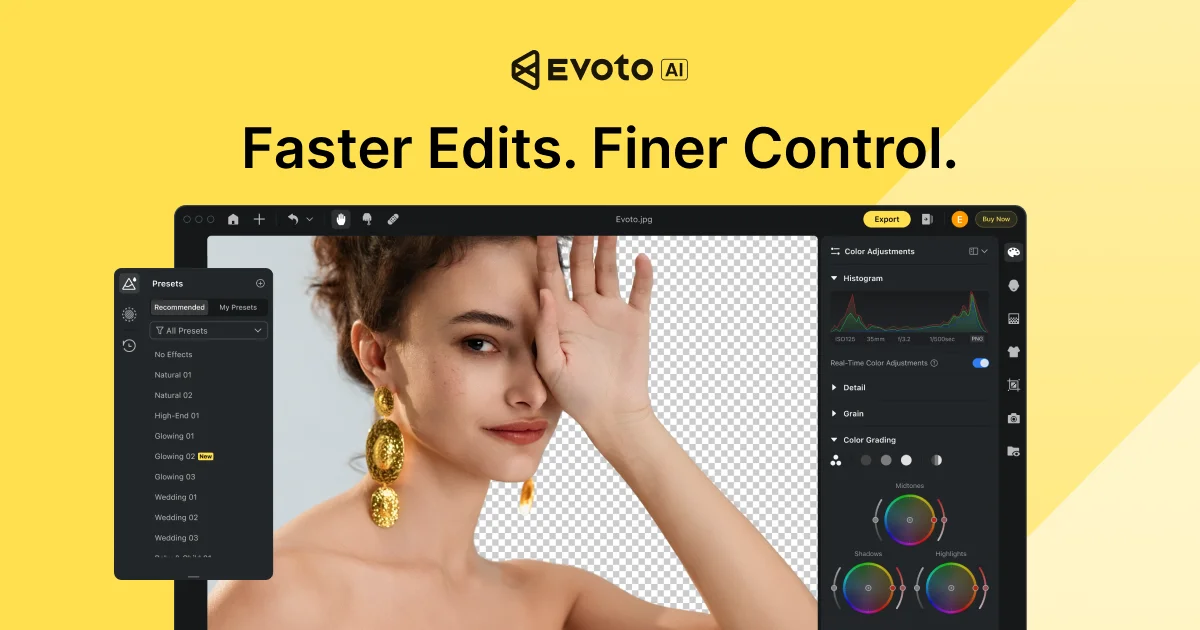
Evoto is a professional-grade AI photo editing suite designed to eliminate the repetitive technical work between a shoot and final delivery. Built for photographers, studios, and creative teams, Evoto combines photo culling, AI-powered portrait retouching, RAW color grading, background adjustments, and batch processing into a single seamless workflow — reducing manual effort and speeding up turnaround times dramatically. The platform's per-face AI retouching engine applies precise, natural-looking skin smoothing and blemish removal without flattening texture or applying a one-size-fits-all filter. Batch editing tools allow photographers to apply corrections once and sync them instantly across entire galleries, making it especially powerful for high-volume genres like weddings, events, headshots, maternity, and fashion. Evoto is available across multiple platforms — a full-featured desktop application, an iPad app for on-the-go editing, a mobile studio app, and a browser-based quick editor. An 'Evoto Instant' product enables shoot-to-delivery in a single session, and a video retouching module extends AI capabilities to moving images. Security-conscious teams will appreciate Evoto's GDPR and CCPA compliance; client images are never used for AI training and data is never shared without consent. With a 7-day free trial and a global user base spanning thousands of studios across 100+ countries, Evoto is built for scale without sacrificing creative control.
Key Features
- AI Portrait Retouching: Per-face AI retouching delivers precise, natural-looking skin smoothing, blemish removal, and texture preservation — not a blanket filter.
- Smart Photo Culling: Automatically identifies the strongest shots from a shoot, drastically reducing time spent sorting through large batches of images.
- Batch Processing & Sync: Apply color grades and edits once, then sync them instantly across an entire gallery — ideal for weddings, events, and high-volume shoots.
- Cross-Platform Workflow: Work seamlessly across desktop (Mac/Windows), iPad, mobile, and browser — all projects stay in sync wherever you edit.
- AI Video Retouching: Extends Evoto's AI retouching capabilities beyond photos to professional-grade video, keeping skin and portrait quality consistent across mediums.
Use Cases
- Wedding photographers editing and delivering full-day galleries quickly using batch processing and AI retouching.
- Headshot photographers needing consistent, natural skin retouching across large volumes of client portraits.
- Event photographers culling hundreds of shots and applying synchronized color grades to entire galleries in minutes.
- Photography studios managing multiple photographers and needing a unified, cross-platform editing workflow.
- Videographers and hybrid shooters applying AI portrait retouching to both photo and video deliverables from a single platform.
Pros
- End-to-End Workflow in One Tool: Covers every step from culling to delivery, eliminating the need for multiple apps and reducing export/import handoffs.
- Natural, Non-Destructive AI Retouching: Per-face processing preserves real skin texture, producing more natural results compared to global filter-based alternatives.
- Privacy-First Design: GDPR and CCPA compliant; client images are never used for AI training, making it trustworthy for professional client work.
- Massive Time Savings at Scale: Batch sync and AI automation enable photographers to handle high-volume shoots — like full wedding days — in a fraction of the usual time.
Cons
- Subscription Required After Trial: Full access requires a paid plan after the 7-day free trial, which may be a barrier for casual or hobbyist photographers.
- Learning Curve for New Users: The breadth of features across culling, retouching, color grading, and batch tools can feel overwhelming for photographers new to AI-assisted editing.
- AI Results May Vary: As with all AI tools, retouching quality can vary depending on lighting conditions, skin tones, and image complexity.
Frequently Asked Questions
Is Evoto free to use?
Evoto offers a 7-day free trial with full access to its features. After the trial period, a paid subscription is required to continue using the platform.
What platforms does Evoto support?
Evoto is available as a desktop application for Mac and Windows, an iPad app, a mobile app for iOS and Android, and a browser-based online editor — all synced to the same projects.
Does Evoto use my photos to train its AI?
No. Evoto is GDPR and CCPA compliant, and explicitly states that your images are never used for AI training and your data is never shared without your consent.
What types of photography is Evoto best suited for?
Evoto is optimized for high-volume portrait-based genres including weddings, headshots, events, newborn, maternity, and beauty and fashion photography.
Can Evoto handle video as well as photos?
Yes. Evoto includes a dedicated video retouching module that brings its AI-powered portrait and skin retouching capabilities to video footage.