
About
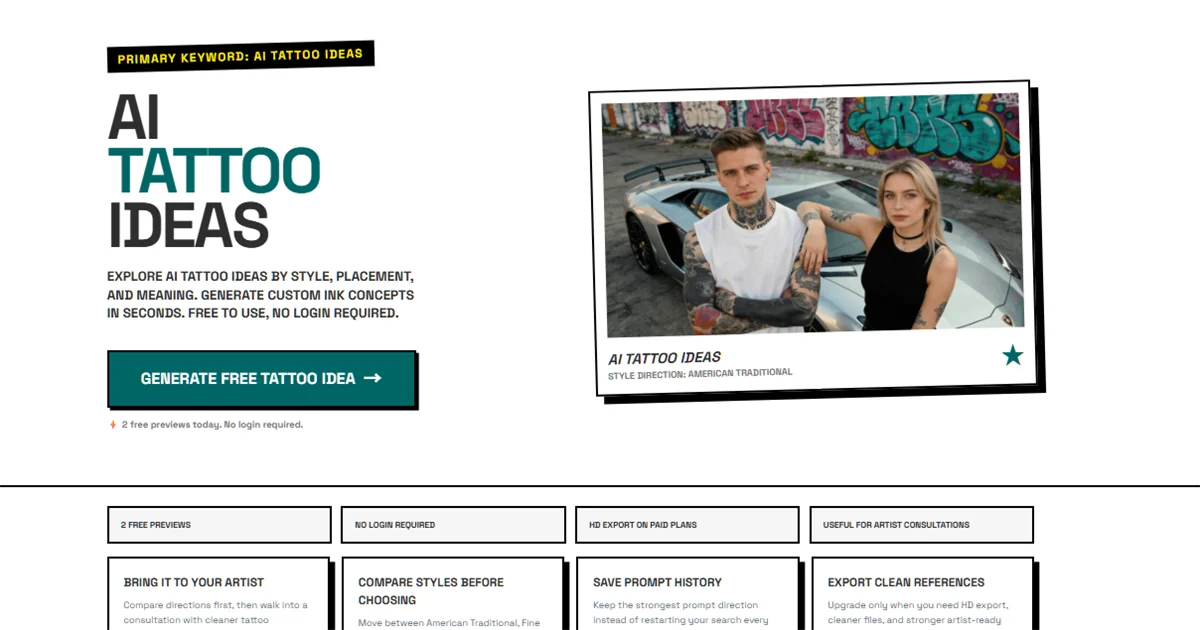
Inkforge is an online AI tattoo generator built for anyone who wants to visualize tattoo ideas before sitting in a studio chair. The tool functions simultaneously as a tattoo idea generator and a tattoo maker online, letting users rapidly test different style directions—American Traditional, Fine Line, Japanese, Black & Grey, Watercolor, and more—alongside placement options like forearm, hand, neck, thigh, wrist, and ankle. The workflow is designed for clarity and speed: enter a prompt that combines motif, placement, style, scale, and mood, and Inkforge produces a visual direction you can save, compare, or refine. It also supports cover-up planning, helping users frame a cover-up concept before discussing it with a tattoo artist. No account is needed to start—guests get two free previews per day, and signed-in users unlock three additional previews before upgrading. The paid tier adds high-resolution export, full prompt history, and the ability to generate multiple comparisons side by side, making it ideal for building polished consultation materials. Inkforge is not intended to replace a tattoo artist's custom design work; it is a planning and direction-setting tool that helps clients walk into consultations with a clearer vision, reducing back-and-forth and improving the final outcome. It suits first-time tattoo seekers, collectors planning their next piece, and anyone researching cover-up options.
Key Features
- Style-Based Generation: Generate tattoo visuals using major styles including American Traditional, Fine Line, Japanese, Black & Grey, and Watercolor as the starting frame for any prompt.
- Placement & Motif Exploration: Navigate seamlessly between placement pages—hand, neck, forearm, thigh, ankle—and motif-specific flows while staying in a single online workflow.
- Cover-Up Direction Planning: Dedicated cover-up flows help users visualize how a new design can conceal an existing tattoo before consulting with an artist.
- Artist-Ready Reference Export: Paid users get high-resolution export and prompt history to turn rough AI-generated directions into polished consultation materials.
- No-Login Free Access: Guests can generate two previews per day without creating an account, lowering the barrier to exploring ideas instantly.
Use Cases
- A first-time tattoo client uses Inkforge to explore American Traditional vs. Fine Line styles on a forearm before booking a consultation, arriving with a clear visual brief.
- Someone planning a cover-up uses Inkforge's dedicated cover-up flows to visualize how a bold blackwork design could conceal an older tattoo on their shoulder.
- A tattoo collector researching their next piece generates multiple prompt variations—skull and rose, koi sleeve, neck silhouette—to narrow down motifs and placements.
- A tattoo artist shares Inkforge with clients as a pre-consultation tool, enabling clients to articulate their vision more clearly and reducing design revision cycles.
- A user searching for small tattoo ideas for their wrist enters a prompt with minimal fine line style and feminine mood to quickly compare several delicate design directions.
Pros
- Instant, No-Login Access: Users can start generating tattoo ideas directly from the homepage without signing up, making it extremely low-friction to explore.
- Comprehensive Style & Placement Coverage: Supports a wide range of tattoo styles and body placements, enabling detailed, realistic direction-setting for diverse tattoo concepts.
- Consultation-Ready Outputs: The HD export and prompt history features turn AI drafts into structured briefs that tattoo artists can actually work from.
- Cover-Up Planning Support: Unlike generic image generators, Inkforge has dedicated cover-up flows that address a specific and underserved tattoo planning need.
Cons
- Limited Free Previews: Guests are capped at 2 previews per day and signed-in users at 5 before needing to upgrade, which may feel restrictive for heavy explorers.
- Not Final Artwork: Inkforge produces direction references, not print-ready tattoo designs—users still need a professional artist to create the final piece.
- Prompt Skill Required for Best Results: The quality of outputs depends heavily on how well the user structures their prompt; vague inputs produce generic, less useful results.
Frequently Asked Questions
Can I use Inkforge for free?
Yes. Guests receive 2 free previews per day without creating an account. Signed-in users unlock 3 additional previews before needing to upgrade to a paid plan.
Is Inkforge a tattoo idea generator?
Yes. Inkforge helps users turn a rough concept into clearer style, placement, and motif directions. It is designed to guide the planning phase before treating anything as final artwork.
Can Inkforge help me plan a cover-up tattoo?
Yes. Inkforge has dedicated cover-up direction flows that let you compare how a new design might work over an existing tattoo, which you can then bring into a studio consultation.
What tattoo styles does Inkforge support?
Inkforge supports American Traditional, Fine Line, Japanese, Black & Grey, Watercolor, Realism, Geometric, Neo Traditional, Blackwork, and more as style starting frames.
What does the paid plan include?
The paid plan unlocks high-resolution exports, full prompt history, and the ability to generate more comparisons—ideal for building polished, artist-ready consultation materials.