
About
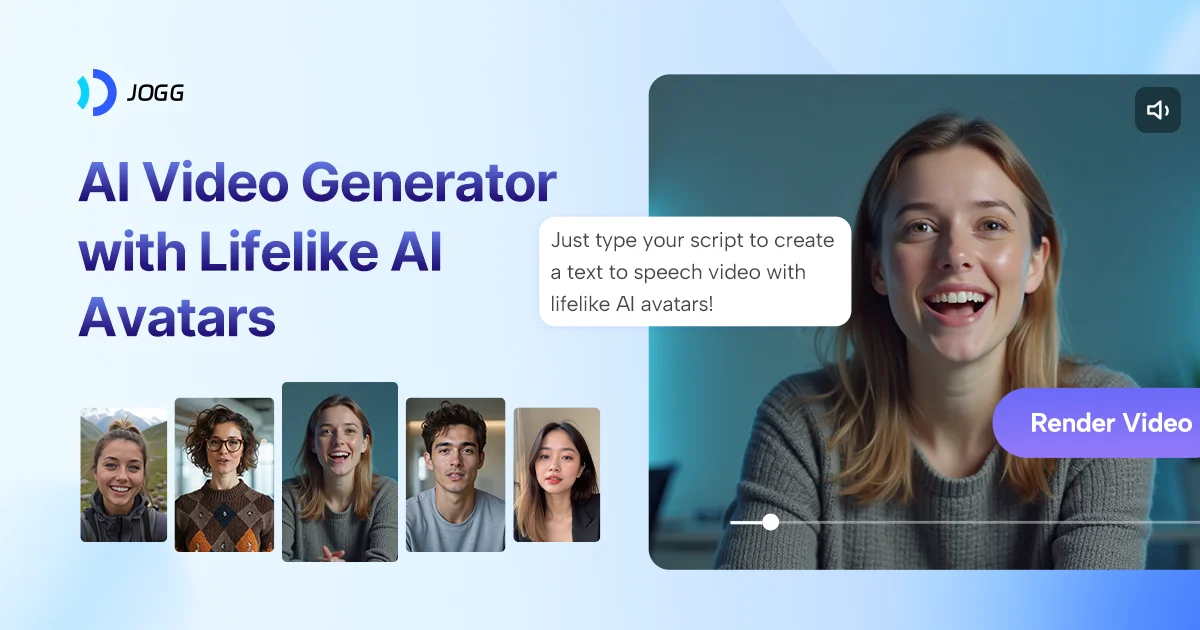
JoggAI is a comprehensive AI video generator designed to eliminate the time, cost, and complexity of traditional video production. With access to over 450 ultra-realistic AI avatars — or the ability to create a fully custom avatar from a photo or text — users can produce engaging, lifelike video content in minutes rather than hours. The platform offers a broad suite of tools: Avatar Video for adding AI presenters, Talking Photo to animate still images, Podcast Video to repurpose audio content into watchable videos, Video Translator for multilingual reach, PPT to Video for turning presentations into dynamic content, and AI Lip Sync for seamless dubbing. On the creative side, AI Voice Cloning, Face Swap, and an AI Script Writer further streamline content production. JoggAI also caters to e-commerce brands with features like URL to Video, Product Photo Shoot, and Product Video Shoot — enabling sellers to generate scroll-stopping ads simply by pasting a product link. The platform targets content creators who want faceless video options, marketers running ad campaigns, businesses producing training materials, and advertisers seeking rapid creative iteration. With a free tier requiring no credit card and paid plans scaling to enterprise and API access, JoggAI positions itself as a cost-effective replacement for traditional video workflows that once required 50+ hours and $1,000+ per production.
Key Features
- 450+ Ultra-Realistic AI Avatars: Choose from a vast library of lifelike AI presenters or create a fully custom avatar from a photo or text description.
- Multi-Format Video Creation: Generate Avatar Videos, Talking Photos, Podcast Videos, PPT-to-Video, and more — all from a single platform.
- AI-Powered Ad & Product Tools: Turn a product URL into a polished video ad in seconds with Product Photo Shoot, Product Video Shoot, and URL to Video.
- Video Translation & AI Lip Sync: Reach global audiences by translating and lip-syncing videos into multiple languages automatically.
- AI Voice Cloning & Script Writer: Clone any voice and generate video scripts with AI, reducing the need for voiceover talent or copywriters.
Use Cases
- Content creators producing faceless YouTube tutorials, reviews, or storytelling videos without appearing on camera.
- Marketers generating scroll-stopping social media video ads from product URLs or existing content in seconds.
- E-commerce businesses creating product demo and promotional videos without hiring actors or video crews.
- Corporate L&D teams turning PowerPoint presentations and training scripts into engaging explainer videos.
- Podcasters repurposing audio episodes into watchable video content for platforms like YouTube and LinkedIn.
Pros
- Drastically Reduces Production Time & Cost: What traditionally takes 50+ hours and $1,000+ can be accomplished in 10 minutes for as little as $15, making professional video accessible to all.
- Comprehensive All-in-One Platform: Covers the full video production pipeline — scripting, avatar selection, voiceover, translation, and ad creation — without needing external tools.
- Free to Start: A no-credit-card-required free tier allows new users to explore core features before committing to a paid plan.
- Trusted at Scale: Used by 800,000+ marketers, creators, and businesses, signaling strong reliability and a proven track record.
Cons
- Voice & Language Quality Limitations: Some users note that voice quality, speech control, and language diversity could be improved to match the realism of the visual avatars.
- Credit-Based Costs Can Add Up: Advanced features like custom avatars, voice cloning, and high-volume video generation require paid plans, which may be costly for heavy users.
- Limited Creative Control: The automated workflow, while fast, may not satisfy users who need granular editing control over camera angles, timing, or scene composition.
Frequently Asked Questions
Do I need any video editing experience to use JoggAI?
No. JoggAI is designed for non-technical users. You simply select an avatar, input a script or content source, and the platform generates a finished video automatically.
Can I create a custom avatar that looks like me?
Yes. JoggAI offers Photo to Avatar and Custom Avatar options that allow you to generate a personalized AI avatar from your own image or description.
What types of videos can I create with JoggAI?
You can create avatar videos, talking photo videos, podcast videos, product ad videos, translated videos, PPT-to-video presentations, and more — all within the same platform.
Is JoggAI free to use?
JoggAI offers a free tier with no credit card required. Paid plans unlock additional features, higher video quotas, custom avatars, and API access.
Does JoggAI support multiple languages?
Yes. JoggAI includes a Video Translator and AI Lip Sync feature that enables automatic translation and dubbing of videos into multiple languages.