

About
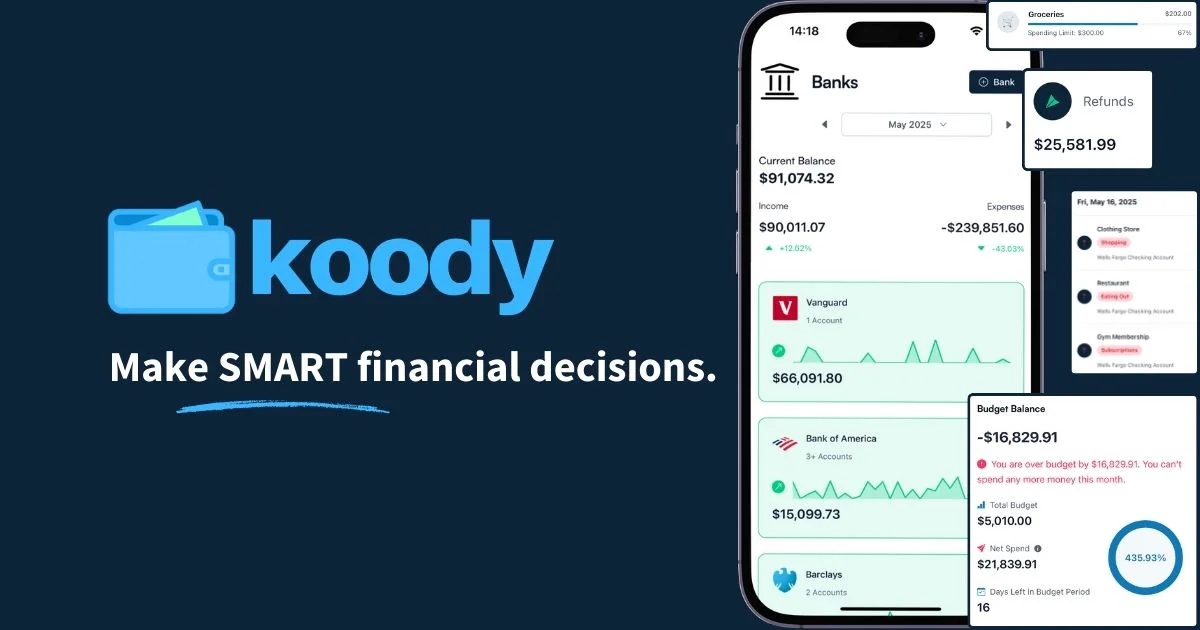
Koody is a free AI-driven budgeting and personal finance platform designed to make money management approachable for everyone — from complete beginners to seasoned budgeters. Unlike many finance apps, Koody does not require you to link your bank accounts; instead, you can add accounts manually and either log transactions one by one or import them in bulk via CSV from your bank, credit card, or even a previous budgeting app. Once your accounts and transactions are set up, Koody brings everything together in a clean, unified dashboard. You can track checking, savings, investment, crypto, retirement, and even cash-on-hand accounts in one place. The app supports recurring transactions — so subscriptions, salaries, and bills auto-generate on schedule — and lets you flag taxable income so nothing sneaks up on you at tax time. Koody's AI assistant allows you to ask plain-language questions about your finances, such as checking which accounts are at risk of overdraft or reviewing your spending habits. The app's budgeting and goal-tracking tools help you plan ahead, avoid overspending, and steadily build savings. Koody is ideal for singles, students, couples, families, and households looking for a straightforward, privacy-conscious way to get clarity on their finances without handing over bank credentials. It's especially valuable for those who prefer manual control or want to consolidate data from multiple financial sources without relying on live bank sync.
Key Features
- No Bank Connection Required: Add any account type — checking, savings, crypto, retirement, or cash — manually in under 30 seconds, keeping your bank credentials private.
- Flexible Transaction Tracking: Log transactions manually as they happen or import bulk history via CSV from your bank or other budgeting apps, with automatic category sorting on imports.
- Recurring Payments & Income: Set up recurring bills, subscriptions, and paychecks that auto-generate on the correct dates, and flag taxable income so you always know what you owe.
- AI Financial Assistant: Ask plain-language questions about your finances — check balances, identify overdraft risks, and get spending insights directly from the built-in AI assistant.
- Budget & Goal Tracking: Set spending budgets by category, create savings goals, and monitor progress in real time to stay on track between paydays.
Use Cases
- A student tracking monthly income and expenses manually to avoid overspending before payday.
- A family importing bank statements via CSV each month to review spending by category and adjust their household budget.
- A freelancer flagging taxable income and tracking irregular cash flows alongside recurring business expenses.
- A couple setting shared savings goals and monitoring progress toward a vacation or emergency fund.
- A privacy-conscious individual managing multiple account types — including crypto and cash — without linking any accounts to a third-party service.
Pros
- Completely Free to Use: Koody's core budgeting and AI features are available at no cost, making it accessible to anyone regardless of budget.
- Privacy-First Design: No bank sync means you never share your banking credentials, giving you full control over your financial data.
- Beginner-Friendly Interface: Clean, intuitive design with an approachable onboarding flow that works even for users who have never budgeted before.
- Versatile Account Support: Supports a wide range of account types including crypto wallets, investment accounts, and cash on hand in one unified view.
Cons
- Manual Entry Required: Without live bank sync, keeping transactions up to date requires regular manual input or periodic CSV imports, which can be time-consuming.
- No Automated Bank Connection: Users who prefer automatic transaction syncing with their bank will need to rely on CSV imports instead of real-time data feeds.
- Limited Advanced Features: As a free tool focused on accessibility, it may lack the depth of investment tracking or tax optimization features found in premium finance platforms.
Frequently Asked Questions
Does Koody require me to connect my bank account?
No. Koody is designed to work entirely without a bank connection. You can add accounts manually and import transactions via CSV, keeping your banking credentials completely private.
Is Koody really free?
Yes, Koody is free to use. You can access the core budgeting, transaction tracking, goal setting, and AI assistant features at no cost.
How do I add my transactions to Koody?
You can either add transactions manually one at a time as they occur, or upload a CSV export from your bank or credit card to import your transaction history in bulk.
What types of accounts can I track in Koody?
Koody supports a wide range of account types including checking, savings, investment, retirement, cryptocurrency wallets, and physical cash on hand.
Who is Koody best suited for?
Koody is designed for singles, couples, families, households, and students who want a straightforward, privacy-conscious way to manage their finances — especially those new to budgeting.