

About
LazyEyeFix is a specialized AI application designed for adults and children living with strabismus or lazy eye who want a non-surgical, at-home solution. The core product is a downloadable Windows desktop app (Mac coming soon) that uses your laptop or external webcam to analyze eye alignment in real time via computer vision AI. Users receive second-to-second feedback on when their eyes are drifting, allowing them to actively correct alignment throughout the day. The app offers guided, interactive eye exercises that make training feel natural and rewarding. A persistent lightweight monitor window can stay on-screen while users work, read, or watch videos, passively reinforcing healthy eye habits. Detailed progress metrics let users track daily improvements over time, turning abstract therapy goals into visible milestones. Beyond therapy, LazyEyeFix also offers an Online Photo Editor that lets users correct the appearance of lazy eye in photographs — useful for portraits, profile pictures, and social media content. The platform is built for people who have 'tried everything' — including glasses and patches — and want a technology-first approach. Only 3 minutes of daily training is required, and the free trial requires no credit card. With over 2,000 users already on board, LazyEyeFix is an accessible, affordable entry point into AI-assisted vision therapy.
Key Features
- Real-Time AI Eye Alignment Tracking: Uses computer vision to analyze eye alignment second-by-second through a standard webcam, providing instant feedback when eyes drift out of position.
- Interactive Vision Therapy Exercises: Fun and engaging daily routines that train eye alignment naturally, requiring just 3 minutes a day with no special hardware.
- Always-On Monitor Window: A lightweight overlay window stays visible while you work, read, or stream, passively reminding you to correct eye drift throughout the day.
- Progress Tracking & Metrics: Tracks daily alignment improvements with clear visualizations so users can see measurable progress over time and stay motivated.
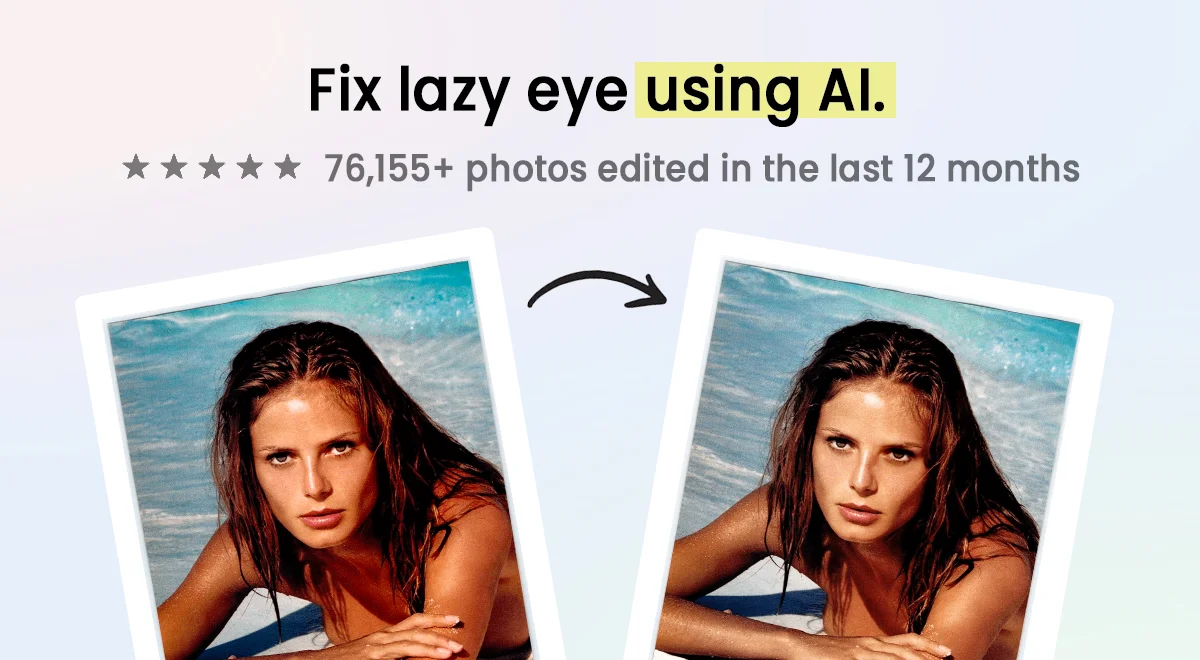
- Online Photo Editor: A web-based editor that uses AI to correct the appearance of lazy eye in photos — ideal for portraits, headshots, and social media.
Use Cases
- Adults with strabismus looking to improve eye alignment at home without surgery or clinic visits.
- People who have previously tried patching or glasses but want a more technologically active approach to vision therapy.
- Users who want to monitor eye drift passively during everyday computer use — working, streaming, or reading.
- Individuals wanting to correct the appearance of lazy eye in personal photos or professional headshots using the online editor.
- Parents researching at-home vision therapy options for children with lazy eye who need a low-friction, engaging solution.
Pros
- No Special Hardware Required: Works with any standard laptop or external webcam — no VR headsets, prism glasses, or expensive medical devices needed.
- Accessible Home Therapy: Enables non-surgical vision therapy for strabismus from the comfort of home, removing the need for frequent in-person clinical visits.
- Free Trial with No Credit Card: Offers a risk-free 7-day trial with no payment information required upfront, lowering the barrier to try the product.
- Works with Glasses: Compatible with users who wear prescription glasses, broadening accessibility for the strabismus community.
Cons
- Windows Only (Desktop App): The full vision therapy desktop application currently only supports Windows; macOS support is listed as 'coming soon,' limiting access for Mac users.
- Not a Medical Treatment: LazyEyeFix is a software tool and not a certified medical device or replacement for professional ophthalmological care or prescribed vision therapy.
- Requires Consistent Daily Use: Improvements depend on regular daily training sessions; users who are inconsistent may not see meaningful results.
Frequently Asked Questions
Do I need any special equipment to use LazyEyeFix?
No. LazyEyeFix works with any standard laptop webcam or external USB webcam. No VR headsets, special glasses, or medical devices are required.
Is LazyEyeFix free to use?
LazyEyeFix offers a free 7-day trial with no credit card required. After the trial, a paid subscription is needed to continue using the vision therapy features.
Can adults use LazyEyeFix, or is it only for children?
LazyEyeFix is specifically designed with adults in mind — particularly those with strabismus who feel they have already tried traditional methods without success.
How does the AI eye tracking work?
The app uses computer vision algorithms to analyze your eye position in real time via your webcam, detecting when your eyes drift and providing instant visual feedback to help you correct alignment.
What is the Online Photo Editor for?
The Online Photo Editor is a separate web-based tool that uses AI to correct the appearance of a lazy or misaligned eye in photographs, useful for portraits, profile pictures, and other images.