
About
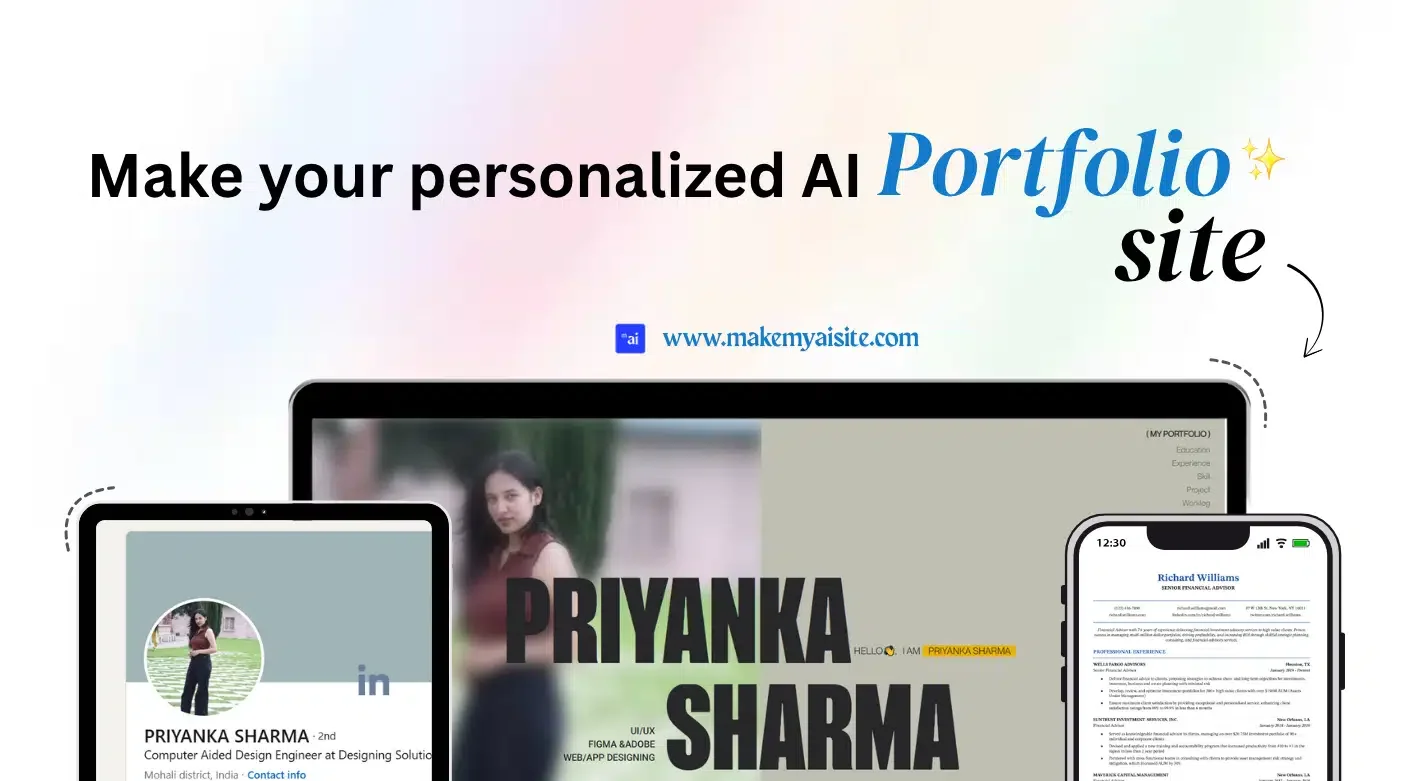
MakeMyAISite is an AI portfolio builder designed to help students, job seekers, freelancers, and professionals transform their LinkedIn profile or PDF resume into a polished, live portfolio website in under a minute. Simply paste your LinkedIn URL or upload your resume, choose from a range of responsive templates — including modern 3D and animated options — and let the AI extract your experience, skills, and projects into a ready-to-publish layout. The platform features a drag-and-drop editor that requires absolutely no coding or design knowledge, making it accessible to anyone. AI-powered content generation provides smart, industry-tailored suggestions to enhance your portfolio text. You can add images, videos, and audio to showcase your work with rich multimedia support, all optimized for any device. MakeMyAISite offers a free-forever starter plan for basic use, with paid Creator ($5/month) and Unlimited ($20/month) tiers unlocking features like unlimited templates, unlimited template switches, AI content editing, 3D portfolios, early access to new templates, and priority support. Trusted by over 4,000 users with more than 10,000 portfolios generated, it provides a cost-effective alternative to expensive custom developer-built sites, letting you stand out with a professional online presence in seconds.
Key Features
- LinkedIn & Resume Import: Paste your LinkedIn URL or upload a PDF resume and the AI automatically extracts your experience, skills, and projects into a ready-to-publish portfolio layout.
- AI-Powered Content Generation: Generates professional, industry-tailored content and smart suggestions to help you present your skills and achievements in the best possible light.
- Drag-and-Drop Editor: Fully customizable portfolio builder with a no-code drag-and-drop interface, allowing you to reorder sections, edit text, and personalize your layout effortlessly.
- 3D & Animated Templates: Choose from a variety of responsive, visually striking templates including 3D and animated designs to make your portfolio stand out from the crowd.
- Full Multimedia Support: Add images, videos, audio, and voice summaries to your portfolio to showcase your work and personality across any device.
Use Cases
- Job seekers converting their LinkedIn profile into a professional portfolio to share with potential employers during their job search.
- Students and recent graduates building a polished online presence to showcase academic projects, internships, and skills without any web development knowledge.
- Freelancers and independent contractors creating a portfolio website to display their past work, client testimonials, and services to attract new clients.
- Professionals rebranding or updating their personal brand with a modern portfolio site quickly without hiring a web developer.
- Career changers summarizing transferable skills and projects in a visually appealing portfolio to stand out in a new industry.
Pros
- Blazing Fast Setup: Go from LinkedIn profile or resume to a live portfolio website in as little as 30 seconds, saving hours of manual work.
- Free Plan Available: A free-forever tier lets anyone create and publish a portfolio without spending anything, making it accessible to students and early-career professionals.
- No Technical Skills Required: The drag-and-drop editor and AI automation mean anyone can build and publish a professional site without coding or design experience.
- Affordable Paid Tiers: At just $5/month for the Creator plan, it costs a fraction of hiring a developer and unlocks unlimited templates and AI content editing.
Cons
- Limited Free Templates: The free plan restricts you to basic templates and only 2 template switches per month, which may feel limiting for users wanting more variety.
- Primarily LinkedIn/Resume Focused: The tool is optimized for personal portfolio sites built from LinkedIn or resumes, making it less suitable for complex multi-page or business websites.
- 3D Portfolios Require Paid Plan: The most visually impressive 3D portfolio templates are locked behind the paid Creator plan, restricting free users to simpler designs.
Frequently Asked Questions
How does MakeMyAISite work?
Paste your LinkedIn profile URL or upload a PDF resume. The AI extracts your experience, skills, and projects, then maps them into a clean, responsive template. You can edit text, drag and drop sections, and publish your live website in about 30 seconds — no coding required.
Is MakeMyAISite really free?
Yes! There is a free-forever plan that lets you convert your resume or LinkedIn profile into a live portfolio using basic templates with responsive design and easy customization. Paid plans unlock more templates, AI content editing, and 3D portfolios.
Do I need coding or design skills to use MakeMyAISite?
No. The platform is specifically designed for users with no coding or design background. The AI handles content generation and the drag-and-drop editor lets you customize your portfolio visually.
What are the paid plan options?
MakeMyAISite offers a Creator plan at $5/month (unlimited templates, AI content editing, 3D portfolios) and an Unlimited plan at $20/month (early access to new templates, priority support, and no restrictions on editing or switching designs). A 10% discount is available with yearly billing.
Can I add multimedia content like videos and images to my portfolio?
Yes. MakeMyAISite supports full multimedia integration, allowing you to add images, videos, audio clips, and voice summaries to your portfolio so you can showcase your work beautifully on any device.