

About
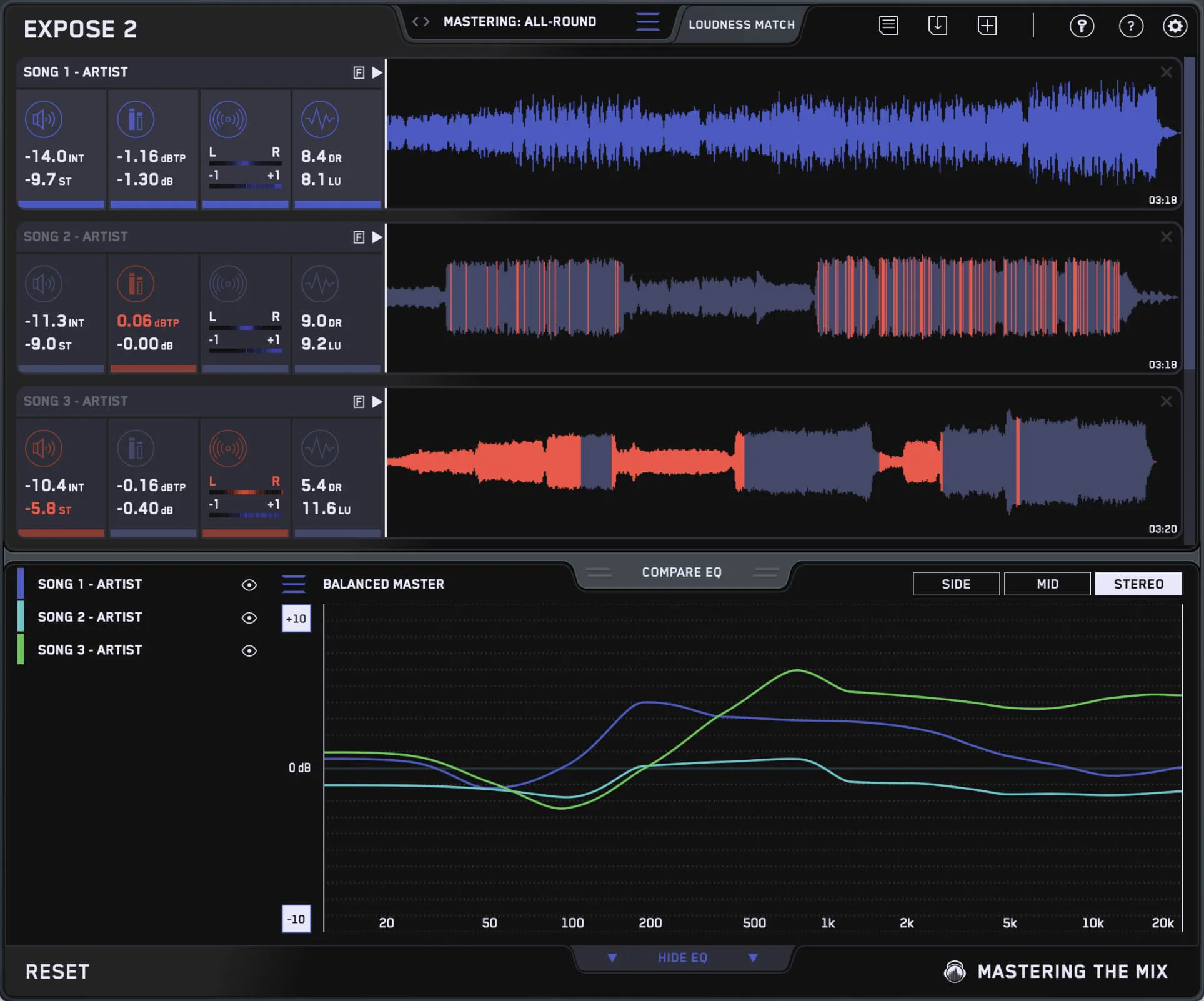
EXPOSE 2 is a professional audio quality control application developed by Mastering The Mix, designed to help music producers, mixing engineers, and mastering engineers identify and resolve technical issues in their mixes before release. The plugin performs a comprehensive analysis of your audio, checking for problems that could negatively impact how your music sounds on streaming platforms, radio, or other distribution channels. With EXPOSE 2, you can instantly detect common mix issues such as clipping, excessive loudness, true peak violations, and streaming platform non-compliance. It provides clear, actionable visual feedback so you know exactly what needs to be fixed before you finalize your master. The tool supports industry-standard loudness targets (LUFS) used by Spotify, Apple Music, YouTube, and other major platforms. Ideal for independent artists, professional studios, and anyone who wants to release music with confidence, EXPOSE 2 takes the guesswork out of technical quality control. It integrates seamlessly into your DAW workflow as a plugin and is available with a free trial so you can experience its value before purchasing. Part of the broader Mastering The Mix plugin suite, EXPOSE 2 complements tools like LEVELS, REFERENCE, and LIMITER to give producers a complete mastering toolkit.
Key Features
- Comprehensive Audio Analysis: Scans your mix for technical issues including clipping, true peak violations, and loudness non-compliance in seconds.
- Streaming Platform Loudness Compliance: Checks your track against LUFS targets for major platforms like Spotify, Apple Music, YouTube, and Tidal.
- Clear Visual Feedback: Displays actionable results in an easy-to-read interface so you can immediately understand what needs fixing.
- DAW Plugin Integration: Works as a plugin inside your existing DAW workflow, requiring no external software or file exports to run analysis.
- Free Trial Available: Try EXPOSE 2 before you buy with a fully functional free trial to evaluate its impact on your production process.
Use Cases
- Music producers checking their final mix for loudness and clipping issues before uploading to streaming platforms.
- Mastering engineers verifying that client tracks meet technical delivery specifications.
- Independent artists ensuring their releases sound consistent and professional across different playback systems.
- Audio engineers running a final QC pass on a batch of tracks before album distribution.
- Mixing professionals validating compliance with broadcast and streaming loudness standards during the mix stage.
Pros
- Saves Time on Quality Control: Quickly identifies issues that would otherwise take hours of manual listening and meter-checking to detect.
- Platform-Specific Compliance: Takes the guesswork out of meeting loudness standards for all major streaming services.
- Intuitive Interface: Clear visual indicators make it easy for both beginners and experienced engineers to understand results at a glance.
Cons
- Paid After Trial: Full access requires a purchase after the free trial period ends, which may be a barrier for hobbyist producers.
- Desktop Only: Available only as a desktop plugin for macOS and Windows — no mobile or web-based version is offered.
Frequently Asked Questions
What is EXPOSE 2 used for?
EXPOSE 2 is an audio quality control plugin used to analyze your music for technical issues such as clipping, loudness non-compliance, and true peak violations before you release or distribute it.
Is there a free trial for EXPOSE 2?
Yes, Mastering The Mix offers a free trial of EXPOSE 2 so you can test its features before committing to a purchase.
Which streaming platforms does EXPOSE 2 check compliance for?
EXPOSE 2 checks loudness targets for major streaming platforms including Spotify, Apple Music, YouTube, Tidal, and more using industry-standard LUFS measurements.
What DAWs is EXPOSE 2 compatible with?
EXPOSE 2 works as an audio plugin and is compatible with most major DAWs on macOS and Windows, including Ableton Live, Logic Pro, Pro Tools, FL Studio, and Cubase.
How is EXPOSE 2 different from a standard loudness meter?
Unlike a basic loudness meter, EXPOSE 2 provides a full quality control report covering multiple parameters at once — including true peak, LUFS, clipping, and streaming platform compliance — giving you a complete pre-release checklist in one tool.