

About
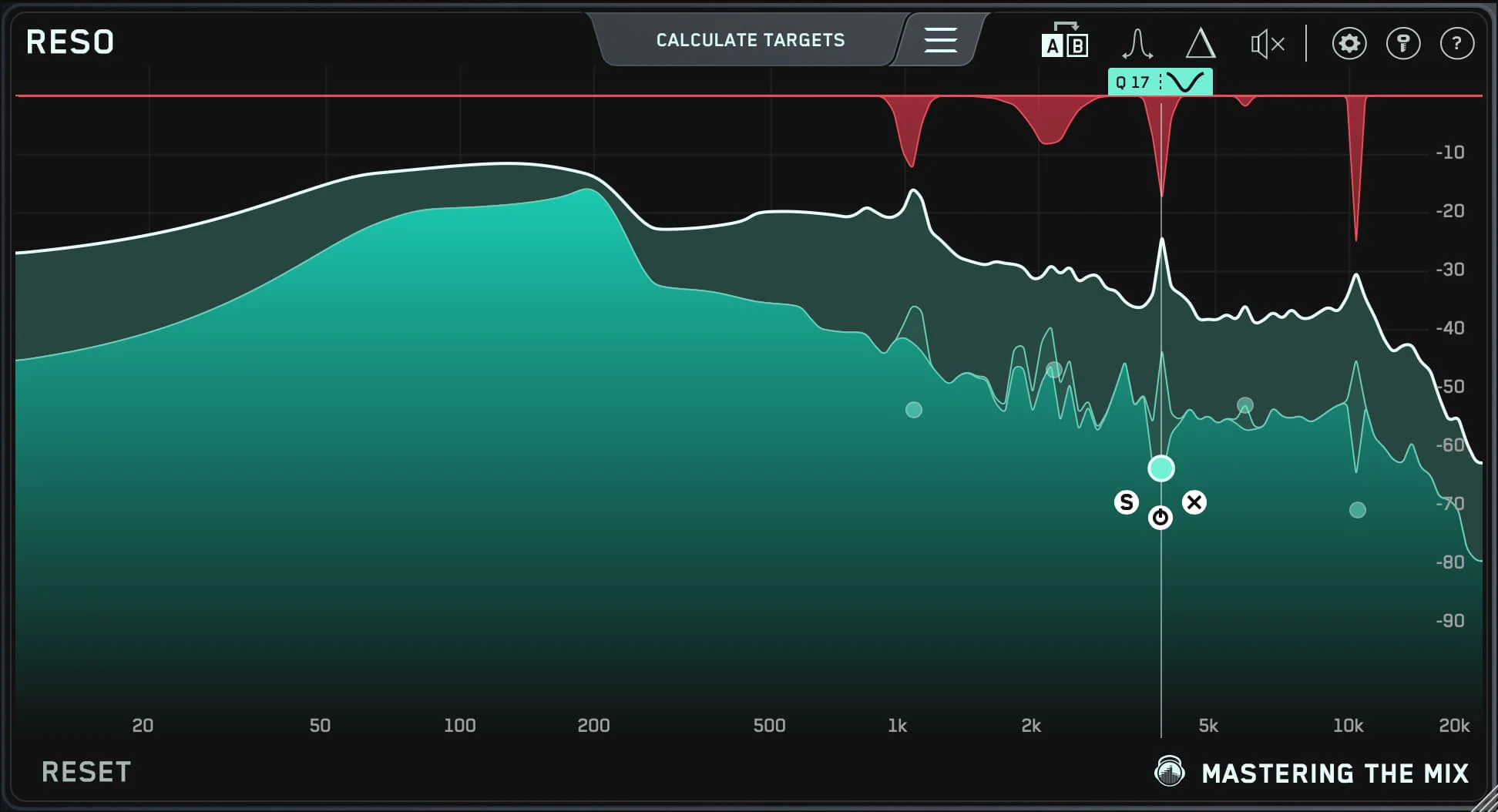
RESO by Mastering The Mix is a professional audio plugin engineered to solve one of mixing's most persistent challenges: harsh, brittle resonances that make audio sound fatiguing and unpolished. Rather than relying on manual frequency hunting, RESO uses intelligent detection algorithms to automatically scan your audio and pinpoint problem resonances across the frequency spectrum. Once identified, RESO applies targeted, transparent EQ corrections that reduce only the offending frequencies — leaving the rest of your sound intact. This smart approach avoids the common pitfall of over-EQing, which can rob a mix of its energy and character. The result is a smoother, more balanced, and more professional-sounding output in a fraction of the time. RESO fits seamlessly into mixing and mastering workflows, working equally well on individual tracks, buses, and full mixes. It is part of Mastering The Mix's broader plugin ecosystem, which includes tools like BASSROOM, MIXROOM, LIMITER, LEVELS, and REFERENCE 3 — all designed around clarity and informed decision-making. Ideal for music producers, mixing engineers, and mastering engineers who want to quickly clean up resonant instruments (guitars, synths, vocals, drums), fix room acoustics artifacts in recorded audio, or simply polish a mix before release. RESO is available as a VST, AU, and AAX plugin for macOS and Windows, compatible with all major DAWs.
Key Features
- Automatic Resonance Detection: RESO intelligently scans audio to identify harsh, problematic resonances across the full frequency spectrum without any manual frequency hunting.
- Surgical EQ Correction: Applies precise, targeted reductions only to offending frequencies, preserving the natural character and energy of the source audio.
- Anti-Over-EQ Design: Built to prevent heavy-handed processing — corrections are transparent and minimal, ensuring a smooth result without dulling the mix.
- Broadband Frequency Coverage: Works across the entire audible spectrum, handling resonances in low, mid, and high frequencies on any track, bus, or full mix.
- DAW & Format Compatibility: Available in VST, AU, and AAX formats, compatible with all major digital audio workstations on macOS and Windows.
Use Cases
- Removing harsh resonances from recorded electric guitar tracks that cause ear fatigue during playback.
- Cleaning up resonant room artifacts in close-miked drum recordings before mixing.
- Taming brittle high-frequency resonances on synthesizer pads and leads in electronic music production.
- Smoothing out problem frequencies on a vocal bus to improve intelligibility and reduce listener fatigue.
- Applying final resonance correction on a stereo master bus during the mastering stage before distribution.
Pros
- Saves Time on Frequency Hunting: Automates the tedious process of manually identifying harsh resonances, dramatically speeding up mixing and mastering sessions.
- Transparent Processing: Targets only problem areas without coloring or degrading the rest of the audio signal, keeping the mix natural.
- Versatile Application: Works effectively on individual instruments, subgroup buses, and full stereo mixes, making it useful at every stage of a project.
Cons
- Paid Only — No Free Tier: RESO is a commercial plugin with no free version, which may be a barrier for hobbyist producers on a tight budget.
- Desktop Plugin Only: Requires a DAW environment on macOS or Windows; there is no web-based or mobile version available.
- Narrow Use Case: Focused exclusively on resonance suppression — users looking for a full-featured EQ or broader dynamics tool will need additional plugins.
Frequently Asked Questions
What is RESO used for?
RESO is used to automatically detect and reduce harsh, fatiguing resonances in audio mixes. It is commonly applied to instruments, vocals, buses, and full mixes during mixing and mastering.
Does RESO work on any DAW?
Yes. RESO is available in VST, AU, and AAX plugin formats, making it compatible with virtually all major DAWs including Ableton Live, Logic Pro, Pro Tools, FL Studio, and Cubase.
Is RESO suitable for mastering as well as mixing?
Absolutely. RESO can be used on both individual tracks during mixing and on the full stereo mix during mastering to smooth out any remaining resonance issues.
Does RESO work automatically or does it require manual adjustment?
RESO is designed to detect resonances automatically, but it also allows engineers to review and fine-tune the detected corrections for full control over the final result.
What operating systems does RESO support?
RESO supports both macOS and Windows. It is available in 64-bit VST, AU, and AAX formats for all modern systems.