
About
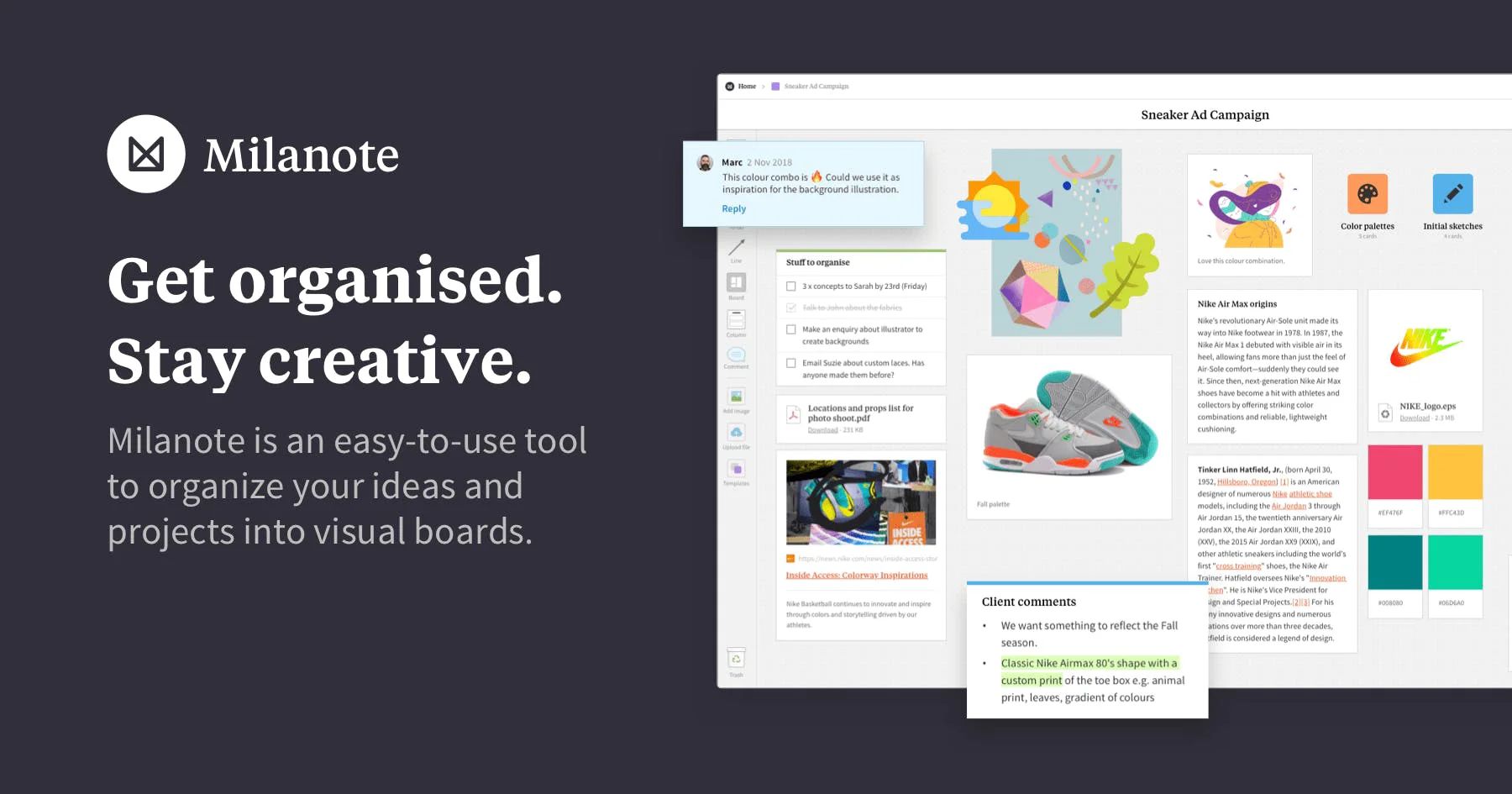
Milanote is an intuitive visual workspace built for creative work — from filmmaking and writing to design, photography, marketing, and game development. Unlike traditional project management tools, Milanote centers on visual thinking, letting users arrange notes, images, videos, links, sketches, and files freely on drag-and-drop boards that mirror how creatives naturally think and plan. Users can capture ideas quickly with simple text editing, save web content with a single click via the web clipper, and organize everything into a visual overview that shows both the big picture and granular details. Boards can be shared with clients and teammates for real-time collaboration, comments, and editing — making it easy to align on creative vision without lengthy meetings. Milanote is purpose-built for creative disciplines including filmmaking (moodboards, storyboards, pre-production planning), writing (character profiles, story outlines, research), design and illustration, photography (shot lists, shoot planning), marketing (campaign maps, content calendars), interior design, game development, fashion, and content creation. The tool is available across web, iOS, Android, and desktop apps, with a web clipper for saving online inspiration. Its freemium model makes it accessible for individual creatives, while team plans support agency and studio collaboration. Milanote is trusted by creative professionals at leading brands worldwide.
Key Features
- Visual Drag-and-Drop Boards: Freely arrange notes, images, videos, links, sketches, and files on flexible boards that mirror how creatives think, plan, and organize ideas.
- Multi-Media Content Support: Combine text notes, images, video embeds, web links, uploaded files, and hand-drawn sketches in a single unified workspace without format restrictions.
- Real-Time Collaboration: Invite clients and team members to edit, comment, or view boards simultaneously, enabling seamless creative collaboration from anywhere.
- Web Clipper: Save images, links, and content from any website to your Milanote boards in a single click, making inspiration collection effortless while browsing.
- Creative-Specific Templates: Ready-made templates for moodboards, storyboards, shot lists, campaign maps, character profiles, and more help creative professionals start projects quickly.
Use Cases
- Building moodboards and storyboards for film, video, and photography projects
- Outlining story structures, developing character profiles, and organizing research for writing projects
- Mapping out marketing campaigns, content calendars, and brand moodboards
- Creating visual project briefs and client presentations for design and illustration work
- Collecting online inspiration and organizing creative references for interior design or fashion projects
Pros
- Designed for Creative Thinking: Milanote's freeform visual layout matches how creatives naturally plan and ideate, making it far more intuitive than rigid list-based project tools.
- Cross-Platform Accessibility: Available on web, iOS, Android, and desktop, plus a web clipper, so you can capture and organize ideas on any device at any time.
- Easy Client Collaboration: Boards can be shared with clients and external collaborators with view-only or edit access, streamlining creative feedback and approval workflows.
- Free Tier Available: The freemium plan lets individual creatives start using Milanote without any upfront cost, making it accessible for freelancers and hobbyists.
Cons
- Limited Project Management Depth: Milanote lacks advanced project management features like Gantt charts, time tracking, or complex task dependencies found in tools like Asana or Notion.
- Free Plan Restrictions: The free tier limits the number of items and boards you can create, which can be restrictive for users with large, complex projects.
- Less Suited for Non-Creative Work: Its visual, freeform approach is optimized for creative disciplines and may feel unstructured for teams that prefer data-driven or process-heavy workflows.
Frequently Asked Questions
What is Milanote and who is it for?
Milanote is a visual organization tool designed for creative professionals including filmmakers, writers, designers, photographers, marketers, and content creators who need a flexible workspace to plan projects and collect inspiration.
How is Milanote different from tools like Notion or Trello?
Unlike Notion or Trello, which are list and database-centric, Milanote uses a freeform visual board layout where you can drag and arrange any type of content freely — making it more intuitive for visual thinkers and creatives.
Can I collaborate with my team or clients on Milanote?
Yes. You can invite team members or clients to any board and assign them edit, comment, or view-only permissions, enabling real-time creative collaboration and feedback.
Is there a mobile app for Milanote?
Yes, Milanote is available as iOS and Android apps for capturing ideas and managing projects on the go, as well as desktop apps and a web clipper browser extension.
Is Milanote free to use?
Milanote offers a freemium model with a free plan that includes a limited number of items and boards. Paid plans unlock unlimited items, additional storage, and advanced collaboration features.