
About
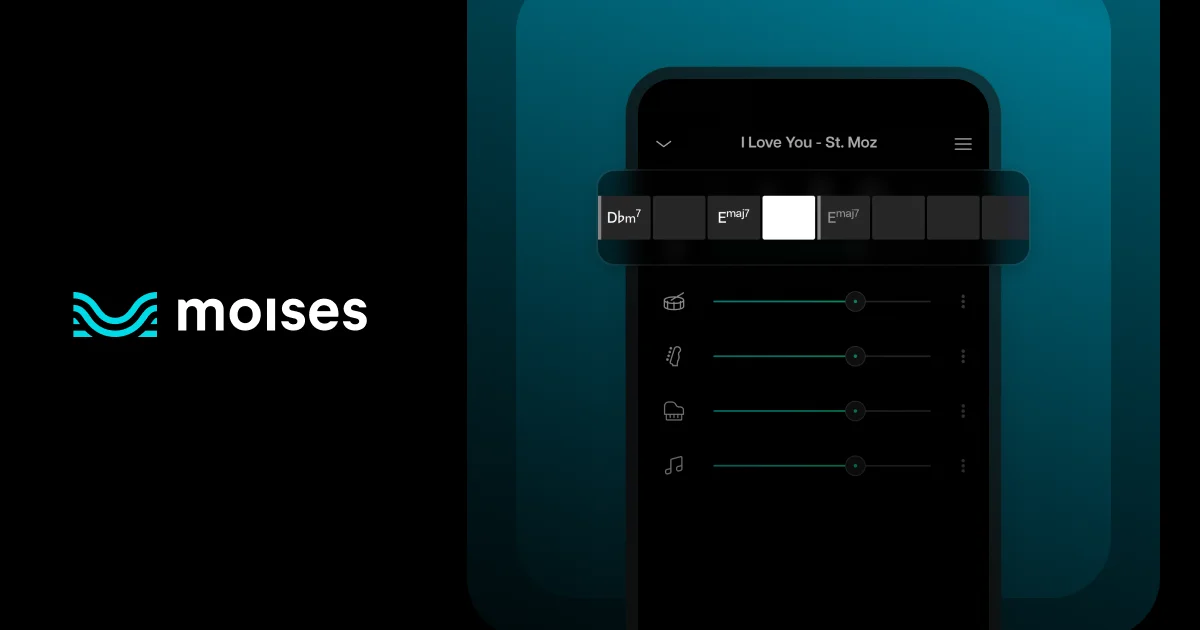
Moises Chords is a feature of the Moises AI music platform that uses artificial intelligence to automatically detect, generate, and display the chord progressions of any song in real time. Musicians simply upload an audio or video file—or paste a public URL—and the AI instantly analyzes the track and overlays the chords on-screen in sync with playback. Designed for guitarists, pianists, bassists, and all instrumentalists, the tool offers three chord difficulty levels—easy, medium, and advanced—so learners can progress at their own pace. The integrated Pitch Changer allows one-click transposition to any key, making it effortless to match a song to your vocal range or instrument tuning. The Audio Speed Changer complements chord detection by letting you slow down or speed up playback without affecting pitch, perfect for mastering complex transitions. Moises also detects the song's BPM automatically. Chord detection works hand-in-hand with Moises' AI stem separation, which isolates vocals, drums, guitar, bass, and other instruments. This combination lets musicians mute or isolate specific tracks while practicing chord progressions. The tool is available on web, iOS, Android, and desktop apps, making it accessible across all major devices. Trusted by professional musicians and educators with millions of followers, Moises Chords is ideal for music students, hobbyists, band members, and music teachers who want a fast, accurate, and all-in-one chord learning experience.
Key Features
- Real-Time AI Chord Detection: Upload any song and the AI instantly detects and displays chords in sync with playback—no manual searching required.
- Three Chord Difficulty Levels: Switch between easy, medium, and advanced chord voicings so musicians of all skill levels can learn and practice at their own pace.
- One-Click Chord Transposition: Use the Pitch Changer to instantly transpose all detected chords to any key, adapting songs to your vocal range or instrument tuning.
- Audio Speed Control: Slow down or speed up any song without affecting pitch, making it easier to learn fast or complex chord transitions at a comfortable tempo.
- AI Stem Separation Integration: Isolate or mute vocals, drums, guitar, and bass tracks while viewing chords, enabling focused instrument-specific practice sessions.
Use Cases
- A guitar student uploads their favorite song to quickly learn the chord progression and practice playing along using the easy difficulty setting.
- A music teacher uses Moises Chords to prepare lesson materials, transposing songs to keys suitable for beginner students and slowing down the tempo for step-by-step instruction.
- A band preparing for a cover set uploads multiple songs to rapidly identify chords and arrange parts for each instrument without relying on inaccurate third-party chord tabs.
- A vocalist uses the pitch changer to transpose a song's chords to match their vocal range, then practices singing and playing simultaneously.
- A self-taught musician uses the audio speed changer alongside chord detection to slow down complex jazz chord transitions and learn them one at a time before building back up to full speed.
Pros
- Free to Start: Core chord detection is available for free, making it accessible to casual learners and students without any upfront cost.
- All-in-One Music Practice Suite: Chord detection, stem separation, pitch changing, and speed control are all integrated in one app, eliminating the need to switch between multiple tools.
- Cross-Platform Availability: Available on web, iOS, Android, macOS, and Windows, so musicians can practice from any device at any time.
- Multiple Skill Level Support: Three chord complexity levels cater to beginners through advanced musicians, supporting long-term skill development on the same platform.
Cons
- Advanced Features Require Subscription: Full access to all chord levels, unlimited uploads, and premium AI features are locked behind a paid subscription plan.
- Accuracy Depends on Audio Quality: Chord detection performance may be reduced for songs with complex arrangements, low-quality recordings, or heavy production effects.
- No Native Sheet Music Export: Detected chords are displayed on-screen in sync with playback but cannot be directly exported as standard sheet music or chord chart PDFs.
Frequently Asked Questions
How does Moises Chords detect chords?
Moises uses AI and machine learning algorithms to analyze the audio frequencies in an uploaded song and identify the harmonic content, generating accurate chord names and displaying them in real-time sync with playback.
What audio formats does Moises Chords support?
Moises supports multiple audio and video formats including MP3, WAV, and others. You can upload files from your local library or provide a public URL to a song.
Can I change the key of the detected chords?
Yes. Using the built-in Pitch Changer tool, you can instantly transpose all detected chords to any key of your choice with a single click, and the chord display will update accordingly.
Is Moises Chords free to use?
Moises Chords offers a free tier that includes core chord detection functionality. A premium subscription unlocks additional features such as unlimited uploads, all difficulty levels, and full access to the stem separation and other advanced tools.
What platforms is Moises available on?
Moises is available on web browsers, iOS (App Store), Android (Google Play), and as a desktop application for macOS and Windows, so you can access your music practice tools on virtually any device.