

About
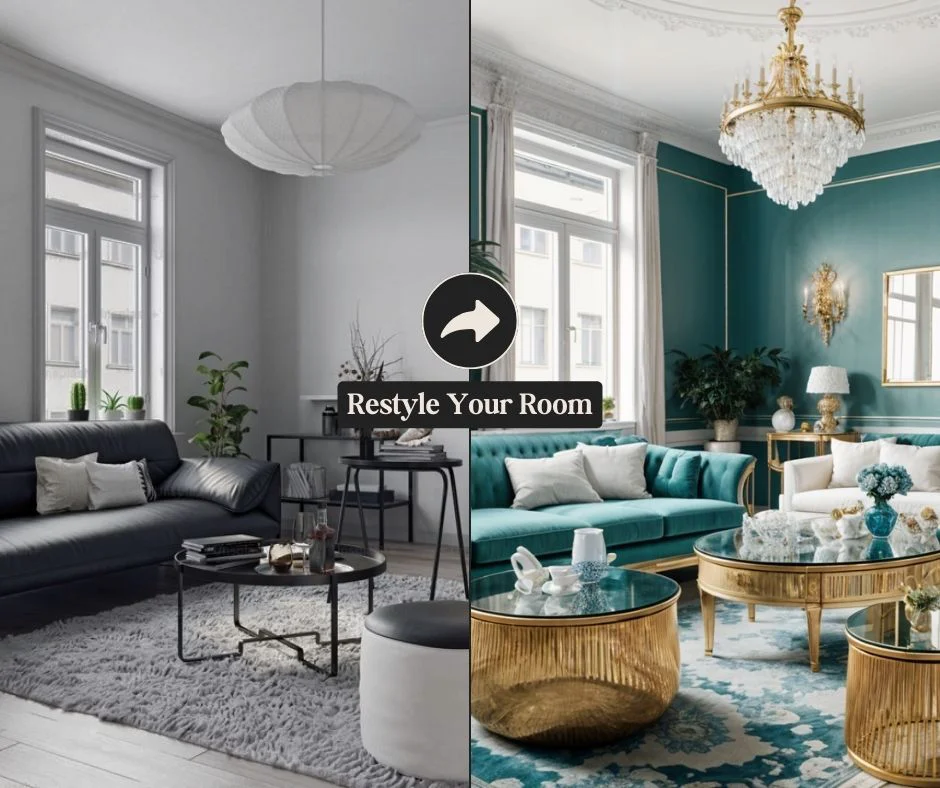
MyRoomDesigner.AI makes professional-quality interior design accessible to everyone. Simply upload a photo of your existing room and the AI instantly analyzes the layout, lighting, and key features. You then choose from more than 30 design styles—from Contemporary and Scandinavian to Bohemian and Art Deco—and select from dozens of curated color palettes or define custom colors to match your vision. The platform supports a wide variety of room types including living rooms, bedrooms, kitchens, bathrooms, home offices, nurseries, and even wine cellars or yoga studios. Once a design is generated, an AI chat interface lets you fine-tune details with plain language commands like "paint the walls sage green" or invoke specific designer aesthetics such as Studio McGee or Magnolia. Additional features include the ability to upload product images to incorporate specific furniture or decor items, a "Find Similar" product discovery tool that identifies real-world items matching elements in your design, high-resolution photo upscaling, background removal, and a Design Studio for freeform customization with a shopping list creator and one-click import of favorites. With over 85,000 room redesigns generated and a 4.8/5 satisfaction rating, MyRoomDesigner.AI is trusted by homeowners, DIY decorators, and interior design professionals who want to quickly visualize transformations and present compelling concepts to clients—no design expertise required.
Key Features
- AI Room Analysis & Instant Redesign: Upload any room photo and the AI analyzes layout and features to generate a fully redesigned concept in seconds.
- 30+ Design Styles & Color Palettes: Choose from styles like Scandinavian, Bohemian, Industrial, and Art Deco, paired with curated or custom color combinations.
- Conversational AI Chat Refinement: Refine generated designs using plain-language chat commands—change wall colors, swap furniture styles, or apply a named designer's aesthetic.
- Product Discovery & Custom Item Integration: Upload product images to include specific items in your design, or use 'Find Similar' to locate real-world products matching elements in your AI-generated room.
- Design Studio with Advanced Editing: Import AI-generated designs into the Design Studio to further customize with background removal, upscaling, cropping, and a shopping list creator.
Use Cases
- Homeowners visualizing a full room renovation before spending money on furniture or paint.
- Interior designers rapidly generating client-ready concept presentations to accelerate approvals.
- Real estate agents and home sellers creating virtual staging visuals to attract buyers.
- DIY decorators experimenting with different styles, color schemes, and furniture layouts risk-free.
- Short-term rental hosts refreshing the look of their properties to improve listing appeal.
Pros
- No Design Experience Required: The guided upload, style selection, and AI chat workflow makes professional-looking redesigns accessible to complete beginners.
- Wide Room & Style Coverage: Supports 25+ room types and 30+ interior design styles, making it versatile for virtually any home or commercial space.
- Real Product Integration: The ability to upload specific furniture items or discover similar products bridges the gap between virtual design and real purchases.
- Trusted at Scale: With 85,000+ redesigns generated and a 4.8/5 rating, the platform has proven reliability for both homeowners and interior professionals.
Cons
- Photo Quality Dependency: The accuracy and quality of AI-generated redesigns depends heavily on the resolution and lighting of the uploaded room photo.
- Limited Free Access: Full feature access, including high-resolution upscaling and Design Studio tools, likely requires a paid subscription tier.
- 2D Photo-Based Only: The tool works with flat photo transformations rather than interactive 3D room modeling, which may limit spatial planning precision.
Frequently Asked Questions
How do I get started with MyRoomDesigner.AI?
Simply upload a photo of your room on the website, select your room type, choose a design style and color palette, then click 'Generate Design' to receive an instant AI-powered redesign.
What types of rooms does MyRoomDesigner.AI support?
The platform supports over 25 room types including living rooms, bedrooms, kitchens, bathrooms, home offices, nurseries, yoga studios, wine cellars, game rooms, and more.
Can I include my own furniture or products in a design?
Yes. You can upload product images through the 'Add Product to Design' feature to incorporate specific furniture or decor items into your AI-generated room concept.
How does the AI chat refinement work?
After generating a design, you can type plain-language instructions into the chat—such as 'paint the walls sage green' or 'add a mid-century modern sofa'—and the AI will update the design accordingly.
Can I find real products that match my AI-generated design?
Yes. The 'Find Similar' feature lets you click on any item in your generated photo and search for real-world products that match it, helping you bring the design to life.