

About
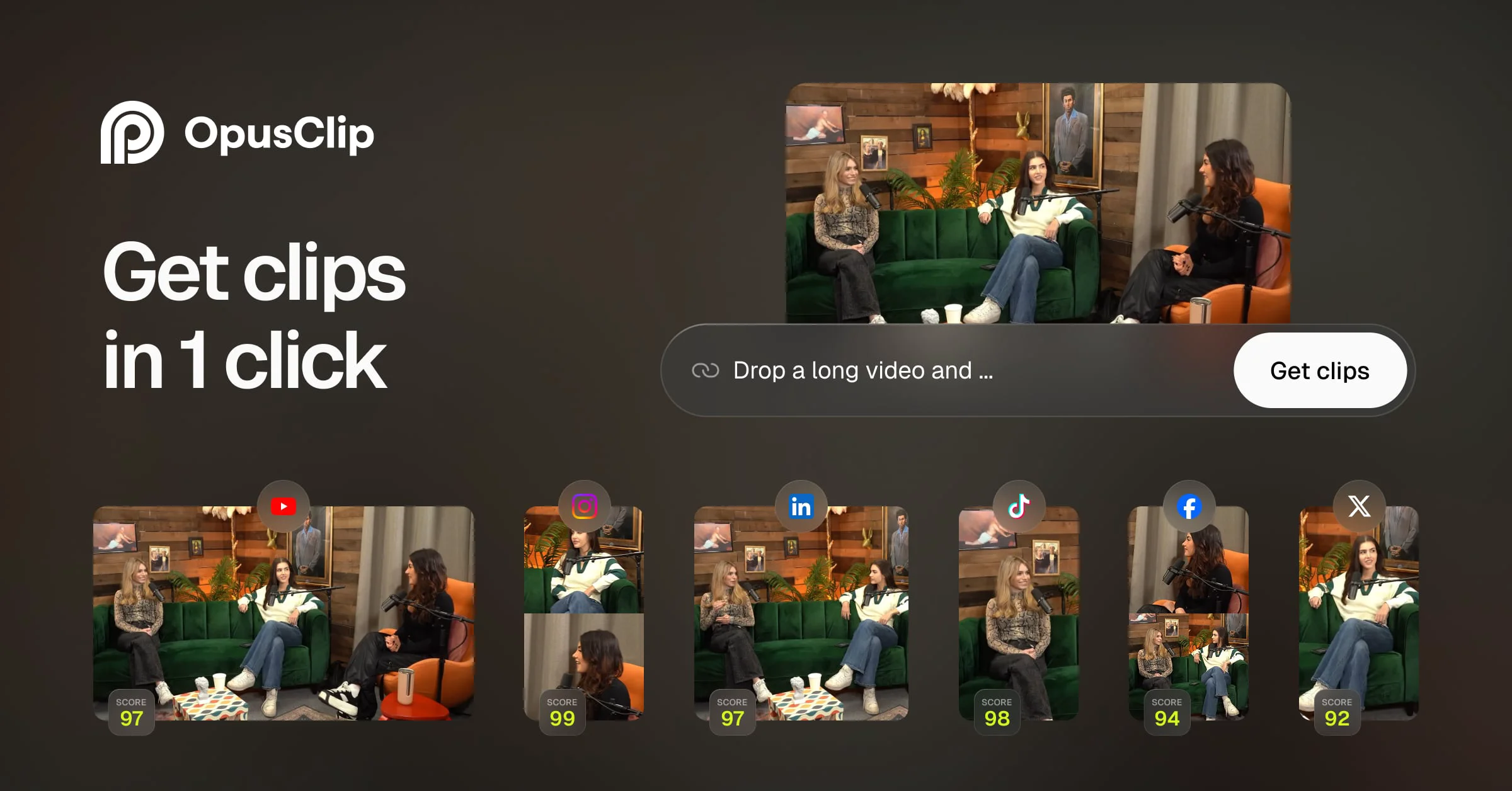
OpusClip is the leading AI video clipping platform that converts long videos into viral short-form content at scale. Powered by advanced AI editing models, it handles any video genre — vlogs, podcasts, sports, gaming, interviews, and explainer videos — making it far more versatile than podcast-only competitors. Its flagship feature, ClipAnything, automatically identifies the most engaging moments and packages them into polished clips ready for TikTok, Instagram Reels, YouTube Shorts, and more. AI Reframe uses object-tracking technology to keep moving subjects perfectly centered when resizing content for different platform aspect ratios. Animated captions are generated in seconds, while AI B-Roll inserts contextually relevant footage automatically. OpusClip also includes a built-in social scheduler to plan and publish a month's worth of posts in minutes, a YouTube Thumbnail Generator, an all-in-one editor with XML export for Adobe Premiere Pro and DaVinci Resolve, and brand template management for consistent visual identity. For teams and agencies, the platform offers a collaborative workspace to manage projects at scale and an API for workflow automation. OpusClip is purpose-built for creators, marketers, podcasters, agencies, e-commerce brands, advertisers, and real estate professionals who need to maximize content output without burning out or hiring large editing teams.
Key Features
- ClipAnything: AI model that works across any video genre — vlogs, gaming, sports, podcasts — to automatically identify and extract the most viral-worthy clips in one click.
- AI Reframe & Object Tracking: Automatically resizes any video for any social platform while keeping moving subjects centered using AI object tracking or manual control.
- Animated Captions & AI B-Roll: Adds stylized animated captions and contextually relevant B-roll footage to clips automatically in under a minute.
- Social Scheduler: Schedule and publish a full month of short-form video content to all major social platforms in just 10 minutes.
- Team Workspace & Brand Templates: Collaborate with team members, manage brand fonts, colors, logos, and intros/outros, and export to Adobe Premiere Pro or DaVinci Resolve via XML.
Use Cases
- A podcaster uploads a 60-minute episode and uses OpusClip to automatically extract 10 highlight clips with animated captions, then schedules them across TikTok, Instagram, and YouTube Shorts for the entire month.
- A marketing agency uses OpusClip's Team Workspace and brand templates to produce on-brand short-form video ads for multiple clients at scale, reducing editing costs by thousands per month.
- An e-commerce brand repurposes long product review videos into punchy 30-second clips with AI B-roll and captions to drive engagement and sales on social media.
- A live streamer uses OpusClip to automatically clip and post the most exciting moments from their Twitch streams, driving traffic back to their channel without manual editing work.
- A real estate agent converts property tour walkthrough videos into short highlight reels optimized for Instagram Reels and YouTube Shorts to generate more leads.
Pros
- Supports Any Video Genre: Unlike most AI clipping tools limited to podcasts, OpusClip handles vlogs, sports, gaming, interviews, and more.
- End-to-End Workflow Automation: From clipping and captioning to scheduling and publishing, the entire short-form video pipeline can run on autopilot.
- Massive Platform & Language Support: Works with 10+ video sources (YouTube, Zoom, Twitch, Loom, etc.) and supports 25+ languages for global creator reach.
- No Editing Skills Required: The all-in-one AI editor and automated features make professional-quality video output accessible to anyone.
Cons
- Advanced Source URLs Require Pro Plan: Support for sources like Vimeo, Zoom, Twitch, and LinkedIn is restricted to paid Pro subscribers.
- AI Clip Selection May Miss Context: Automated clip selection can occasionally miss nuanced or context-dependent highlights that a human editor would catch.
- Output Quality Tied to Input Video: Low-resolution or poor-quality source videos will limit the quality of the final clips regardless of AI enhancement.
Frequently Asked Questions
Is OpusClip free to use?
Yes, OpusClip offers a free tier that lets you get started without a credit card. A Pro plan unlocks additional video sources, higher export quality, and advanced features.
What types of videos does OpusClip support?
OpusClip supports a wide range of genres including vlogs, podcasts, gaming, sports, interviews, and explainer videos. It can process videos from YouTube, Google Drive, Zoom, Twitch, Vimeo, Loom, Riverside, and more.
Which social platforms can I publish to with OpusClip?
OpusClip's social scheduler lets you publish short clips to all major platforms including TikTok, Instagram Reels, YouTube Shorts, LinkedIn, Facebook, and Twitter in one click.
Does OpusClip work for teams and agencies?
Yes. OpusClip offers a Team Workspace feature that allows collaboration, brand template management, and scaled content production — helping agencies save significant time and cost on video editing.
Can I use OpusClip with professional editing software?
Yes. OpusClip supports XML export so you can take your AI-edited clips into Adobe Premiere Pro or DaVinci Resolve for further professional-grade editing.