S
About
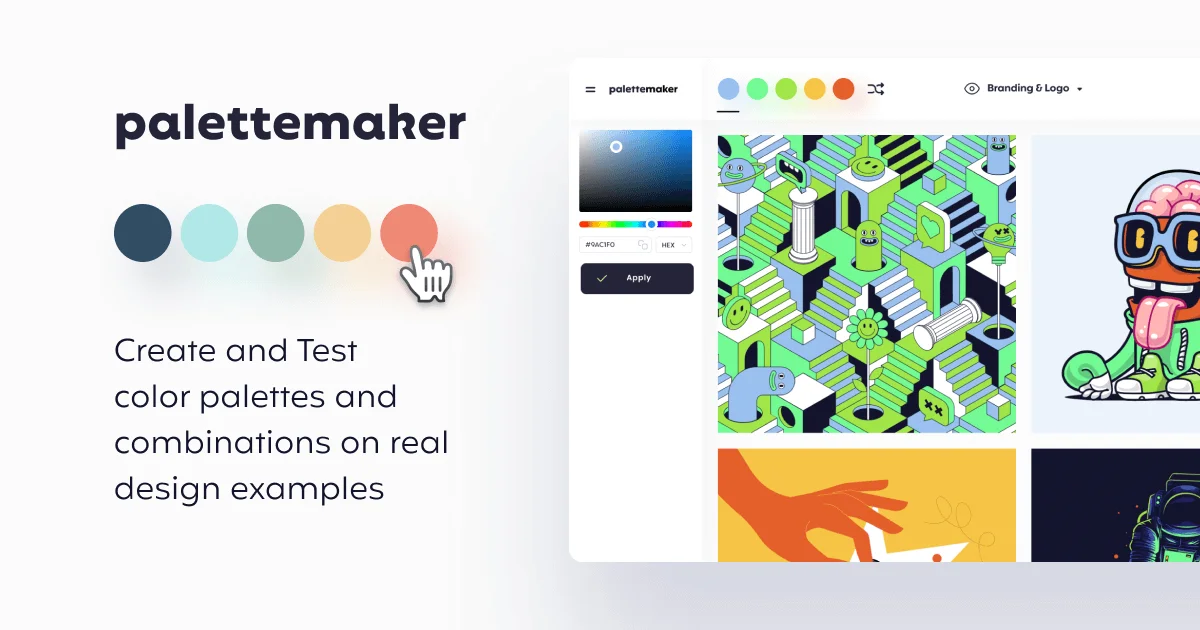
PaletteMaker is a free, web-based color tool designed for creative professionals and color enthusiasts. It combines AI-powered palette generation with live design previews, making it easy to see exactly how a color combination will look in real-world contexts before committing to it. Unlike traditional palette tools that show swatches in isolation, PaletteMaker applies your colors directly onto pre-built design examples spanning logo design, UI/UX interfaces, patterns, posters, and illustrations. The tool supports palettes of 2 to 5 colors and offers flexible customization: you can browse curated color schemes, apply one as a starting point, randomize shades, adjust individual colors, or remove cells. An AI mode helps generate unique, harmonious combinations automatically, while manual controls let you fine-tune every hue. For creatives who need to share or apply their palettes, PaletteMaker supports exports in Procreate swatches, Adobe ASE, image formats, and developer-friendly code — covering workflows across illustration, design, and web development. The platform also includes a Color Theory Basics section to help users understand relationships between colors and make more intentional design decisions. Because it was built by professional designers and is entirely free with no paywalls or feature locks, PaletteMaker is accessible to both seasoned designers and beginners exploring color for the first time.
Key Features
- AI Color Palette Generation: Automatically generate unique, harmonious color schemes using AI, with controls to filter by tone and number of colors.
- Live Design Preview: Instantly apply your palette to pre-built design mockups including logos, UI/UX screens, posters, patterns, and illustrations to see real-world results.
- Multi-Format Export: Export your palette as Procreate swatches, Adobe ASE files, image formats, or developer-ready code to fit any workflow.
- Flexible Palette Editing: Randomize, adjust individual colors, or delete swatches across 2–5 color palettes with an intuitive, no-code interface.
- Color Theory Resources: Built-in Color Theory Basics section helps users understand color relationships to make more meaningful and intentional design decisions.
Use Cases
- A brand designer building a new visual identity can generate and test color palettes directly on logo mockups to find the right combination before presenting to a client.
- A UI/UX designer can preview color schemes on interface templates to ensure accessibility and visual harmony across app or web components.
- An illustrator or poster artist can explore color moods and apply them to pre-built illustration and poster examples to quickly find a palette that fits the piece.
- A developer building a website can generate a palette and export it as code to plug directly into their CSS or design system.
- A non-designer creating marketing materials can use the AI generator and Color Theory Basics to confidently pick colors without a formal design background.
Pros
- 100% Free Forever: All features are permanently free with no hidden paywalls, subscriptions, or sign-up requirements.
- Real Design Context Preview: Unlike simple swatch tools, PaletteMaker shows your palette applied to actual design templates, giving a true sense of how colors behave together.
- Broad Export Compatibility: Supports exports for Procreate, Adobe ASE, images, and code — making it useful across illustration, print, and digital development workflows.
- Beginner-Friendly: Designed to be intuitive for non-designers as well as professionals, with guided resources like Color Theory Basics.
Cons
- Web-Only Platform: No native desktop or mobile app — requires a browser, which may be limiting for offline or on-device workflows.
- No Black or White in Palettes: By design, black and white are excluded from generated palettes, which may feel restrictive for users who want full tonal control.
- Limited to 5-Color Palettes: Palettes max out at 5 colors, which may not suffice for complex design systems requiring larger, more nuanced color sets.
Frequently Asked Questions
How do I use PaletteMaker?
Your color palette is displayed at the top of the screen (or bottom on mobile). You can browse pre-made color schemes in the left panel, apply one to your canvas, randomize colors, adjust individual swatches, or delete cells. The tool works automatically with 2 to 5 color palettes.
Is PaletteMaker really free?
Yes — PaletteMaker is 100% free to use and always will be. All current features are available without any subscription, account, or payment.
Can non-designers use PaletteMaker?
Absolutely. PaletteMaker was specifically designed so that both professional designers and beginners can enjoy and benefit from it, with an intuitive interface and built-in color theory guidance.
What formats can I export my palette in?
You can export your color palette as a Procreate swatch file, Adobe ASE, an image, or as code — making it compatible with illustration apps, design software, and development projects.
Why don't the generated palettes include black or white?
In graphic design, black and white are typically used as background or text colors rather than palette colors. PaletteMaker focuses on the accent and primary colors of a design, so black and white are intentionally excluded.