

About
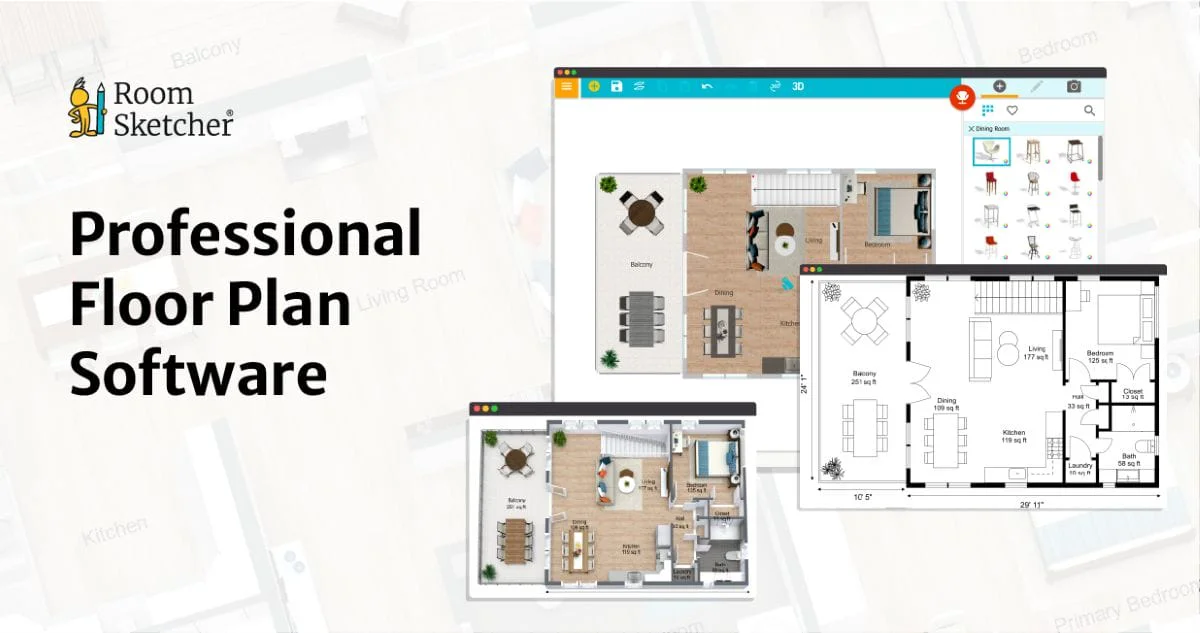
RoomSketcher is an intuitive, professional-grade floor plan software designed for real estate agents, interior designers, architects, and homeowners. It offers five distinct ways to create floor plans: drawing from scratch, tracing over existing images, ordering redrawn plans from a sketch, capturing spaces with LiDAR, and using AI to automatically convert existing floor plan images into editable digital plans. Once a plan is created, users can enrich it with powerful visualization tools including high-quality 2D diagrams, 3D floor plans, Live 3D walkthroughs, 360-degree interactive views, and photorealistic 3D Photos. Adding room dimensions and measurements is a one-click operation, making it easy to produce polished, client-ready deliverables. The platform features a drag-and-drop interface with no CAD knowledge required, making it accessible to beginners while still powerful enough for professionals. Users can customize floor plans with preferred colors, materials, and branded letterheads, and save styles for consistency across projects. RoomSketcher works on Mac, Windows, iPad, and Android tablets, with offline editing and cloud sync so projects are always accessible. A free tier is available for basic use, with premium subscriptions unlocking advanced features. Comprehensive support including tutorials, webinars, and a live customer service team ensures users can get up and running quickly.
Key Features
- AI Floor Plan Conversion: Automatically convert existing floor plan images into fully editable digital plans using built-in AI, saving hours of manual redrawing.
- Multiple Creation Methods: Create floor plans by drawing from scratch, tracing images, uploading sketches for redrawing, or capturing real spaces with LiDAR technology.
- 2D & 3D Visualization: Generate polished 2D diagrams, high-quality 3D floor plans, Live 3D walkthroughs, and interactive 360-degree views to showcase any space.
- Cross-Platform & Offline Support: Work across Mac, Windows, iPad, and Android tablets with offline editing capability and automatic cloud sync when back online.
- Branding & Customization: Personalize floor plans with custom colors, materials, branded letterheads, and saved styles for consistent, professional outputs.
Use Cases
- Real estate agents creating polished 2D and 3D floor plans to enhance property listings and attract buyers.
- Interior designers planning and visualizing room layouts with custom furnishings, materials, and color schemes.
- Homeowners redesigning their living spaces and experimenting with different layouts before committing to renovations.
- Architects and builders producing quick concept floor plans from sketches or existing images using AI conversion.
- Property managers documenting office or rental unit layouts with accurate measurements for leasing and compliance purposes.
Pros
- Beginner-Friendly Interface: Drag-and-drop functionality and no CAD experience required means anyone can produce professional-quality floor plans quickly.
- Versatile Creation Options: Five distinct methods to create floor plans — including AI conversion and LiDAR capture — accommodate a wide range of workflows and skill levels.
- Rich Visualization Tools: Live 3D walkthroughs, 360-degree interactive views, and 3D Photos provide compelling ways to present and share designs with clients.
- Large User Base & Strong Support: Trusted by 10 million+ users with dedicated customer support, webinars, tutorials, and a comprehensive help center.
Cons
- Advanced Features Require Paid Plans: The free tier is limited to basic functionality; accessing powerful tools like Live 3D, 3D Photos, and branding options requires a paid subscription.
- Not a Full CAD Replacement: RoomSketcher is optimized for floor plans and space visualization, not complex architectural or engineering-grade CAD drafting.
- AI Conversion Accuracy May Vary: AI-based floor plan conversion quality can depend on the clarity and format of the source image, requiring manual correction in some cases.
Frequently Asked Questions
Is RoomSketcher free to use?
Yes, RoomSketcher offers a free subscription that provides access to basic floor plan creation features. For advanced tools like Live 3D, 3D Photos, branding, and more, users can upgrade to a paid subscription.
What devices does RoomSketcher support?
RoomSketcher works on Mac, Windows computers, and iPad and Android tablets. Projects are stored in the cloud and can be accessed from any supported device, with offline editing available.
How does the AI floor plan conversion work?
RoomSketcher's AI feature analyzes an uploaded floor plan image and converts it into a fully editable digital floor plan, eliminating the need to manually redraw it from scratch.
Do I need CAD experience to use RoomSketcher?
No. RoomSketcher is designed for users of all skill levels. Its drag-and-drop interface and short learning curve make it accessible to homeowners, agents, and design professionals alike.
Can I use RoomSketcher for commercial real estate listings?
Yes. RoomSketcher is widely used by real estate professionals to create accurate, visually appealing floor plans for property listings, complete with measurements and 3D visualizations.