
About
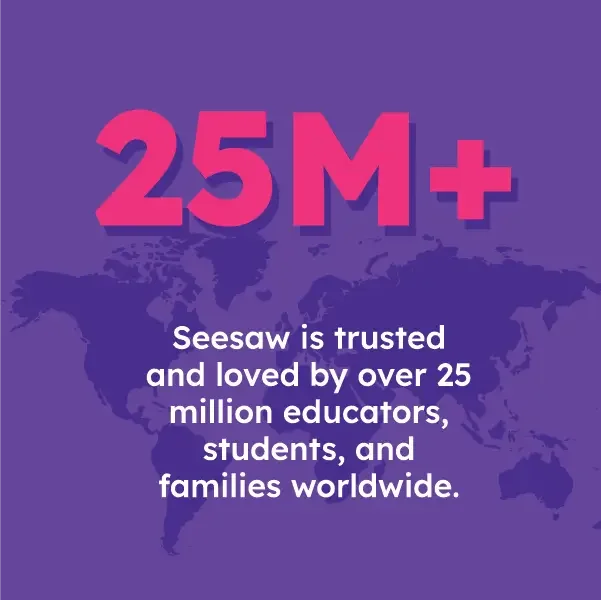
Seesaw is a comprehensive Learning Experience Platform purpose-built for elementary education (PreK–6), trusted by over 25 million users worldwide. It brings together a full-featured LMS, AI-enhanced instruction tools, student digital portfolios, and family communication in a single, unified platform. At its core, Seesaw empowers teachers to create and assign differentiated learning activities, track student progress against standards, and save significant planning time with AI-assisted tools for instruction and assessment. The platform's student portfolio system is designed to showcase year-over-year academic growth, supporting competency-based learning and Portrait of a Graduate frameworks. Seesaw also offers supplemental curriculum including a K–5 Computer Science and Digital Literacy program created with MIT's Scratch, a Science of Reading-aligned K–2 Early Literacy program, and a WIDA-aligned English Language Development curriculum for multilingual learners. For school administrators, Seesaw provides deep insights and reporting tools alongside flexible implementation options for whole-class, small-group, and individual learning. Families stay connected through real-time messaging and portfolio access. The platform integrates seamlessly with Schoology, Canvas, Google Classroom, and Microsoft SSO, fitting naturally into existing school tech stacks. Seesaw is well-suited for district-wide adoption and supports diverse learners including students with IEPs and 504 plans.
Key Features
- AI-Enhanced Instruction & Assessment: Seesaw AI saves teachers time by generating activity ideas, assessments, and instructional resources tailored to elementary learners.
- Digital Student Portfolios: Purpose-built PreK–6 portfolios that document year-over-year growth, showcase student work, and support competency-based and Portrait of a Graduate frameworks.
- Supplemental Curriculum: Ready-to-use curriculum for K–5 Computer Science (built with MIT Scratch), K–2 Early Literacy (Science of Reading), and K–5 English Language Development for multilingual learners.
- Family Engagement: Real-time messaging and portfolio sharing keep families informed and involved in their child's learning journey throughout the school year.
- Third-Party Integrations: Seamlessly connects with Schoology, Canvas, Google Classroom, and Microsoft SSO for a frictionless experience within existing school technology ecosystems.
Use Cases
- Elementary teachers use Seesaw to create and distribute differentiated assignments, track individual student progress, and save planning time using AI-generated instructional resources.
- Schools and districts deploy Seesaw as a unified LMS to manage K–6 learning experiences, monitor standards mastery, and generate school-wide academic insights for administrators.
- Teachers document student work in digital portfolios to showcase year-over-year growth, supporting competency-based learning and Portrait of a Graduate programs.
- Families stay connected to their child's education through real-time Seesaw notifications, portfolio updates, and direct messaging with teachers.
- Districts use Seesaw's supplemental Computer Science, Early Literacy, and English Language Development curricula to provide consistent, research-backed instruction for all learners including multilingual students and those with IEPs.
Pros
- Massive Educator Community: With 25M+ users globally, Seesaw offers a rich community library of teacher-created activities and peer support through the Teacher Scrapbook community.
- All-in-One Elementary Platform: Combines LMS, AI tools, supplemental curriculum, portfolios, and family communication in one place, reducing the need for multiple disconnected tools.
- Purpose-Built for Young Learners: The interface and content are specifically designed for PreK–6 students, making it age-appropriate and accessible even for the earliest grades.
Cons
- Elementary-Focused Only: Seesaw is designed specifically for K–6 classrooms, making it less suitable for middle school, high school, or higher education contexts.
- Premium Features Require Paid Plans: Advanced tools such as standards-based reporting, Instruction and Insights, and full AI capabilities are locked behind paid subscription tiers.
- Learning Curve for New Administrators: District-wide rollout and configuration of integrations, reporting dashboards, and competency frameworks can require significant onboarding time.
Frequently Asked Questions
Who is Seesaw designed for?
Seesaw is built for PreK–6 educators, school administrators, students, and their families. It supports teachers in creating differentiated instruction and helps administrators track school-wide academic progress.
Is Seesaw free to use?
Seesaw offers a free tier for teachers with core portfolio and assignment features. Premium plans unlock AI tools, standards-based reporting, and advanced analytics. Schools and districts can contact sales for pricing.
What AI features does Seesaw offer?
Seesaw AI helps teachers save time by generating instructional activities, assessments, and differentiated resources. It also supports AI literacy education for students through its curriculum offerings.
Does Seesaw integrate with other school platforms?
Yes. Seesaw integrates with Schoology, Canvas, Google Classroom, and Microsoft SSO, allowing it to fit into existing school technology ecosystems without disruption.
What curriculum does Seesaw provide?
Seesaw offers supplemental curriculum including a K–5 Computer Science and Digital Literacy program (created with MIT Scratch), a K–2 Early Literacy program aligned to the Science of Reading, and a WIDA-aligned English Language Development program for multilingual learners in K–5.