
About
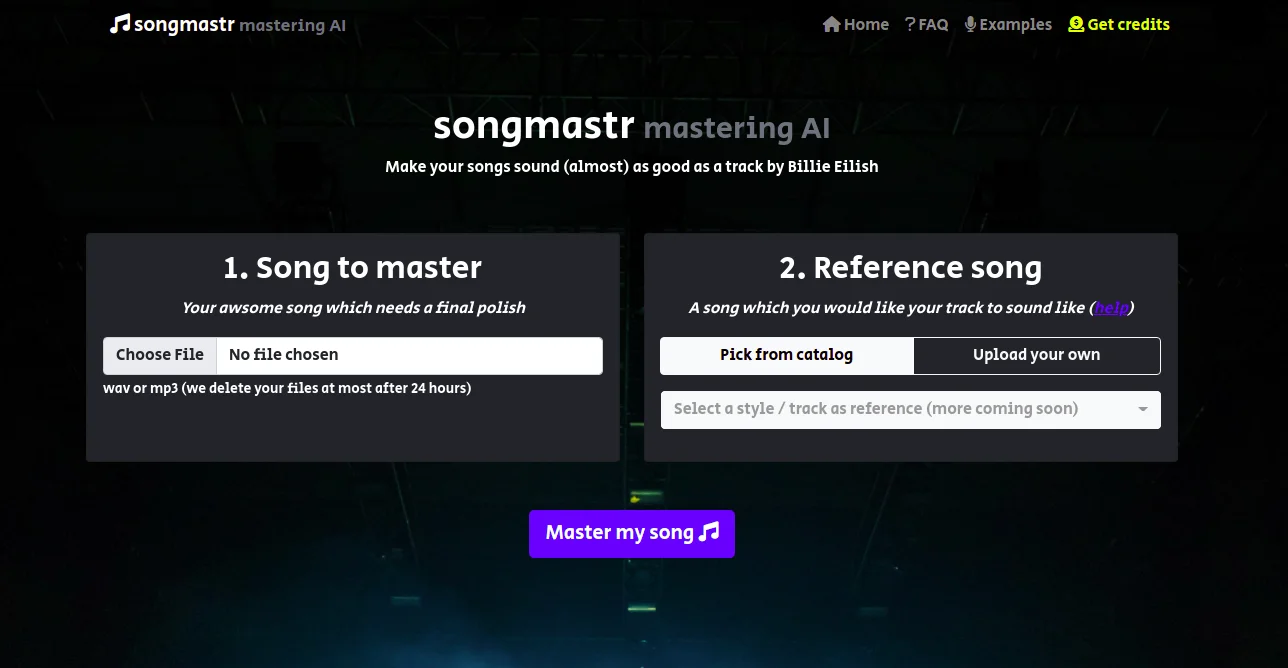
Songmastr is an AI-driven online audio mastering service that lets musicians, producers, and beatmakers achieve professional, commercial-quality sound without expensive studio sessions or complex software. Simply upload your mixed track and a reference song you want to emulate, and Songmastr's algorithm — powered by the open-source Matchering library — analyzes and applies matching RMS levels, frequency response (EQ), peak amplitude, and stereo width to your track automatically. The tool is entirely web-based with no software installation or account registration needed, making it accessible to anyone with a browser. It accepts WAV and MP3 files up to 80MB and 10 minutes in length. Uploaded files are automatically deleted within 24 hours for privacy. Songmastr is ideal for independent artists who want their demos or self-produced tracks to sit competitively alongside commercial releases. It's equally useful for beatmakers mastering instrumentals, home studio producers polishing final mixes, and content creators who need broadcast-ready audio. The free tier supports 7 songs per week, and affordable paid plans are available for users with higher output needs. Best results come when the source file is properly mixed with around -6dB of headroom and no limiting applied beforehand.
Key Features
- Reference Track Matching: Analyzes a commercial reference song and applies its RMS, frequency response, peak amplitude, and stereo width to your uploaded track.
- AI-Powered Mastering Engine: Built on the open-source Matchering library, the algorithm delivers intelligent, automated mastering without manual parameter adjustment.
- No Registration Required: Start mastering immediately in the browser with no account, login, or software installation needed.
- WAV & MP3 Support: Accepts both WAV and MP3 files up to 80MB and 10 minutes in length, with automatic file deletion within 24 hours.
- Free Tier with Paid Upgrades: Process up to 7 songs per week for free, with low-cost paid plans starting at $4 for higher-volume needs.
Use Cases
- Independent musicians giving their self-produced tracks a commercial, release-ready sound without hiring a mastering engineer.
- Beatmakers and producers mastering instrumental tracks to match the loudness and tone of genre-specific reference records.
- Home studio artists quickly finalizing mixes before distribution to streaming platforms.
- Music students and hobbyists learning how professional masters differ from raw mixes by comparing input and output.
- Content creators needing broadcast-loudness-compliant audio for YouTube, podcasts, or social media videos.
Pros
- Genuinely Free to Start: 7 masterings per week at no cost and without requiring an account makes it accessible to any musician.
- Dead-Simple Workflow: Just upload your mix and a reference — no knobs, no settings, no audio engineering expertise required.
- Privacy-Conscious: All uploaded files are automatically deleted within 24 hours, reducing data retention concerns.
- Open-Source Foundation: Powered by the transparent, community-vetted Matchering library, providing reproducible and auditable mastering logic.
Cons
- Weekly Free Limit: The 7-songs-per-week cap can be restrictive for prolific producers or those working under tight deadlines.
- No Manual Control: There are no adjustable parameters — users who want fine-grained EQ, compression, or limiting control will need other tools.
- File Size & Length Restrictions: Tracks must be under 80MB and 10 minutes, which may exclude longer compositions or high-resolution audio files.
Frequently Asked Questions
How does Songmastr master my track?
Songmastr uses the Matchering open-source AI library to analyze your reference track's RMS level, frequency response, peak amplitude, and stereo width, then applies those characteristics to your uploaded song automatically.
Is Songmastr really free?
Yes — you can master up to 7 songs per week completely free with no registration. For higher volumes, paid plans are available starting at $4.
What file formats does Songmastr support?
Songmastr accepts both WAV and MP3 files. Files must be no longer than 10 minutes and no larger than 80MB.
How should I prepare my track before uploading?
Your song should be fully mixed before uploading. Leave around -6dB of headroom and do not apply a limiter to the master bus, as Songmastr handles limiting during the mastering process.
How do I pick the right reference track?
Choose a commercially released song in the same genre and vibe as your track. If you're mastering an instrumental or beat, select a reference that also has no vocals to ensure a balanced frequency match.