

About
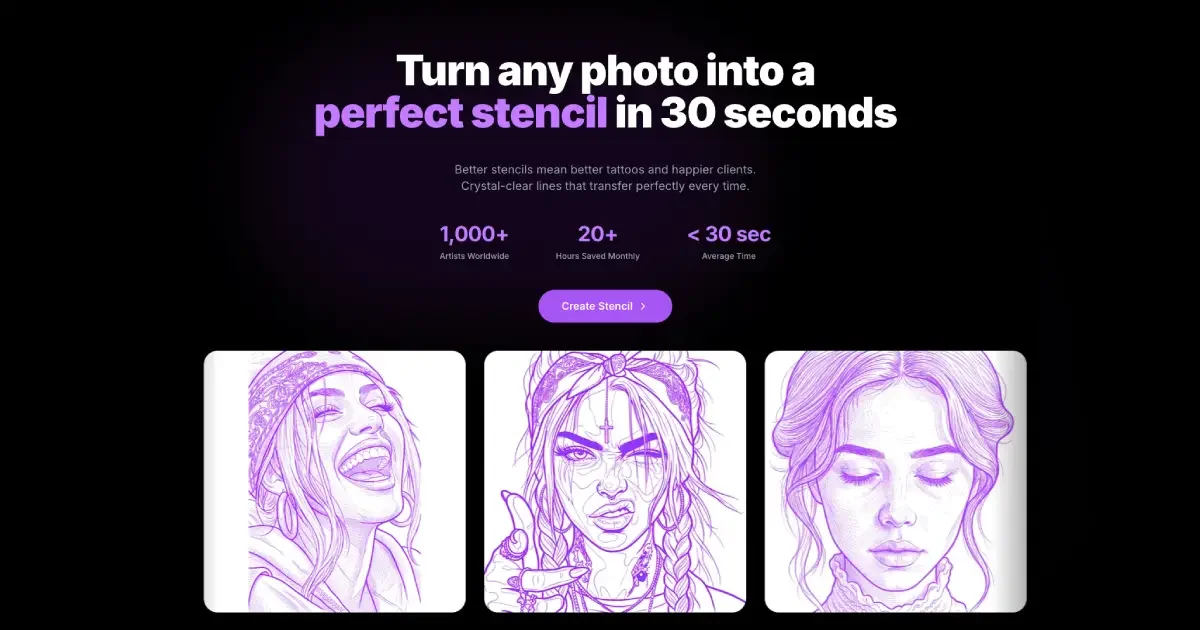
Stencil AI is a specialized AI tool designed exclusively for tattoo artists and studios, transforming any reference photo into a professional tattoo stencil with remarkable speed and precision. By leveraging advanced computer vision algorithms, it analyzes uploaded images, enhances contrast, removes backgrounds, and produces clean, tattoo-ready line art in 30–60 seconds. Users simply upload their reference image—portraits, animals, nature scenes, or custom artwork—choose a stencil style (outline, simple, or detailed), and download a high-resolution file optimized for stencil transfer. Multiple professional shading styles including hatching are available on higher tiers. Key capabilities include 4K upscaling for crisp output, background removal, recoloring, and a priority rendering queue. The platform supports JPG, PNG, and WEBP formats and is accessible via web browser as well as iOS and Android mobile apps, enabling artists to create stencils on the go. Three pricing tiers cater to different needs: Hobby (20 credits/month for testers), Pro (100 credits/month for individual artists with all styles and 4K upscale), and Studio (multi-artist shops with seat-based billing and team dashboards). Stencil AI has helped artists save 20+ hours monthly and has generated over 50,000 stencils, earning a 4.9/5 average rating. It is the go-to tool for tattoo professionals seeking to streamline their design-to-stencil workflow and consistently deliver flawless transfers.
Key Features
- AI Photo-to-Stencil Conversion: Analyzes any uploaded image and converts it to clean, tattoo-ready line art in 30–60 seconds using advanced computer vision algorithms.
- Multiple Stencil Styles: Choose from outline, simple, and detailed stencil styles, plus professional hatching and solid shading options for complex designs.
- 4K High-Resolution Output: Downloads high-res 4K files optimized for professional stencil printing and flawless transfer onto skin.
- Background Removal & Recoloring: Automatically removes backgrounds and supports stencil recoloring to help artists customize designs before printing.
- Team Dashboard for Studios: Studio plan offers seat-based billing, artist access management, and a shared team dashboard for multi-artist tattoo shops.
Use Cases
- A tattoo artist uploads a client's portrait photo and generates a detailed, line-ready stencil in under a minute to use during the session.
- A tattoo studio manager onboards multiple artists under the Studio plan, managing credits and access from a centralized team dashboard.
- A freelance tattooist converts nature photography into bold stencil designs for flash sheets, saving hours of manual tracing.
- An artist preparing for a convention quickly produces dozens of animal and realism stencils using the Pro plan's high-volume credits and 4K output.
- A hobbyist explores tattoo design ideas by converting personal artwork into stencil previews before committing to a professional session.
Pros
- Extremely Fast Turnaround: Generates professional stencils in under 30 seconds on average, saving tattoo artists 20+ hours per month compared to manual methods.
- Detail Preservation: Accurately captures complex features like facial details, fine fur textures, and intricate natural elements in the final stencil.
- Cross-Platform Access: Available on web, iOS, and Android, allowing artists to create and download stencils from anywhere.
- Studio-Friendly Team Features: The Studio plan supports multiple artists with seat-based billing and a centralized team dashboard, ideal for busy shops.
Cons
- No Free Tier: All plans are paid with no permanent free option, which may be a barrier for hobbyists or artists just starting out.
- Credit-Based Limits: Monthly stencil credits are capped per plan, and heavy users may need to upgrade or purchase additional credits.
- Best Results Require Quality Input: Low-resolution, blurry, or low-contrast images produce suboptimal stencils, requiring users to source high-quality references.
Frequently Asked Questions
How does Stencil AI convert a photo into a tattoo stencil?
The AI analyzes your uploaded image, enhances contrast, removes the background, and creates clean line art optimized for tattoo application. The process takes between 30–60 seconds depending on the selected stencil style.
What image formats does Stencil AI support?
Stencil AI supports all major image formats including JPG, PNG, and WEBP.
Is there a free plan available?
There is no permanent free plan. Paid plans start at $14/month (Hobby) for 20 stencil credits per month, with Pro and Studio options for professional artists and shops.
Can I use Stencil AI on my phone?
Yes, Stencil AI is available as a mobile app on both iOS (App Store) and Android (Google Play), so you can create stencils anywhere.
What stencil styles are available?
Stencil AI offers outline and simple styles on the Hobby plan, and unlocks detailed styles and professional shading options (including hatching) on the Pro and Studio plans.