

About
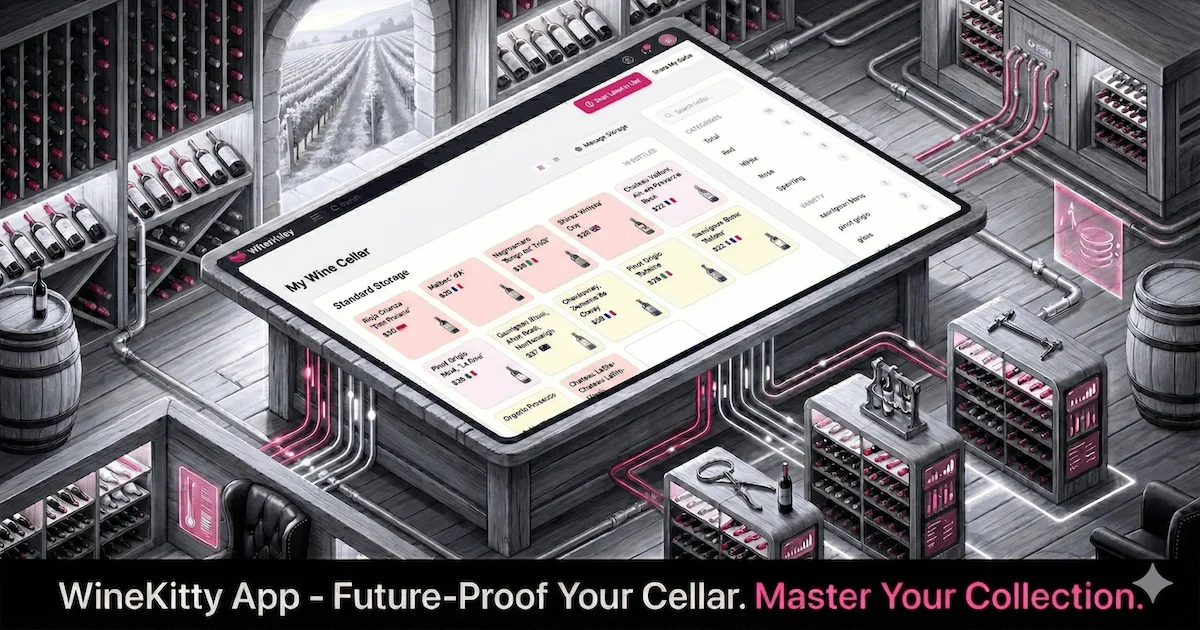
WineKitty is a free wine cellar management application designed for wine enthusiasts who want a smart, hassle-free way to track their collections. At its core is an AI-powered label scanner that can read and identify wine details directly from photos of labels or uploaded wine lists, automatically populating your cellar with accurate data. The app provides a visual storage interface organized into Standard Storage, Secondary Storage, and Bulk Storage sections, giving users a realistic, grid-based view of where each bottle sits. Collection statistics — including total bottles, reds, whites, and more — are displayed in a live sidebar for at-a-glance insights. WineKitty supports consumption tracking, personal ratings, and smart filtering so you can quickly find the right bottle for any occasion. The platform is entirely free to use and requires no account creation, making it one of the most accessible wine management solutions available. For users who do create an account, data syncing across devices is supported. Ideal for home collectors, wine hobbyists, and casual enthusiasts alike, WineKitty removes the friction from cellar management. Whether you have a dozen bottles on a shelf or hundreds in a dedicated cellar, the app scales to your needs while keeping your data private and under your control.
Key Features
- AI Wine Label Scanner: Upload a photo of a wine label or a wine list and let AI automatically identify and import wine details into your cellar.
- Visual Storage Layout: Organizes your collection across Standard, Secondary, and Bulk Storage sections with an interactive grid view that mirrors real-world rack placement.
- Collection Statistics: Live sidebar displays key metrics such as total bottles and breakdown by wine type, giving you an instant snapshot of your cellar.
- Consumption Tracking & Ratings: Log bottles you've opened and rate them to build a personal tasting history and inform future purchases.
- No Sign-Up Required & Privacy-First: Start managing your cellar immediately without creating an account; your data remains local and private by default.
Use Cases
- A home wine collector scanning new bottle labels after a winery visit to instantly add them to a digital cellar.
- A wine enthusiast tracking which bottles they've consumed and rating them to build a personal tasting history.
- Someone organizing a large home cellar visually by mapping bottles to their physical rack positions across standard and bulk storage areas.
- A casual buyer using smart filtering to quickly locate the right bottle by type, vintage, or rating for a dinner party.
- A wine hobbyist who wants a private, no-cost alternative to subscription-based cellar management software.
Pros
- Completely Free: All core features are available at no cost with no paywalls, making it accessible to any wine enthusiast regardless of budget.
- Frictionless Onboarding: No account or sign-up is required to get started, allowing users to scan labels and build a cellar in seconds.
- AI-Powered Label Recognition: Saves significant manual entry time by automatically identifying wine details from photos or uploaded lists.
- Privacy-Focused: User data stays private by default, a rare feature among free collection management apps.
Cons
- Limited Advanced Features: As a free tool, it may lack advanced features found in premium wine apps such as valuation tracking, market pricing, or sommelier recommendations.
- Web-Only Platform: Currently available only as a web app, with no dedicated iOS or Android mobile app for on-the-go scanning.
- No Account Means No Cross-Device Sync by Default: Without signing in, data is not synced across devices, which can be limiting for users who want access on multiple screens.
Frequently Asked Questions
Is WineKitty really free to use?
Yes, WineKitty is completely free. All core features including AI label scanning, visual storage, and consumption tracking are available at no charge.
Do I need to create an account to use WineKitty?
No sign-up is required. You can start scanning labels and managing your cellar immediately. Creating an optional account enables data syncing across devices.
How does the AI label scanner work?
You can upload a photo of a wine label or a wine list directly in the app. The AI analyzes the image and automatically extracts wine details such as name, vintage, and type to populate your cellar.
Is my wine collection data private?
Yes. WineKitty is designed with privacy in mind — your data stays private and is not shared with third parties.
What types of storage does WineKitty support?
WineKitty supports three storage categories: Standard Storage, Secondary Storage, and Bulk Storage, each displayed as a visual grid so you can map your physical cellar layout.