
About
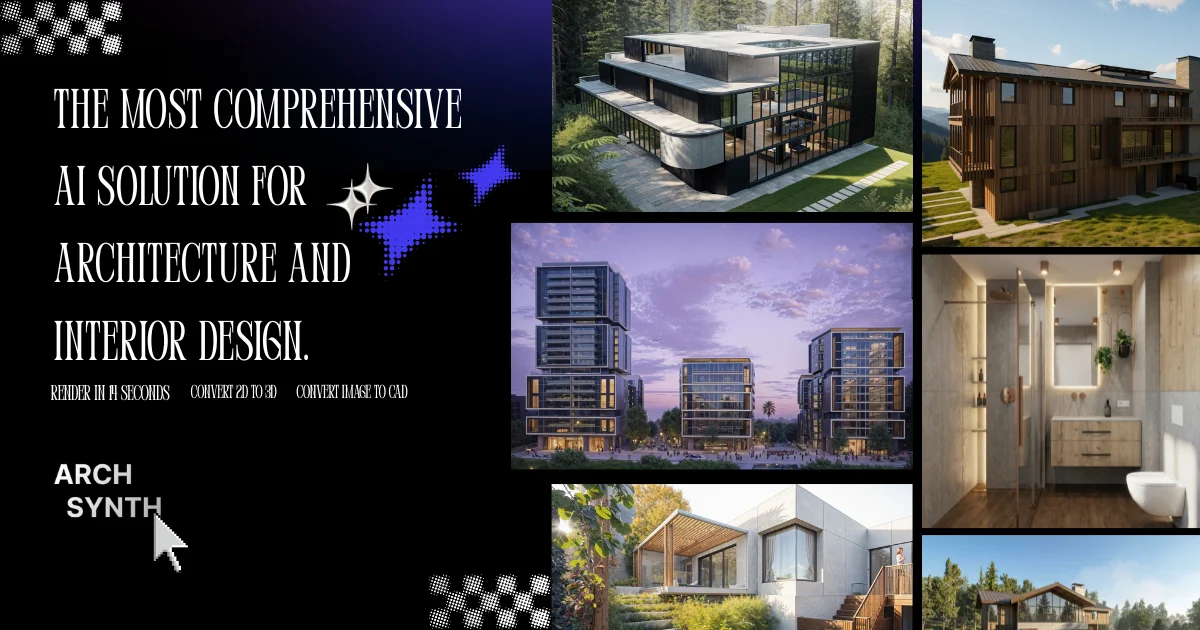
Archsynth AI is an all-in-one generative AI platform purpose-built for architecture and interior design professionals. Trusted by over 176,000 users worldwide with more than 15.6 million renders created, it dramatically accelerates design workflows by turning rough sketches and 2D images into high-quality renders in as little as 14 seconds. The platform offers an extensive suite of tools: Sketch to Render, Text to Image, Image to 3D Model, Image to CAD, Moodboard-based rendering, Generative Fill, Virtual Staging, AI Landscaping, Photo Enhancing, Tileable Texture Generation, and Image to Video. Outputs are fully compatible with industry-standard tools including SketchUp, Rhino, Revit, and 3ds Max. Archsynth also features a built-in AI assistant capable of analyzing uploaded images and answering design-related questions instantly. Its pricing starts at just $0.049 per generation, with monthly plans at $10 (Student) and $24 (Pro), replacing a suite of standalone AI apps that would otherwise cost $500+ per month. Ideal for individual architects, interior designers, students, and design firms looking to quadruple output, impress clients with polished visuals, and future-proof their creative workflow with cutting-edge AI technology.
Key Features
- Sketch to Render in 14 Seconds: Upload a hand-drawn or digital sketch and receive a photorealistic architectural render in under 14 seconds.
- Image to 3D Model & CAD Conversion: Convert 2D images or sketches into detailed 3D models and CAD files compatible with SketchUp, Rhino, Revit, and 3ds Max.
- Moodboard-Based Rendering: Generate renders that maintain consistent style, color, and mood by referencing uploaded moodboards — a unique feature not found in competing tools.
- Virtual Staging & AI Landscaping: Furnish and stage interior spaces virtually or populate outdoor environments with AI-generated landscaping elements.
- Built-in AI Design Assistant: Upload any image and query the intelligent assistant for design analysis, recommendations, or material identification in seconds.
Use Cases
- An architect quickly converts hand-drawn concept sketches into photorealistic renders to present to clients during an early design meeting.
- An interior designer uses virtual staging to furnish and style an empty room, producing multiple design variants without physical staging costs.
- An architecture student leverages the $10/month student plan to generate high-quality renders and 3D models for portfolio projects.
- A design firm uses Image to CAD conversion to rapidly digitize physical sketches into editable CAD files compatible with their Revit pipeline.
- A freelance designer uses moodboard-based rendering to maintain consistent visual style across a series of presentation images for a luxury residential project.
Pros
- Exceptional Value: Replaces $500+/month worth of standalone AI tools for as little as $10/month, making professional-grade AI accessible to students and freelancers.
- Comprehensive All-in-One Toolset: Covers the full design workflow from sketch to render, 3D model, CAD, video, texture, and staging in a single platform.
- Industry Software Compatibility: Exported 3D models and CAD files plug directly into SketchUp, Rhino, Revit, and 3ds Max with no complex conversion steps.
- Fast Turnaround: Renders are generated in as little as 14 seconds, enabling rapid iteration and real-time client presentations.
Cons
- Pay-Per-Generation Costs Can Add Up: For high-volume users, per-generation pricing at $0.049/render could accumulate quickly without a monthly plan.
- Web-Only Platform: Archsynth is currently accessible only via a web browser, with no dedicated desktop or mobile application available.
- Output Quality Dependent on Input: The quality and accuracy of renders and 3D models can vary based on the clarity and detail of the original sketch or image uploaded.
Frequently Asked Questions
How fast does Archsynth generate renders?
Archsynth can convert architecture sketches into photorealistic renders in as little as 14 seconds using its cutting-edge AI processing pipeline.
What file formats does Archsynth support for 3D exports?
Archsynth generates 3D models and CAD files that are compatible with major design software including SketchUp, Rhino, Revit, and 3ds Max.
Does Archsynth offer a free plan?
Archsynth offers a free signup with pay-per-generation pricing starting at $0.049 per render. Paid monthly plans start at $10/month for students and $24/month for professionals.
What is moodboard-based rendering?
Moodboard rendering lets you upload reference images to guide the AI in generating renders that match a specific style, color palette, or atmosphere — a feature exclusive to Archsynth.
Who is Archsynth designed for?
Archsynth is designed for architects, interior designers, architecture students, and design firms who want to accelerate their visualization workflow and produce client-ready visuals faster.