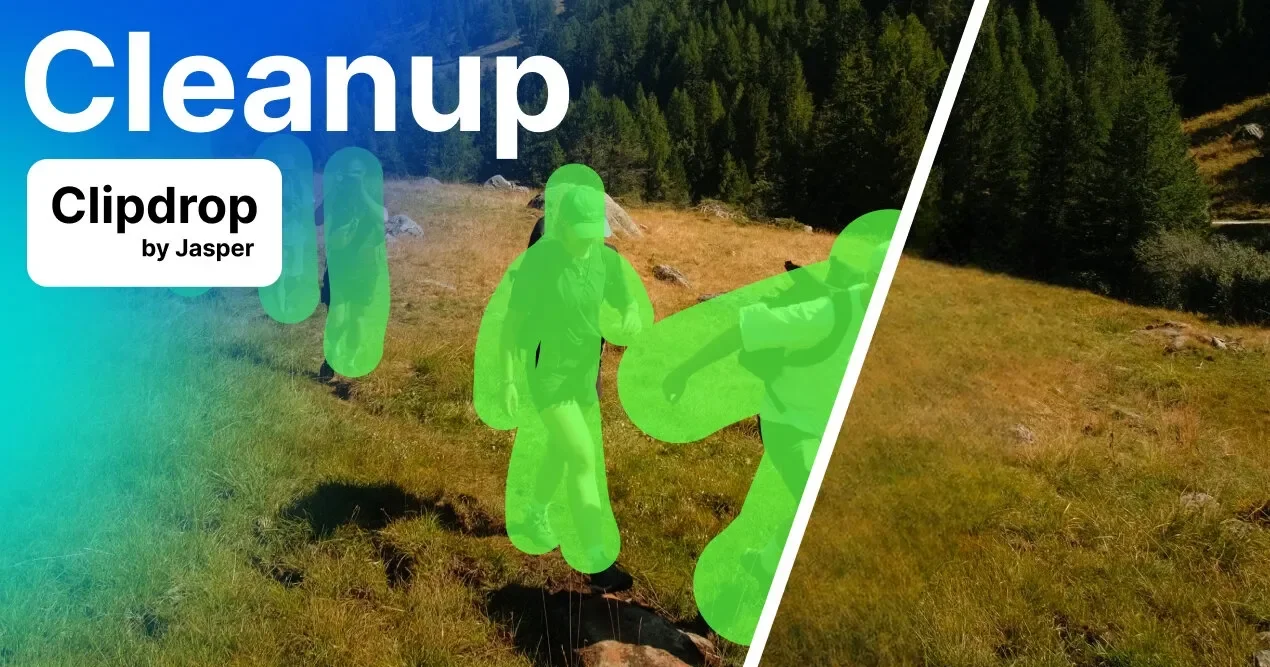

About
Clipdrop Cleanup is a powerful AI-based image retouching tool designed to remove unwanted objects, people, text, and defects from photos in just a few clicks. Unlike traditional clone stamp tools that require a manual background reference, Cleanup leverages deep learning inpainting to intelligently guess and reconstruct what lies behind any removed element — producing seamless, professional-quality results automatically. The tool is built for a wide range of users: photographers can strip timestamps from prints, real estate agents can declutter property photos, creative agencies can perfect visuals for campaigns, and e-commerce brands can make product images shine by eliminating distractions. The interface is simple — upload or drag-and-drop an image, paint over the area to remove, and the AI fills it in instantly. ClipDrop Cleanup also provides a developer-friendly inpainting API compatible with environments like Node.js, SwiftUI, and Kotlin, complete with documentation, live demos, and code samples. The free tier supports exports up to 720px, while the Pro plan removes size restrictions for high-resolution output. As part of the Jasper ecosystem, better retouch quality is also accessible via Jasper APIs. Key use cases include removing photobombers, cleaning up real estate listings, erasing watermarks or text overlays, and remixing existing photos for creative projects — all without leaving the browser.
Key Features
- AI-Powered Object Removal: Uses advanced inpainting AI to remove any unwanted object, defect, or person from photos and seamlessly reconstruct the background.
- Text Removal from Images: Accurately detects and erases text overlays, watermarks, or stamps from photos in seconds.
- Simple Brush Interface: Paint over the area you want removed using an intuitive brush tool — no complex software skills required.
- Inpainting API: Developer-friendly API supports Node.js, SwiftUI, Kotlin, and more, with full documentation and live demos for easy integration.
- High-Resolution Export (Pro): Pro users can export full-resolution images with no size limits, while the free plan supports exports up to 720px.
Use Cases
- Photographers removing timestamps, watermarks, or blemishes from photos before delivering them to clients.
- Real estate agents cleaning up property listing photos by erasing distracting objects or clutter.
- E-commerce brands removing background distractions from product photos to create cleaner, more professional images.
- Creative agencies quickly remixing or retouching visuals for marketing campaigns without using Photoshop.
- Developers integrating AI-powered object removal into their own apps or workflows via the Clipdrop inpainting API.
Pros
- No Photoshop Required: Delivers professional-grade retouching results directly in the browser without needing advanced photo editing skills or software.
- Fast and Accurate AI Inpainting: The AI reconstructs backgrounds intelligently, producing clean and natural-looking results in just seconds.
- Free Tier Available: Users can remove objects from photos for free with no sign-up barrier, making it accessible for casual and occasional use.
- Developer API Access: Offers a robust inpainting API with documentation and code samples, enabling easy integration into custom workflows and apps.
Cons
- Free Export Size Limited to 720px: The free plan caps image exports at 720px resolution, which may be insufficient for print or high-quality commercial use.
- Cloud-Based Only: Requires an internet connection and uploads images to external servers, which may raise privacy concerns for sensitive content.
- Complex Scenes May Need Manual Touch-Ups: In images with intricate backgrounds, AI reconstruction may not be perfect and could require additional editing passes.
Frequently Asked Questions
What is inpainting and how does Clipdrop Cleanup use it?
Inpainting is a technique for removing unwanted objects or people from photos by filling in the removed area. Clipdrop Cleanup uses AI-powered inpainting to intelligently reconstruct what was behind the removed element, producing natural-looking results without needing a manual background reference.
Is Clipdrop Cleanup free to use?
Yes, Clipdrop Cleanup has a free tier that allows you to remove objects from photos with exports limited to 720px. The Pro plan removes size restrictions and offers higher quality processing for hi-resolution images.
How do I remove a person from a photo using Cleanup?
Upload your photo, select a brush size large enough to cover the person including their shadow, paint over them, and the AI will reconstruct the background behind them in seconds. No technical skills required.
Can developers access Cleanup's capabilities via API?
Yes, Clipdrop offers an inpainting API compatible with Node.js, SwiftUI, Kotlin, and other environments. Full documentation, a live demo, and code samples are available to help developers get started quickly.
What image resolutions does Clipdrop Cleanup support?
You can import images of any size. Free plan exports are limited to 720px, while the Pro plan has no size limit, making it suitable for high-resolution professional work.