
About
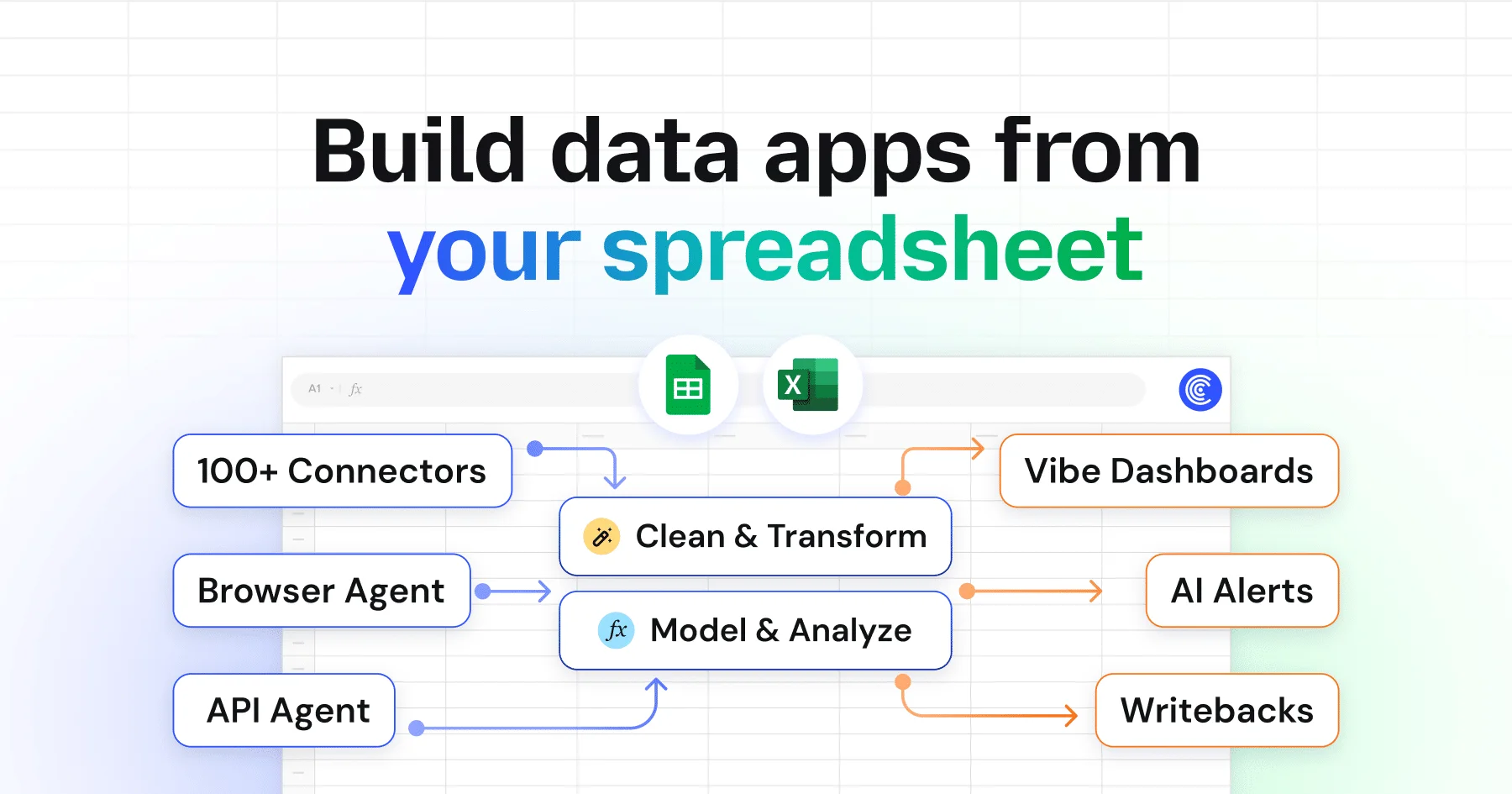
Coefficient bridges the gap between everyday spreadsheets and your entire business tech stack. By connecting Google Sheets and Microsoft Excel to 100+ data sources—CRMs like Salesforce and HubSpot, databases like Snowflake and PostgreSQL, finance tools like QuickBooks and NetSuite, and marketing platforms like GA4 and Facebook Ads—Coefficient eliminates the need for manual data exports and copy-pasting. The platform's AI capabilities go beyond simple connectivity. The Sheets Assistant helps users clean and transform messy data, while GPT Functions enable AI-driven data enrichment and research directly inside spreadsheets. A built-in SQL Query Builder lets non-technical users query databases without writing code. Browser Agents can scrape live data from sites like LinkedIn and G2, and API Agents allow teams to build custom connectors to any internal tool or niche application. Once data is in the spreadsheet, Coefficient's Dashboard Builder lets teams publish polished web dashboards, and automated Slack or email alerts notify stakeholders when key metrics change. Use cases span revenue operations (pipeline management, sales forecasting), finance (month-end automation, financial modeling), marketing (ROAS tracking, full-funnel reporting), and data & analytics (self-serve warehouse access with SSO governance). Trusted by over 700,000 users across GTM, finance, and analytics teams, Coefficient makes spreadsheets a true business intelligence layer—no coding required.
Key Features
- 100+ Pre-Built Data Connectors: Instantly connect Google Sheets or Excel to Salesforce, HubSpot, Snowflake, PostgreSQL, QuickBooks, GA4, Facebook Ads, and 100+ other tools with no coding required.
- AI Sheets Assistant: Use AI to clean messy data, run transformations, generate SQL queries, and enrich datasets with GPT-powered functions directly inside your spreadsheet.
- Live Dashboard Builder: Publish polished, shareable web dashboards built directly from your spreadsheet data, keeping stakeholders aligned with always-current information.
- Automated Alerts & Scheduling: Set up Slack or email notifications to alert your team when key metrics change, and schedule automatic data refreshes to keep spreadsheets up to date.
- Browser & API Agents: Scrape live data from any website (LinkedIn, G2, etc.) using Browser Agents, or build custom connectors to internal tools and niche apps with API Agents powered by AI.
Use Cases
- Revenue operations teams automating pipeline management, sales forecasting, and KPI dashboards by pulling live CRM data directly into Google Sheets.
- Finance teams eliminating manual month-end reporting by connecting QuickBooks, NetSuite, or Stripe data to spreadsheet-based financial models.
- Marketing teams tracking ROAS across Google Ads, Facebook Ads, and LinkedIn by consolidating live campaign data into a single spreadsheet dashboard.
- Data and analytics teams enabling business users to self-serve warehouse data from Snowflake or Redshift through governed spreadsheet access.
- Sales and growth teams enriching lead lists by scraping LinkedIn and G2 with Browser Agents and running GPT-powered research and scoring in-spreadsheet.
Pros
- Massive Integration Library: With 100+ pre-built connectors spanning CRM, finance, marketing, databases, and BI tools, Coefficient covers virtually every data source a modern business team needs.
- No Coding Required: Non-technical users in finance, marketing, and revenue operations can connect data, build dashboards, and automate reports without writing a single line of code.
- AI-Powered Data Enrichment: GPT Functions and the Sheets Assistant add genuine AI utility—automating data cleaning, lead enrichment, and web research tasks that previously required manual effort.
- Works Inside Familiar Spreadsheets: By operating within Google Sheets and Excel, Coefficient removes the learning curve of adopting a new BI platform while dramatically extending spreadsheet capabilities.
Cons
- Dependent on Google Sheets or Excel: Coefficient is not a standalone analytics platform—users must work within Google Sheets or Microsoft Excel, which may limit advanced data modeling capabilities.
- Costs Can Scale Quickly: While a free tier is available, pricing for larger teams with heavy data usage or enterprise-grade features (SSO, governance) may become significant.
- Browser Agent Reliability: Web scraping via Browser Agents can be fragile when target sites update their structure or implement anti-scraping measures.
Frequently Asked Questions
What data sources does Coefficient support?
Coefficient supports 100+ data sources including Salesforce, HubSpot, Pipedrive, Snowflake, PostgreSQL, MySQL, Redshift, QuickBooks, NetSuite, Xero, GA4, Facebook Ads, LinkedIn Ads, Tableau, Looker, and many more. You can also build custom connectors to any tool with an API.
Do I need to know how to code to use Coefficient?
No. Coefficient is designed for non-technical business users. Pre-built connectors, a visual dashboard builder, and AI-assisted features like the Sheets Assistant and SQL Query Builder mean you can accomplish complex data tasks without writing code.
Is there a free plan available?
Yes, Coefficient offers a free tier so you can get started without a credit card. Paid plans unlock additional connectors, higher data refresh rates, and enterprise features like SSO and governance controls.
How does the AI Sheets Assistant work?
The AI Sheets Assistant is built directly into your spreadsheet and uses GPT-powered models to help you clean messy data, write formulas, build SQL queries, enrich leads, and perform web research—all through a natural language interface.
Can I publish dashboards from my spreadsheet?
Yes. Coefficient's Dashboard Builder lets you turn spreadsheet data into shareable web dashboards. You can also configure automated Slack or email alerts to notify your team when specific metrics reach defined thresholds.