
About
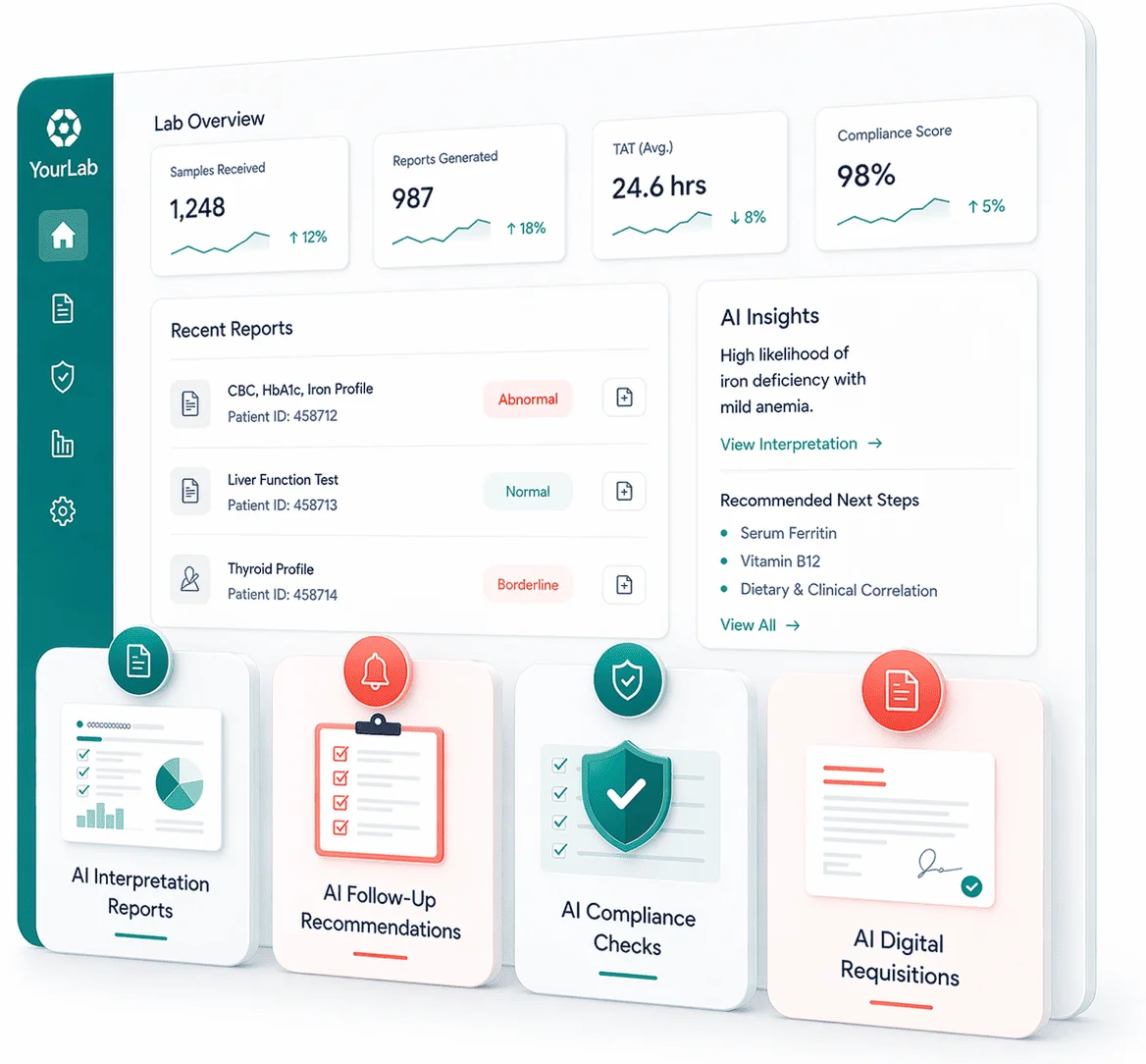
Docus is an AI-powered platform designed specifically for modern diagnostic laboratories — including direct-to-consumer labs, reference labs, and in-house clinical facilities. It acts as an intelligent layer on top of existing lab workflows, automating the most time-consuming and error-prone tasks across interpretation, follow-ups, compliance, requisitions, and patient/doctor communication. The platform generates two types of lab interpretation reports: clinical reports for physicians that include differential diagnoses, follow-up suggestions, and clinical plans, and patient-friendly reports that translate results into plain language. AI analysis is context-aware, drawing on historical patient data for deeper accuracy. Docus also automates follow-up recommendations, notifying patients of suggested next tests and reminders to improve care continuity and lab retention. Its AI Compliance Agent validates test orders against ICD-10 diagnosis codes, checks repeat testing frequency, and alerts labs and doctors before denials occur. Digital requisition management streamlines order entry with autocomplete, AI-drafted medical necessity text, e-signature workflows, and direct LIS delivery. Context-aware AI assistants provide deeper clinical support for doctors and educational, personalized answers for patients — all grounded in the patient's test history. Docus integrates seamlessly into existing systems via API or HL7, making deployment straightforward for labs of all sizes. It is ideal for lab operators, clinical administrators, and healthcare IT teams seeking to modernize diagnostics workflows, reduce administrative burden, and grow patient engagement.
Key Features
- AI Interpretation Reports: Generates clinical reports for physicians (with DDx, follow-up suggestions, and care plans) and plain-language reports for patients, using historical test data for context-aware accuracy.
- Follow-Up Recommendations: Automatically recommends next tests and sends timely reminders to patients based on lab results, improving care continuity and driving lab retention.
- AI Compliance Agent: Validates test orders against ICD-10 diagnosis codes, checks repeat testing frequency rules, and alerts labs and doctors to potential claim denials before they occur.
- Digital Requisitions: Streamlines order completion with autocomplete inputs, AI-drafted medical necessity text, e-signature workflows, and direct routing to your LIS or Docus interface.
- Context-Aware AI Assistants: Provides doctors with deeper clinical support and patients with educational answers — both grounded in the patient's history and lab results for personalized, relevant responses.
Use Cases
- Automatically generating clinical interpretation reports with differential diagnoses for referring physicians, reducing review time and supporting faster treatment decisions.
- Sending AI-driven follow-up test recommendations and reminders to patients after results are delivered, improving lab retention and care continuity.
- Validating test orders against ICD-10 codes and frequency rules before claims submission to reduce denials and minimize compliance audit risk.
- Streamlining digital requisition completion with AI-generated medical necessity text, autocomplete inputs, and direct LIS routing to cut administrative burden.
- Providing patients with a context-aware AI assistant that explains their lab results in plain language and recommends when to consult a doctor.
Pros
- End-to-End Lab Workflow Coverage: Handles interpretation, follow-ups, compliance, requisitions, and AI assistants in a single integrated platform, reducing the need for multiple point solutions.
- Flexible Lab Model Support: Designed for direct-to-consumer, reference, and in-house labs with tailored features for each workflow type, making it adaptable across the diagnostic industry.
- Easy System Integration: Supports API and HL7 integration, enabling labs to connect Docus to existing LIS and EHR systems with minimal setup and without disrupting current operations.
Cons
- Enterprise-Focused Pricing: The demo-driven sales model suggests enterprise pricing tiers, which may present a barrier for smaller independent labs or solo practices.
- Limited Self-Service Onboarding: The platform requires booking a demo to get started, meaning there is no immediate self-service trial or transparent pricing available for quick evaluation.
Frequently Asked Questions
What types of diagnostic labs does Docus support?
Docus supports three lab models: direct-to-consumer labs that serve patients directly, reference labs that process referred testing from providers and collection partners, and in-house labs operating within hospitals or clinics.
How does the AI interpret lab results?
Docus uses AI trained on clinical knowledge alongside the patient's historical test data to generate context-aware interpretations. It produces both clinical-grade reports for physicians (including differential diagnoses and care plans) and simplified reports for patients.
What is the AI Compliance Agent and how does it reduce denials?
The AI Compliance Agent automatically checks ordered tests against ICD-10 diagnosis codes, verifies repeat testing frequency rules, and flags issues before or after testing. Labs and ordering doctors are alerted when problems are detected, helping prevent claim denials and audit risk.
How does Docus integrate with existing lab systems?
Docus supports both API and HL7 integration, allowing labs to send lab data to the platform and receive results directly into their existing Laboratory Information Systems (LIS) with minimal technical overhead.
What kinds of tests does Docus support?
Docus supports a wide range of tests including routine panels, specialty tests, pathology, pharmacogenomics (PGx), and infectious disease testing, making it suitable for labs with diverse testing menus.