
About
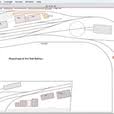
Empire Express is a dedicated model railroad layout design tool built exclusively for macOS. Developed by Haddon Software, it leverages Mac's native conventions to deliver an intuitive, efficient design experience for railroad hobbyists of all skill levels. Users can drag track pieces directly from a catalog palette onto the plan canvas, with automatic alignment ensuring accurate, kink-free connections every time. The application includes flex track support that allows smooth, constant-radius curves and variable-radius transitions between track pieces — perfect for realistic layouts. A comprehensive catalog covers some of the most popular model railroad track brands. Beyond track, the tool palette offers line, rectangle, circle, polygon, and text tools to draw rooms, structures, and scenery elements. Key utility features include a Measure window showing mouse position, ruler measurements, and car capacity for selected track segments, making it easy to determine how many cars fit in a siding or yard. The Inspector window allows simultaneous editing of multiple selected objects — setting colors, patterns, and more in bulk. A parts list tracks all track used in the plan, and unlimited undo/redo keeps design experiments risk-free. Empire Express runs on any Mac with macOS 10.9 or later and is optimized for a wide range of hardware. A free Basic edition is available on the App Store for trial, while the full-featured Deluxe edition unlocks all capabilities. Ideal for model railroad enthusiasts looking for a purpose-built, Mac-native planning tool.
Key Features
- Drag-and-Drop Track Placement: Select track pieces from the catalog palette and drag them directly onto the plan canvas with automatic alignment for kink-free connections.
- Smooth Flex Track Support: Bend flex track into smooth, constant-radius curves or create variable-radius transitions between track segments to meet minimum radius standards.
- Car Capacity Calculator: The Measure window instantly shows how many cars fit in any selected siding or yard section, aiding realistic and functional layout planning.
- Powerful Multi-Object Inspector: Examine and edit properties — color, pattern, style — for multiple selected objects simultaneously to speed up layout customization.
- Drawing & Scenery Tools: Use line, rectangle, circle, polygon, and text tools (with spell-check) to draw the room, structures, and scenery around the track plan.
Use Cases
- Planning a new model railroad layout by dragging and connecting track pieces from a brand catalog before purchasing physical track.
- Calculating siding and yard car capacity to ensure a layout meets operational requirements.
- Drawing an accurate room map with scenery and structures to visualize how the railroad will fit in an available space.
- Experimenting with different track configurations risk-free using unlimited undo/redo before committing to a final design.
- Hobbyists upgrading or redesigning an existing layout who need a precise, to-scale digital plan on their Mac.
Pros
- Mac-Native Experience: Built specifically for macOS — not a Windows port — with native conventions like copy/paste, drag-and-drop, and the Mac look and feel.
- Free Demo Available: The free Empire Express Basic edition on the App Store lets users try before buying, lowering the barrier to entry for hobbyists.
- Runs on Older Macs: Compatible with macOS 10.9 and later, so users don't need the latest hardware to run the software effectively.
- Unlimited Undo/Redo: Full undo/redo history back to the last save, plus a Revert option, makes experimentation safe and stress-free.
Cons
- macOS Only: Empire Express is exclusively available for Mac, with no Windows, Linux, or web-based version for cross-platform users.
- Niche Audience: Designed solely for model railroad hobbyists, making it highly specialized with limited appeal outside that community.
- Full Features Require Purchase: The free Basic edition is a demo; the complete Deluxe feature set requires a paid App Store purchase.
Frequently Asked Questions
What track brands are included in Empire Express?
Empire Express includes a catalog of some of the most popular model railroad track brands. A complete list is available on Haddon Software's catalog description page.
Is there a free version of Empire Express?
Yes. Empire Express Basic is a free demo available on the Mac App Store, letting you explore the core design tools before purchasing the full Deluxe edition.
What Mac OS version does Empire Express require?
Empire Express version 2.3 requires macOS 10.9 (Mavericks) or later and runs on a wide range of Mac models without requiring high-end hardware.
Can I design the room and scenery, not just the track?
Yes. Empire Express includes drawing tools (line, rectangle, circle, polygon, and text) so you can map out the layout room, structures, and scenery alongside your track plan.
How does the car capacity feature work?
Simply select one or more track segments in your plan, and the Measure window will display how many model railroad cars will fit in that siding or yard area.