

About
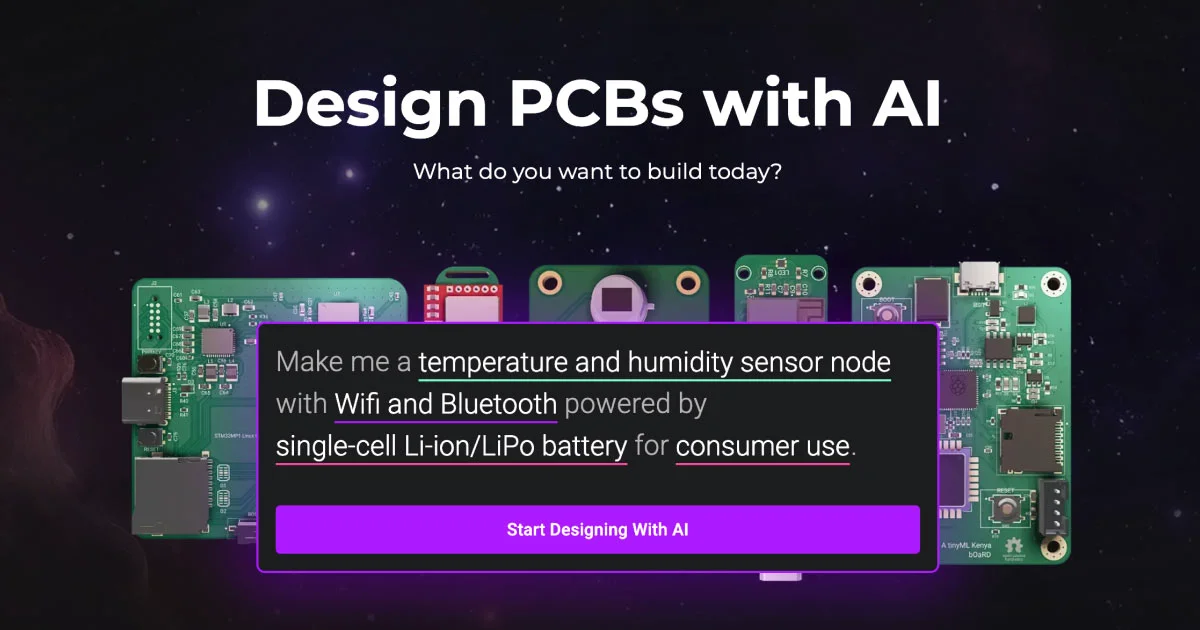
Flux is an AI-first, browser-based PCB design platform built for modern hardware engineers. Unlike traditional desktop EDA tools, Flux runs entirely in the browser and integrates a powerful AI copilot that can plan, explain, and execute complex design workflows on demand. Engineers can describe what they want to build—whether a low-power IoT sensor node, a brushless motor driver, or a dual-radio Wi-Fi/BLE module—and Flux's AI will generate netlists, suggest component layouts, research parts, and parse datasheets automatically. The platform supports a wide range of design tasks including AI Auto-Layout, AI Design Reviews, AI-generated schematics, and firmware coding assistance. Flux also provides a rich library of reference designs, manufacturer templates, and community-curated modules covering popular microcontrollers like ESP32, STM32, Raspberry Pi, and Arduino. Its modular interface supports reusable component templates and copilot presets, enabling teams to standardize workflows and accelerate time-to-prototype. Flux is suitable for solo hardware hackers, startups building connected devices, and enterprise engineering teams that need scalable, collaborative PCB design tooling. An Enterprise plan with advanced features and team collaboration is available alongside a free tier for getting started.
Key Features
- AI Copilot for PCB Design: Describe your project in plain language and the AI copilot plans, explains, and executes design steps—from schematic generation to component placement—inside the editor.
- AI Auto-Layout & Architecture: Automatically places and routes PCB components using AI, dramatically reducing manual layout time for complex boards.
- AI Research & Datasheet Parsing: Search and evaluate components, parse datasheets, and generate accurate netlists without leaving the design environment.
- Firmware Coding Assistance: AI-assisted firmware development integrated directly into the PCB workflow, helping engineers write and debug embedded code faster.
- Rich Library of Reference Designs & Templates: Access manufacturer templates, community modules, and reference designs for popular microcontrollers including ESP32, STM32, Raspberry Pi, and Arduino.
Use Cases
- Rapidly prototyping IoT sensor nodes (e.g., temperature/humidity loggers) using AI-generated schematics and auto-layout.
- Designing power management boards such as Li-ion chargers and LED drivers with AI-assisted component selection and netlist generation.
- Building wireless communication modules (Wi-Fi, BLE, LoRaWAN, Zigbee) using manufacturer-verified reference templates.
- Accelerating firmware development for embedded systems alongside PCB design in a unified AI-powered environment.
- Standardizing hardware design workflows across enterprise engineering teams using shared templates, copilot presets, and collaborative browser-based editing.
Pros
- Fully Browser-Based: No installation required—design PCBs from any device with a browser, enabling easy collaboration and instant access.
- End-to-End AI Integration: AI assistance spans the entire hardware design lifecycle: research, schematic, layout, design review, and firmware—not just isolated features.
- Extensive Component & Module Library: Pre-built templates for major manufacturers and microcontrollers reduce boilerplate work and speed up prototyping.
- Active Community & Enterprise Support: A Slack community, tutorials, and dedicated enterprise support make onboarding and troubleshooting straightforward for teams of all sizes.
Cons
- Enterprise Features Require a Paid Plan: Advanced collaboration, team management, and premium AI features are locked behind the Enterprise tier, which may be costly for small teams.
- Browser Dependency Limits Offline Use: Being entirely cloud-based means the tool is inaccessible without a reliable internet connection, which can be a constraint in certain work environments.
- Learning Curve for Traditional EDA Users: Engineers accustomed to desktop tools like Altium or KiCad may need time to adapt to the AI-first, browser-based workflow.
Frequently Asked Questions
What is Flux AI?
Flux AI is a browser-based electronic CAD (eCAD) platform that integrates an AI copilot to help hardware engineers design PCBs faster—from component research and schematic generation to auto-layout and firmware coding.
Is Flux AI free to use?
Flux offers a free tier to get started, with an Enterprise plan available for teams that need advanced AI features, collaboration tools, and dedicated support.
What can the AI copilot do in Flux?
The AI copilot can auto-layout PCBs, generate netlists, research components, parse datasheets, perform design reviews, suggest firmware code, and guide you through complex design workflows using plain-language prompts.
Which microcontrollers and platforms does Flux support?
Flux includes built-in templates and modules for popular microcontrollers including ESP32, STM32, Raspberry Pi, MSP430, ESP8266, and Arduino, as well as components from major manufacturers like Texas Instruments, STMicroelectronics, Analog Devices, NXP, and Microchip.
Do I need to install any software to use Flux?
No. Flux runs entirely in the browser, so there is nothing to install. You can start designing PCBs immediately after signing up from any device with internet access.