
About
Hadaa is the leading AI landscaping application built for both homeowners and professional landscapers who want to visualize and plan outdoor spaces without needing 3D modeling or design expertise. At its core, Hadaa runs four specialized engines: the Sketch Engine converts napkin sketches or full CAD plans into photorealistic renders with automatic perspective alignment and plant placement; the Smart Fix engine lets users edit any element of their design using plain-English text instructions in any language; an Issue Detection engine auto-identifies site-level problems; and a Style engine supports 48+ preset themes including modern, tropical, Japanese zen, Mediterranean, and desert-friendly aesthetics. Uploading a yard photo or sketch takes seconds, and results render in 4K resolution within 60 seconds. Every account — including free — receives an AI-generated planting guide and bill of quantities (BOQ) exportable as a PDF, complete with zone-matched native plant recommendations and exact shopping quantities. Paid plans starting at $14/month unlock higher credit volumes, all four engines, 4K export, and commercial licensing. The Studio plan offers 600 credits/month and full commercial ownership of generated designs, making it ideal for landscape architects and contractors creating client deliverables. Hadaa eliminates days of SketchUp work in minutes and is used in 130+ countries by over 60,000 users.
Key Features
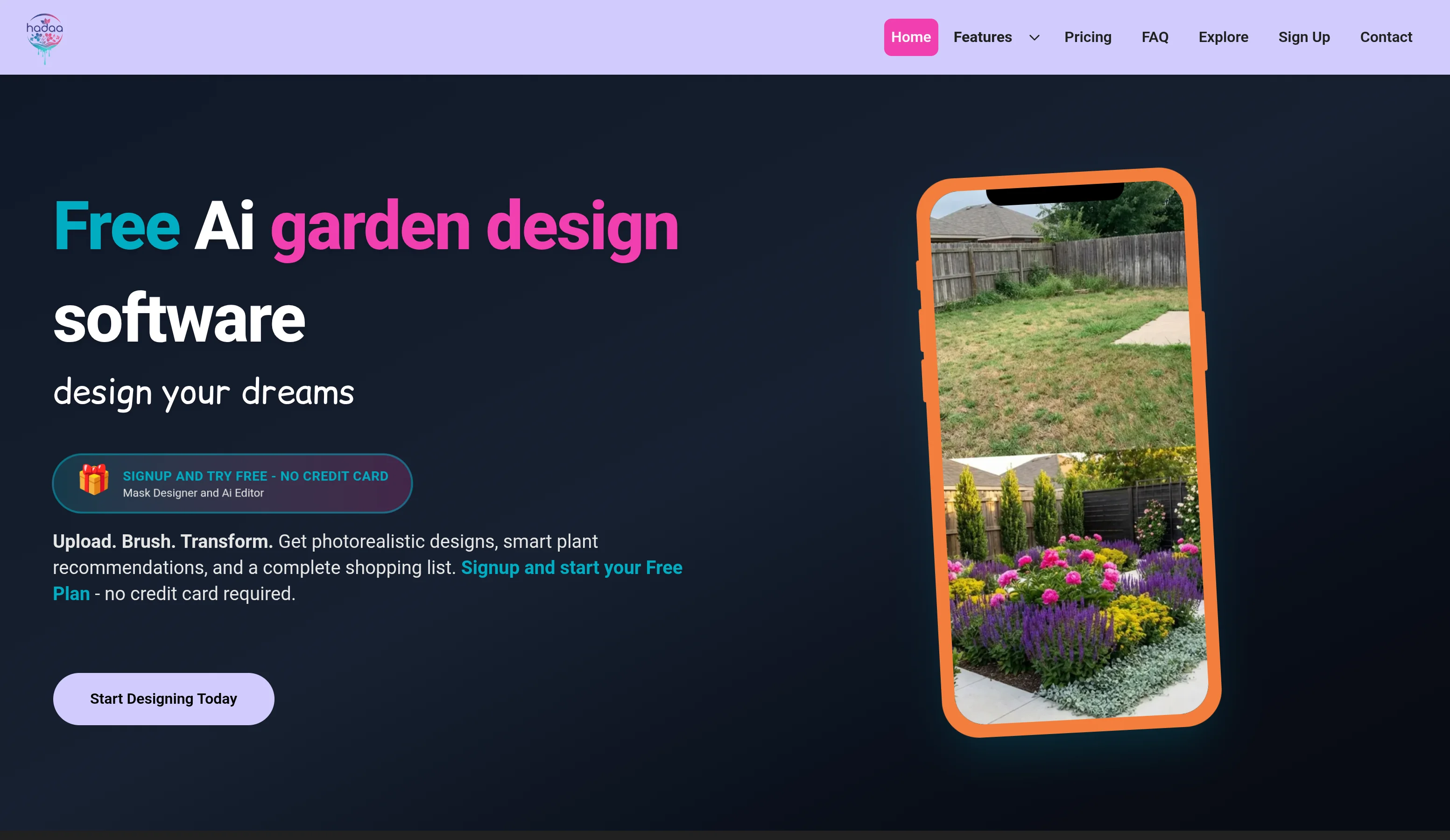
- Photo-to-Landscape AI Design: Upload any yard photo and Hadaa's AI reads depth, lighting, and existing structures to generate a photorealistic redesign in 60 seconds across 48+ landscape styles.
- Sketch & CAD to 3D Render: Convert hand-drawn napkin sketches or full architectural CAD plans into photorealistic 3D landscape visualizations with automatic perspective alignment and plant placement.
- Smart Fix Text Editing: Edit any element of your design using plain-English instructions in any language — change plants, add lighting, remove structures — without starting over.
- Native Plant AI Recommendations: Get zone-matched native plant recommendations with an exact, exportable shopping list and bill of quantities (BOQ) in PDF format, ready to hand to a contractor.
- 4K Export & Commercial Licensing: Download high-resolution 4K renders and, on the Studio plan, receive full commercial rights to use designs in client proposals and professional deliverables.
Use Cases
- Homeowners visualizing a backyard or front yard makeover before hiring a landscaping contractor
- Landscape architects and designers creating fast, photorealistic client proposals without 3D modeling software
- Garden designers converting hand-drawn concepts or CAD plans into presentation-ready renders
- Plant enthusiasts planning a native garden with accurate zone-matched plant lists and shopping quantities
- Real estate professionals and developers staging or marketing outdoor spaces with compelling visual designs
Pros
- Extremely Fast Results: Photorealistic 4K landscape designs are generated in under 60 seconds, replacing days of manual SketchUp or CAD work.
- No Design Experience Required: Plain-English prompts, preset styles, and automatic depth mapping make professional-quality design accessible to complete beginners.
- Contractor-Ready Outputs: Every account gets a free planting guide and bill of quantities PDF, making it easy to move from design to implementation without extra tools.
- Versatile Input Formats: Accepts yard photos, rough hand-drawn sketches, and professional CAD/architectural plans — making it useful across skill levels and workflows.
Cons
- Credit-Based Usage Limits: The Core plan offers only 250 credits/month, which may be limiting for heavy users or professionals handling multiple client projects.
- Commercial Rights Require Top-Tier Plan: Full commercial licensing is locked to the Studio plan, adding cost for professionals who need to resell or publish generated designs.
- Landscaping-Only Scope: Hadaa is purpose-built for outdoor/landscape design and cannot be used for interior design, architecture, or other spatial visualization needs.
Frequently Asked Questions
How long does it take to generate a design?
Hadaa generates photorealistic landscape designs in approximately 60 seconds after uploading your photo or sketch.
Is there a free plan?
Yes. All accounts include a free AI planting guide and bill of quantities with no credit card required. Paid design plans start at $14/month for full access to all engines and 4K export.
What can I upload to Hadaa?
You can upload photos of your yard, hand-drawn sketches on paper, or professional CAD and architectural plans. Hadaa's AI adapts to all input types.
Can I use Hadaa designs for client work or commercial projects?
Yes, but commercial licensing is available on the Studio plan, which grants 100% ownership and full commercial rights to all generated designs.
How does the Smart Fix engine work?
Smart Fix lets you describe changes in plain English — such as 'remove the bamboo and add a palm with uplighting' — and it rewrites only the specified element while leaving the rest of your design intact.