

About
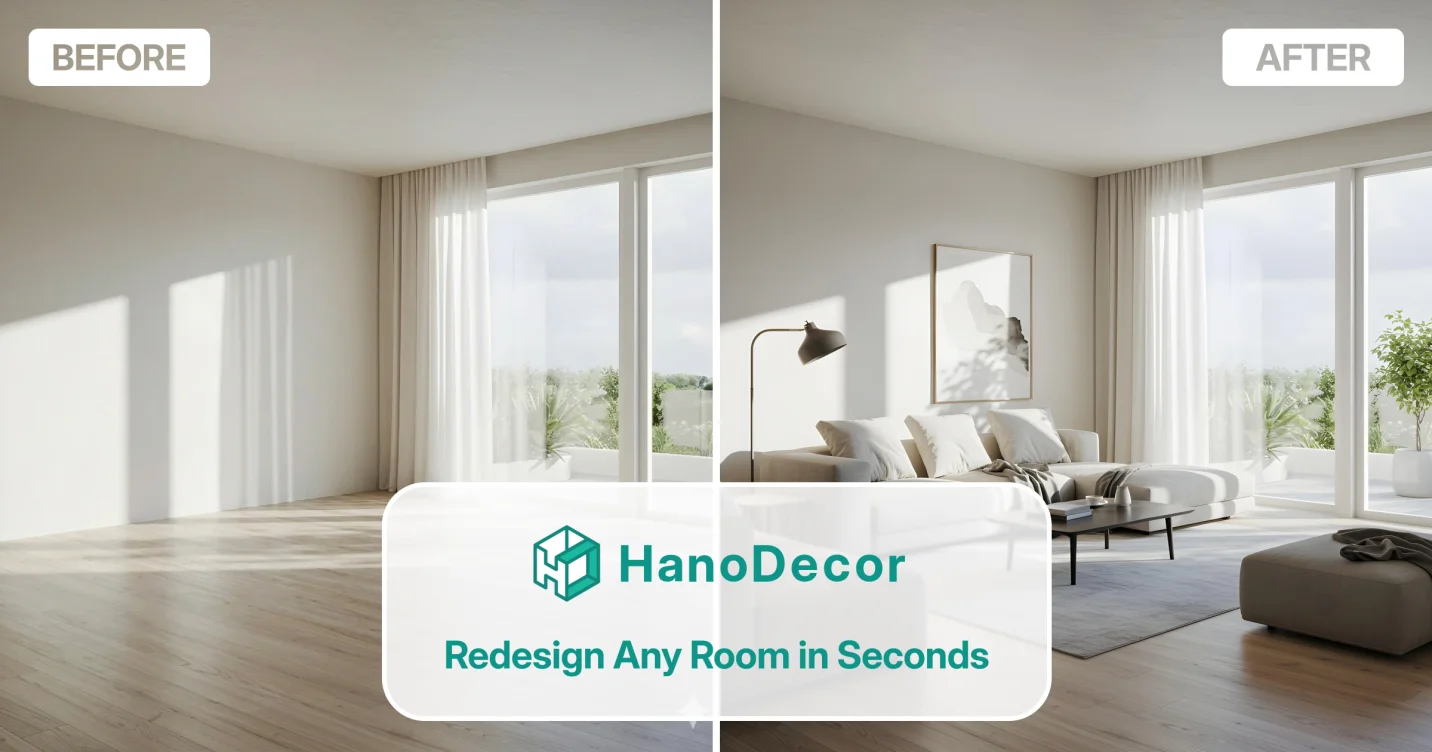
HanoDecor is a web-based AI design platform that transforms ordinary room photos into stunning remodel visualizations in under 30 seconds. Users simply upload a photo of any space, choose from 80+ styles and room types — including Modern, Scandinavian, Japandi, Industrial, Bohemian, Coastal, and Farmhouse — and let the AI generate photorealistic before-and-after comparisons instantly. The platform offers a comprehensive suite of AI tools: full Room Redesign, Paint Walls visualization, Flooring trials, Kitchen and Bathroom Makeovers, Exterior Design, Spot Remodeling of specific areas, and even Object Removal to clean up photos. Virtual staging automatically furnishes empty rooms, making it especially powerful for real estate professionals who need to present vacant properties compellingly. HanoDecor is entirely browser-based with no installation required, and its beginner-friendly interface means no design experience is necessary. An AI design assistant via chat helps users refine their vision, and customizable output lets users edit designs post-generation. With 100M+ rooms transformed and 20M+ users, HanoDecor serves homeowners planning renovations, first-time renovators seeking contractor clarity, real estate agents accelerating listings, and interior designers looking to prototype ideas quickly. It is a cost-effective alternative to traditional design tools like AutoCAD and SketchUp, offering instant AI-driven results without steep learning curves.
Key Features
- AI Room Transformation: Upload any room photo and receive a photorealistic redesign in under 30 seconds across 80+ styles and room types.
- 50+ Design Styles: Choose from a vast library including Modern, Scandinavian, Japandi, Industrial, Bohemian, Coastal, Farmhouse, Mid-Century Modern, and 38+ more.
- Virtual Staging: Automatically furnish empty rooms with AI-placed furniture and decor, ideal for real estate listings and vacant property marketing.
- Full Suite of Home Tools: Paint walls, swap flooring, redesign kitchens and bathrooms, update exteriors, remove objects, and spot-remodel specific areas — all in one platform.
- No-Code, Browser-Based: Entirely web-based with no installation required and no design skills needed; includes an AI chat assistant for guided design suggestions.
Use Cases
- Homeowners planning a renovation can upload room photos and visualize different design styles before purchasing furniture or hiring contractors, avoiding costly mistakes.
- Real estate agents can virtually stage vacant properties with AI-generated furnishings to make listings more attractive and sell faster.
- First-time renovators can use the Kitchen or Bathroom Makeover tools to develop a clear visual brief for contractors, helping projects finish on budget.
- Interior designers can rapidly prototype multiple style directions for a client within minutes, replacing lengthy mood-boarding sessions.
- Renters and apartment dwellers can experiment with paint colors, flooring, and decor arrangements to personalize their space without permanent changes.
Pros
- Extremely Fast Results: AI generates redesigned room visuals in under 30 seconds, enabling rapid iteration without waiting or technical expertise.
- Broad Style & Room Coverage: With 80+ styles and support for interiors, exteriors, kitchens, bathrooms, gardens, and more, it covers virtually every home design scenario.
- Beginner-Friendly: No design skills, software knowledge, or installation required — anyone can produce professional-looking renders from a smartphone photo.
- Cost-Saving Renovation Planning: Helps users make confident design decisions before committing to purchases or contractors, reducing costly mistakes and returns.
Cons
- Limited Fine-Grained Control: Unlike professional tools such as AutoCAD or SketchUp, users have limited ability to precisely control spatial dimensions, furniture placement, or custom 3D elements.
- Output Quality Varies by Photo: AI results can vary depending on photo lighting, angle, and resolution; poorly shot input images may yield less realistic outputs.
- Requires Internet Connection: As a fully web-based platform, HanoDecor cannot be used offline, which may be limiting in low-connectivity situations.
Frequently Asked Questions
How does HanoDecor work?
You upload a photo of any room, choose from 50+ design styles or let the AI suggest one, and the AI generates a photorealistic redesign of your space in under 30 seconds.
Do I need design experience to use HanoDecor?
No. HanoDecor is built for beginners and requires no design skills or software knowledge. The AI assistant can also guide you through style choices via chat.
What types of spaces can I redesign?
HanoDecor supports living rooms, bedrooms, kitchens, bathrooms, home offices, dining rooms, exteriors, gardens, and whole-home visualizations.
Is HanoDecor free to use?
HanoDecor offers a free trial so you can experience the tool before committing. Paid plans are available for full access to all styles, tools, and higher usage limits.
Can real estate agents use HanoDecor for virtual staging?
Yes. HanoDecor's virtual staging feature automatically furnishes empty rooms, helping agents present vacant properties more attractively. Users report listings selling up to 40% faster with AI-staged visuals.