

About
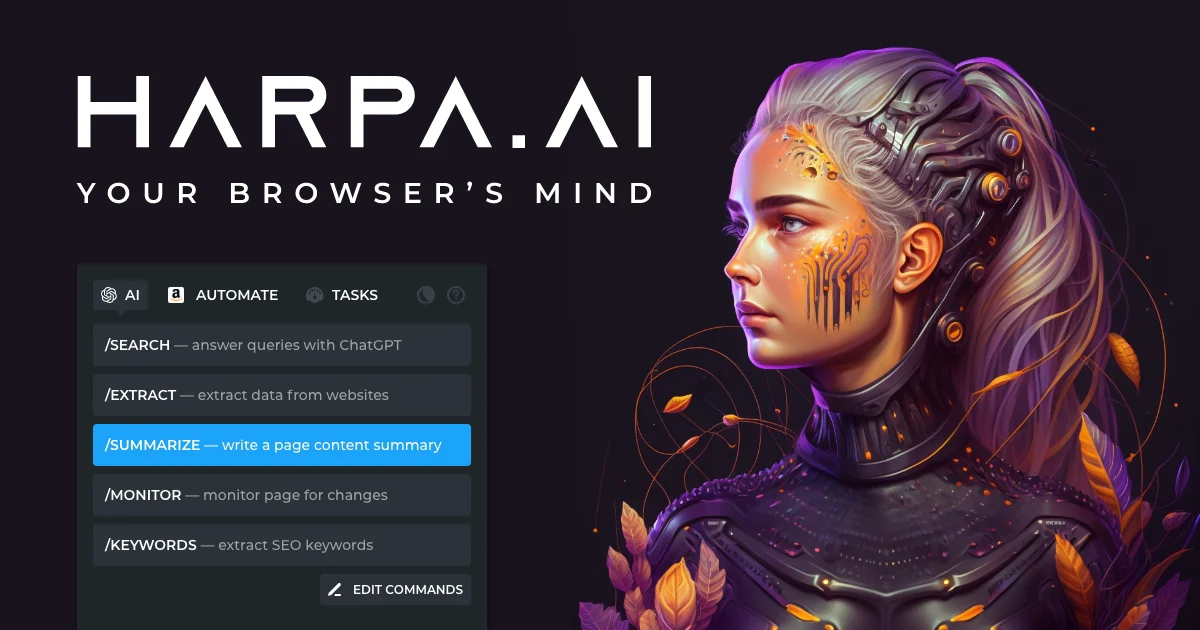
HARPA AI is a feature-rich Chrome extension that brings together the world's leading AI models—OpenAI GPT-4o, Anthropic Claude 3.7, Google Gemini 2.0, DeepSeek, Meta Llama, and Perplexity—into a unified browser copilot accessible on any web page with a single shortcut (Alt+A). Designed for professionals, marketers, developers, and content creators, HARPA dramatically reduces time spent on repetitive online tasks. Key capabilities include a YouTube and web page summarizer that extracts key insights in seconds, a Gmail assistant for categorizing, summarizing, and drafting context-aware replies, and an AI writer that learns and mimics your personal style for emails, LinkedIn posts, tweets, cover letters, and long-form SEO articles. HARPA also doubles as a powerful web automation platform. Users can build no-code browser automations to scrape data, fill forms, click buttons, and trigger workflows via Zapier, Make.com, and n8n. Its price-drop tracker monitors virtually any e-commerce site including Amazon, eBay, and Walmart. For SEO professionals, HARPA conducts AI-driven audits, extracts long-tail keywords, segments audiences, and generates full content calendars. Over 100 ready-to-use prompt templates span marketing, recruiting, coding, e-commerce, and language learning. Privacy is a core priority—HARPA does not log conversations, is GDPR compliant, and supports local models like Llama for fully on-device inference.
Key Features
- Multi-AI Model Integration: Access GPT-4o, Claude 3.7, Gemini 2.0, DeepSeek, Llama, and Perplexity on any web page via a single keyboard shortcut (Alt+A).
- Content Summarizer: Instantly summarize YouTube videos, blogs, and PDFs—extracting key takeaways, jumping to timestamps, and enabling interactive Q&A with content.
- AI Writing Assistant: Generate emails, tweets, LinkedIn posts, cover letters, and 25,000+ word SEO articles in 25 writing frameworks while mimicking your personal writing style.
- Web Automation & Data Extraction: Build no-code browser automations to scrape data, fill forms, monitor page changes, and trigger workflows in Zapier, Make.com, and n8n.
- SEO & E-Commerce Tools: Run AI-powered SEO audits, generate keyword reports, and track price drops and back-in-stock alerts on Amazon, eBay, Walmart, and virtually any e-commerce site.
Use Cases
- Summarizing long YouTube videos and web articles to extract key insights quickly during research.
- Automating Gmail inbox management by categorizing emails, summarizing threads, and drafting context-aware replies in the user's own tone.
- Generating SEO-optimized long-form articles, content calendars, and keyword reports to drive organic traffic.
- Tracking product price drops and back-in-stock alerts across Amazon, eBay, Walmart, and other e-commerce platforms.
- Building no-code web automations to scrape leads, monitor competitor pages, and trigger actions in Zapier or Make.com workflows.
Pros
- All-in-One AI Hub: Eliminates the need to switch between multiple AI tools by consolidating the top models into a single browser interface.
- Privacy-First Design: Does not log conversations or actions, is GDPR compliant, and supports local Llama models for users who need fully private, on-device AI processing.
- 100+ Ready-Made Automations: Comes preloaded with over 100 practical, page-aware prompt templates covering marketing, recruiting, coding, SEO, and more—reducing setup time significantly.
- Deep Web Integration: Works contextually on any webpage and integrates with Google Search, Gmail, YouTube, LinkedIn, and e-commerce platforms out of the box.
Cons
- Chrome-Only: Currently available exclusively as a Chrome extension, limiting access for users on Firefox, Safari, or other browsers.
- Advanced Features Behind Paywall: The most powerful capabilities—such as long-form article generation, advanced automations, and higher AI usage limits—require a paid subscription.
- Relies on Third-Party AI APIs: Core functionality depends on external AI providers (OpenAI, Anthropic, Google), meaning changes to those APIs or pricing could affect the experience.
Frequently Asked Questions
What AI models does HARPA AI support?
HARPA supports OpenAI GPT-4o and o1, Anthropic Claude 3.7, Google Gemini 2.0, DeepSeek, Meta Llama (local), and Perplexity—all accessible directly from any web page.
Is HARPA AI free to use?
HARPA offers a freemium model with a free tier that includes core features and limited daily usage. Premium plans unlock higher usage limits, advanced automations, and long-form content generation.
Is my data private when using HARPA AI?
Yes. HARPA does not log your conversations or browser actions. It is GDPR compliant and also supports local AI models like Meta Llama for fully private, on-device processing.
Can HARPA automate tasks across different websites?
Yes. HARPA features a hybrid Browser Automation/AI engine that can navigate websites, click buttons, fill forms, extract data, and trigger external workflows via Zapier, Make.com, and n8n integrations.
Does HARPA work with Gmail and YouTube?
Yes. HARPA has dedicated integrations for Gmail (email summarization, categorization, and AI-drafted replies) and YouTube (video summarization, timestamp navigation, and interactive Q&A).