

About
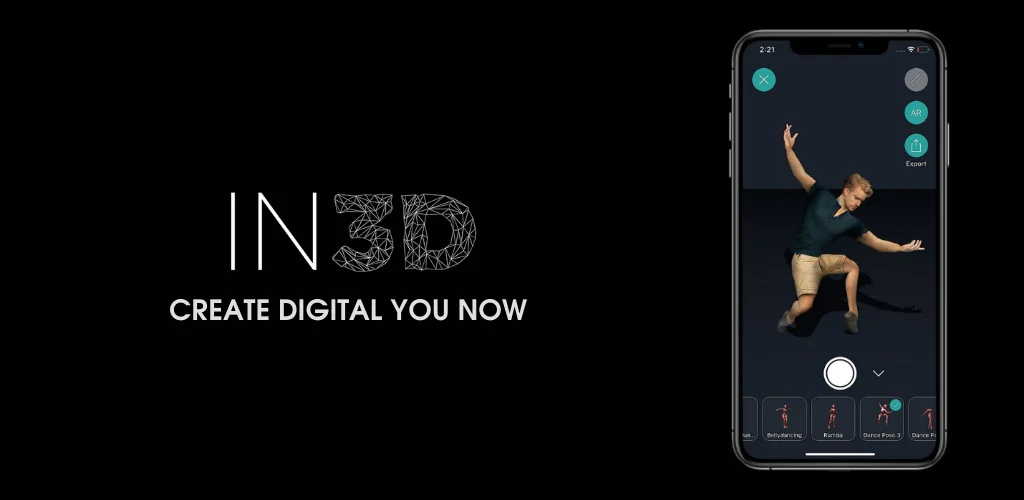
In3D is a cutting-edge avatar creation platform designed to transform real people into photorealistic, full-body 3D avatars using nothing more than a smartphone camera. The entire scanning and generation process takes under a minute, making it one of the fastest solutions available for realistic digital human creation. Built for developers and product teams, In3D provides SDKs for industry-standard engines like Unity and Unreal Engine, as well as a Web SDK and REST API, enabling seamless integration of personalized avatars into metaverse platforms, games, virtual try-on experiences, and social apps. Avatars can be exported in widely-used 3D formats including FBX, GLB, and USDZ, ensuring compatibility across a broad range of pipelines and platforms. In3D is ideal for metaverse developers, game studios, and app creators who want to offer users a personalized digital identity. The platform also supports workflows like Mesh to Metahuman conversion, allowing avatars to be brought into high-fidelity environments with minimal friction. With notable collaborations such as a Netflix debut, In3D has demonstrated its capability for professional and entertainment use cases. The platform is especially suited for teams looking to enhance user engagement through avatar personalization, providing a developer-friendly onboarding experience with sign-up access and robust documentation. In3D's next-generation evolution is also being developed under the name Avaturn.
Key Features
- Phone Camera Scanning: Generate a full-body, photorealistic 3D avatar in under a minute using just a standard smartphone camera — no special hardware required.
- Multi-Format Export: Export avatars in FBX, GLB, or USDZ formats for compatibility with a wide range of 3D tools, game engines, and AR/VR pipelines.
- Unity & Unreal Engine SDKs: Plug-and-play SDKs allow developers to copy and paste avatars directly from the In3D app into their Unity or Unreal Engine environments.
- Web SDK & REST API: A Web SDK and API enable integration of realistic avatar creation flows into any web or mobile application with minimal setup.
- Mesh to Metahuman Support: Convert In3D scans into Metahuman-compatible meshes, allowing avatars to be used in high-fidelity Unreal Engine productions.
Use Cases
- Metaverse platforms can use In3D to let users create personalized photorealistic avatars from their phone before entering virtual worlds.
- Game studios can integrate the SDK to allow players to scan themselves and appear as a custom character within the game.
- Social and communication apps can offer avatar-based profiles, generated quickly from a smartphone camera scan.
- Developers building virtual try-on or fashion apps can use In3D's realistic body avatars as digital mannequins for clothing visualization.
- Film and entertainment productions can leverage the Mesh to Metahuman workflow to create digital doubles of real people for VFX pipelines.
Pros
- Fast Avatar Generation: The entire scan-to-avatar pipeline completes in under a minute, making it practical for real-time user onboarding and personalization flows.
- Developer-Friendly Integration: SDKs for Unity, Unreal Engine, and a Web API make it straightforward to embed avatar creation into existing products without deep 3D expertise.
- Wide Format Compatibility: Support for FBX, GLB, and USDZ ensures avatars can be used across a broad set of platforms and workflows.
Cons
- Mobile Dependency for Scanning: The core scanning feature requires a smartphone camera, which may be a limitation for desktop-only workflows or enterprise environments.
- Platform Transitioning: In3D is transitioning to its next-generation platform, Avaturn, which may create uncertainty around long-term support and feature updates for the current SDK.
Frequently Asked Questions
What equipment do I need to create an avatar with In3D?
All you need is a smartphone with a standard camera. In3D's scanning technology processes the footage to generate a full-body photorealistic 3D avatar in under a minute.
What 3D file formats does In3D support for export?
In3D supports exporting avatars in FBX, GLB, and USDZ formats, making them compatible with most 3D tools, game engines, and AR/VR platforms.
Can I integrate In3D avatars into my game or app?
Yes. In3D provides SDKs for Unity and Unreal Engine, as well as a Web SDK and REST API, allowing developers to integrate avatar creation and usage into their own products.
Is In3D free to use?
In3D offers a developer sign-up with access to its SDK and API. Pricing details vary by use case and integration tier — contact In3D or sign up as a developer for specific plan information.
What is Avaturn and how does it relate to In3D?
Avaturn is the next-generation avatar platform being released by the In3D team, representing an evolution of the In3D technology with expanded capabilities for metaverse and app use cases.