
About
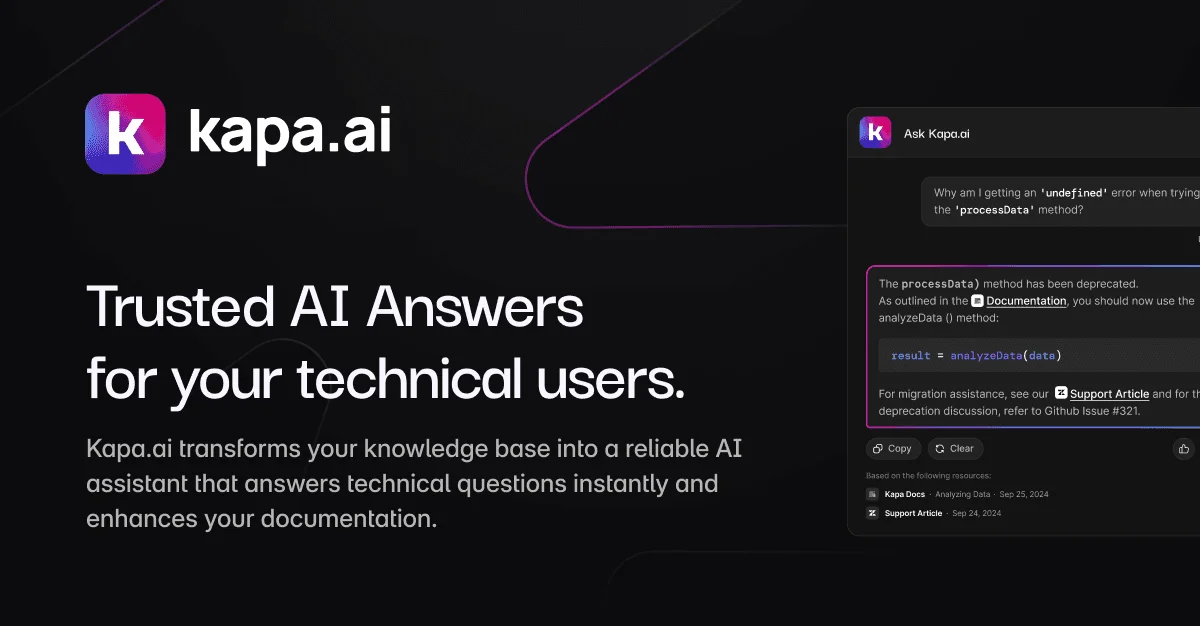
Kapa.ai is an AI assistant platform purpose-built for teams with complex technical products. It ingests your existing knowledge—documentation, code repositories, support tickets, wikis, and more—through 50+ pre-built connectors and turns it into a grounded, accurate AI agent that can answer technical questions across multiple surfaces. Designed for support and solutions engineering teams, Kapa dramatically deflects repetitive technical questions, reducing ticket volume while improving answer consistency. Documentation and education teams can embed AI chat directly into their docs sites and help centers. Product and engineering teams can skip the painful process of building DIY RAG pipelines and one-off copilots, going from setup to production in less than a week. Internal enablement teams use Kapa to reduce reliance on tribal knowledge by surfacing institutional information on demand. Kapa's core differentiator is its commitment to accuracy: the system only responds when its source material backs up the answer, and explicitly flags content gaps rather than hallucinating. It also supports MCP integrations for AI IDEs like Cursor and VS Code, making it valuable to developer-focused companies. Analytics built into the platform help teams understand what's working and identify documentation gaps. Trusted by 200+ leading technical companies, Kapa is a production-ready solution for enterprises that need AI-powered knowledge delivery without the risk of misleading users.
Key Features
- 50+ Source Connectors: Ingest knowledge from docs sites, code repositories, support tickets, Confluence wikis, and more through a wide library of pre-built integrations.
- Hallucination-Free Design: Kapa only answers questions when its source material supports the response—flagging content gaps and directing users to human support instead of fabricating answers.
- Multi-Surface Deployment: Deploy the same AI agent across documentation sites, help centers, in-product widgets, Slack, and internal portals from a single connected knowledge base.
- AI IDE Support via MCP: Native MCP integrations for Cursor and VS Code allow developers to query your documentation directly inside their coding environment.
- Analytics and Content Gap Detection: Built-in analytics surface which questions are being asked, what gaps exist in your documentation, and how well the AI is performing over time.
Use Cases
- Deflecting repetitive Level 1 technical support tickets by embedding an AI assistant in a help center that answers from existing documentation
- Adding conversational AI search to a developer documentation site so users can ask natural language questions instead of browsing long docs pages
- Enabling internal engineering and solutions teams to query institutional knowledge, onboarding guides, and runbooks without relying on senior colleagues
- Accelerating user onboarding and product adoption by surfacing relevant documentation answers directly inside a SaaS product interface
- Identifying documentation gaps by analyzing which user questions the AI cannot answer, helping content teams prioritize what to write next
Pros
- Accurate, Grounded Answers: By refusing to answer outside its source material, Kapa maintains user trust and avoids the reputational damage that hallucinated AI responses cause.
- Fast Time to Production: Teams can go from connecting knowledge sources to deploying a production-ready AI assistant in less than a week, avoiding months of DIY RAG development.
- Broad Connector Ecosystem: With 50+ connectors, Kapa works with the tools teams already use—eliminating the need for complex custom pipelines to consolidate knowledge.
- Multi-Team Value: A single Kapa deployment can serve support, documentation, product, and internal enablement teams simultaneously from one shared knowledge base.
Cons
- Enterprise-Focused Pricing: Kapa is positioned for teams with complex technical products and requires a sales demo, making it less accessible for solo developers or small startups with limited budgets.
- Dependent on Documentation Quality: Answer quality is directly tied to the completeness and accuracy of your existing documentation—teams with sparse or outdated docs will see limited results initially.
- Proprietary Platform Lock-in: As a managed SaaS product, teams have limited control over the underlying models and infrastructure compared to building their own RAG solution.
Frequently Asked Questions
How does Kapa avoid AI hallucinations?
Kapa only generates responses when the answer is directly supported by your connected source material. When it cannot find a reliable answer, it explicitly flags the content gap and may redirect users to human support, rather than guessing or fabricating information.
What knowledge sources can Kapa connect to?
Kapa supports 50+ connectors including documentation sites, GitHub repositories, Confluence wikis, Zendesk and Intercom support tickets, Notion, and many more. This allows it to build a comprehensive knowledge base from your existing content.
How long does it take to deploy Kapa?
Most teams can go from connecting their knowledge sources to a production-ready AI assistant in less than one week, significantly faster than building a custom RAG pipeline in-house.
Where can I deploy the Kapa AI assistant?
Kapa can be deployed across documentation sites, help centers, in-product widgets, internal tools, Slack workspaces, Atlassian products, and AI IDEs like Cursor and VS Code via MCP—all from a single connected knowledge base.
Who is Kapa best suited for?
Kapa is built for teams with complex technical products—including developer tools, APIs, and SaaS platforms—where users frequently ask detailed technical questions. It serves support, documentation, product, and internal enablement teams simultaneously.