

About
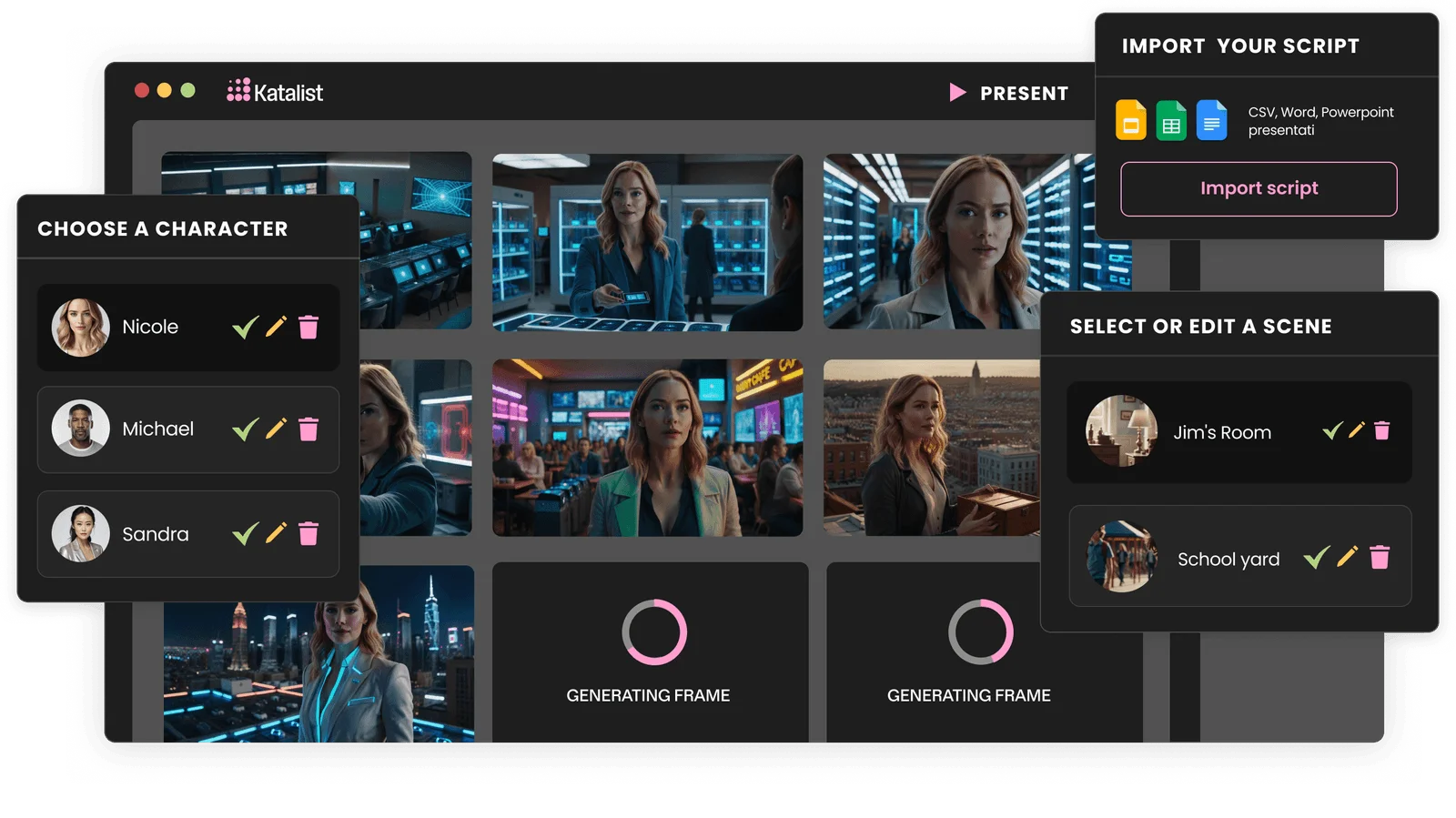
Katalist is an AI storyboard platform that bridges the gap between written scripts and compelling visual stories. Designed for filmmakers, advertisers, and content creators, it dramatically accelerates pre-production by automatically converting scripts—imported as CSV, Word, or PowerPoint files—into dynamic, shot-by-shot storyboards. Katalist's standout feature is its consistent character system, which maintains character appearance across every frame of a storyboard, and allows users to swap characters throughout a story with a single click. The platform's Dynamic Scene generation lets creators control framing, camera angles, character poses, props, and scene composition with granular precision. Beyond static storyboards, Katalist's AI Video Studio transforms completed storyboards into fully produced videos complete with voiceover, background music, and sound effects. The tool requires no prior AI experience, acting as an intuitive translation layer between a creator's ideas and generative AI technology. Teams report up to 4x faster production timelines compared to traditional workflows. Whether you're pitching a concept to a client, planning a film shoot, or producing social media content, Katalist streamlines the entire visual ideation and pre-production process, saving both time and money.
Key Features
- Script to Storyboard in 1 Click: Upload a script as CSV, Word, or PowerPoint and Katalist automatically breaks it into shots, extracts visual details, and generates a complete storyboard instantly.
- Consistent Character Generation: Katalist maintains character appearance consistently across every frame of a storyboard, with the ability to swap characters throughout the entire story in a single click.
- AI Video Studio: Convert finished storyboards into fully produced videos with AI-generated voiceover, background music, and sound effects.
- Dynamic Scene & Pose Control: Fine-tune individual frames by adjusting framing, camera angle, character poses, props, lighting, and scene composition to match your exact vision.
- No-Code, No AI Experience Required: The platform acts as an intuitive translation layer between creative ideas and generative AI, requiring no technical expertise to produce professional-grade visuals.
Use Cases
- A film director uploads a screenplay to generate a complete shot-by-shot storyboard for a short film, cutting pre-production planning time from weeks to days.
- An advertising agency visualizes a TV commercial concept as a storyboard to pitch to a client, using consistent branded characters across all frames.
- A content creator on YouTube or TikTok outlines a video idea in script form and uses Katalist to plan scene compositions and shot angles before filming.
- A marketing team produces a fully voiced-over video ad directly from a storyboard using the AI Video Studio, without needing a separate video production tool.
- An independent filmmaker uses the character posing tool and dynamic scene controls to pre-visualize complex action sequences and communicate them clearly to crew.
Pros
- Dramatically Faster Production: Users report up to 4x faster pre-production timelines, getting projects ready in days instead of weeks.
- Character Consistency Across Scenes: Solves a major pain point with AI image tools by keeping character looks uniform throughout an entire storyboard.
- All-in-One Storyboard to Video Pipeline: Goes beyond static frames—Katalist can produce full videos with audio directly from storyboards, eliminating the need for multiple tools.
- Accessible to Non-Technical Creators: No AI or design experience needed; the interface is purpose-built for storytellers, not engineers.
Cons
- Full Features Require a Paid Plan: Advanced capabilities such as the AI Video Studio and unlimited storyboard generation are likely gated behind a subscription tier.
- Output Quality Dependent on Script Detail: AI-generated visuals may require manual tweaking when scripts lack descriptive scene or character details.
- Web-Only Platform: Currently available only as a web application, with no dedicated desktop or mobile app for offline use.
Frequently Asked Questions
What file formats can I import to create a storyboard?
Katalist supports importing scripts as CSV, Microsoft Word (.docx), or PowerPoint (.pptx) files. You can also copy and paste text directly from any copywriting application.
How does Katalist keep characters consistent across frames?
Katalist uses a character-casting system where you define characters once. The AI then references those character profiles to maintain visual consistency in every generated frame throughout the storyboard.
Can I turn my storyboard into a video?
Yes. The Katalist AI Video Studio feature converts your completed storyboard into a fully produced video, adding AI-generated voiceover, background music, and sound effects automatically.
Do I need experience with AI tools to use Katalist?
No. Katalist is designed as a no-experience-required tool. It acts as a translation layer between your creative ideas and generative AI, so you can focus on storytelling rather than prompt engineering.
Who is Katalist best suited for?
Katalist is ideal for filmmakers, video directors, advertising agencies, content creators, and marketing teams who need to rapidly visualize scripts, pitch ideas to clients, or plan production shots.