
About
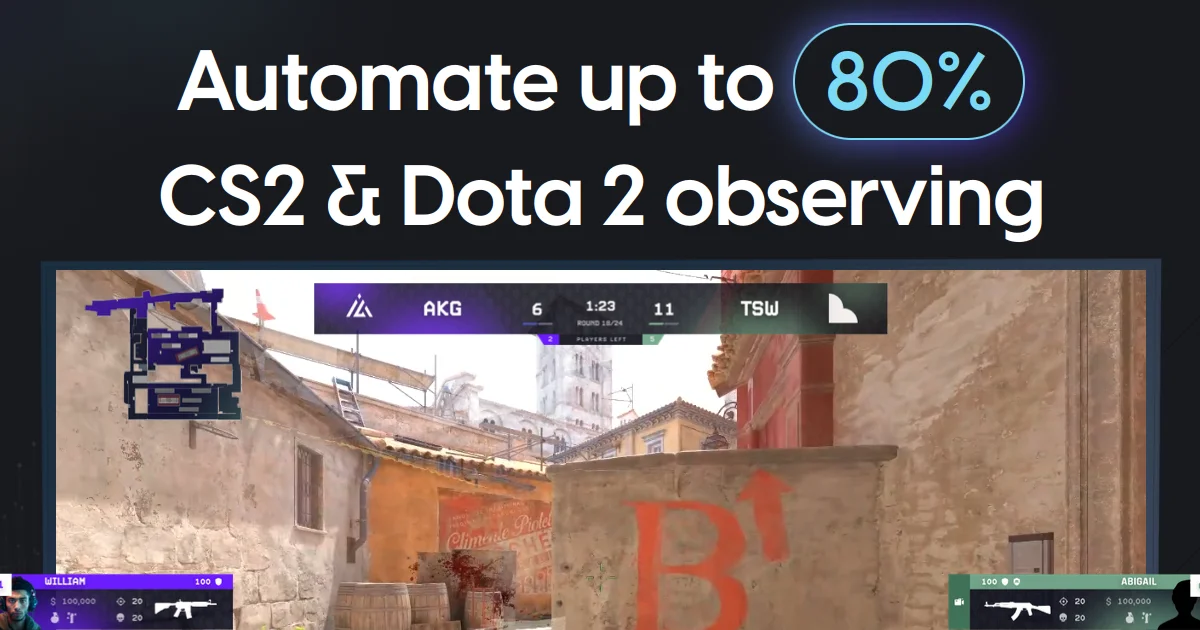
LHM.gg is a professional all-in-one esports production platform built for broadcasters, observers, players, teams, tournament organizers, and esports companies. The platform dramatically reduces manual production workload—automating up to 80% of Counter-Strike 2 broadcasts and supporting a wide range of titles including Dota 2, League of Legends, Valorant, Rocket League, PUBG Mobile, Apex Legends, and F1. At its core, LHM.gg delivers cloud-based HUDs and overlays deployable in just a few clicks, with beautiful visual presets through its Ultra HUD feature. The Scout AI module acts as an autonomous match observer, capturing critical in-game events, generating cinematic sequences, and predicting match outcomes—all without human input. The LHM Replays system automatically identifies and broadcasts highlight moments using user-defined criteria, integrating seamlessly with vMix and OBS. Additional capabilities include Stream Deck integration, remote HUD access, multi-language support, cloud storage for assets and settings, a custom killfeed and radar system (CS2-exclusive), match data tracking, CG Mode, and a full backend API for developer customization. Lexogrine, the company behind LHM.gg, also provides end-to-end custom HUD and overlay design services tailored to brand requirements. With near 24/7 community support via Discord and an active development roadmap driven by the esports community, LHM.gg is the industry standard for polished, professional esports production at any scale.
Key Features
- Scout AI Match Observer: An advanced AI system that autonomously captures the most important in-game events, generates cinematic sequences, and predicts match results—all without requiring manual human input.
- Cloud-Based Ultra HUDs & Overlays: Stunning, ready-to-deploy cloud HUDs and broadcast overlays that can be activated in just a few clicks, with support for custom designs and remote access.
- LHM Replays Automation: Automatically captures gameplay highlights based on defined criteria and broadcasts them as replays through vMix and OBS integrations, streamlining post-production.
- Multi-Game & Multi-Platform Support: Supports CS2, Dota 2, League of Legends, Valorant, Rocket League, PUBG Mobile, Apex Legends, and F1 with game-specific features like custom killfeeds and radar overlays.
- Developer API & Stream Deck Integration: Provides backend APIs and Quick Addons for custom integrations, plus Stream Deck support and cloud storage for assets and settings to streamline production workflows.
Use Cases
- Professional esports tournament broadcasting with automated HUDs, overlays, and AI-driven camera direction for live audiences.
- Small production teams running community or local LAN events who need to automate manual broadcast tasks with minimal staff.
- Esports organizations tracking match data, player statistics, and game analytics to improve coaching and competitive preparation.
- Content creators and streamers producing polished esports highlight reels using the automated LHM Replays system.
- Esports companies and brands commissioning custom HUD and overlay designs to maintain consistent visual identity across productions.
Pros
- Massive Production Automation: Automates up to 80% of esports production tasks, significantly reducing the manual workload for broadcast teams and enabling smaller crews to produce professional-quality shows.
- AI-Driven Broadcast Intelligence: Scout AI provides genuine intelligence layer to live broadcasts—autonomous camera direction, cinematic highlights, and real-time result predictions powered by machine learning.
- Wide Game & Tool Ecosystem Support: Covers the most popular esports titles and integrates with industry-standard tools like OBS and vMix, making it adaptable to virtually any production setup.
- Active Community & Near 24/7 Support: Backed by a strong Discord community and almost round-the-clock support from the Lexogrine team, ensuring producers get help when it matters most during live events.
Cons
- Desktop Installation Required: Core functionality requires a local Windows installation, which may limit flexibility for fully remote or cloud-only production workflows.
- Some AI Features Are CS2-Exclusive: Advanced capabilities like Scout AI Vision, Cinematic mode, and Predict are currently only available for Counter-Strike 2, restricting their use for other game titles.
- Learning Curve for Custom HUD Development: While pre-built HUDs are easy to deploy, setting up fully custom HUDs and leveraging the developer API requires technical knowledge or reliance on Lexogrine's paid design services.
Frequently Asked Questions
Which games does LHM.gg support?
LHM.gg supports Counter-Strike 2, Dota 2, League of Legends, Valorant, Rocket League, PUBG Mobile, Apex Legends, and F1, with game-specific features tailored to each title's production needs.
What is Scout AI and how does it work?
Scout AI is LHM.gg's advanced AI match observer for CS2. It autonomously identifies and captures the most impactful in-game events, produces cinematic sequences, and provides real-time match result predictions—all without needing a human operator.
Is LHM.gg free to use?
Yes, LHM.gg offers a free tier to get started. Premium features such as Ultra HUD, LHM Replays, Scout AI, and advanced cloud functionality are available through paid plans.
Can I create a custom HUD for my organization?
Yes. LHM provides a custom HUD development environment for self-builders. Alternatively, Lexogrine offers end-to-end design and development services to create a branded HUD and spectator overlay tailored to your needs.
Does LHM.gg integrate with OBS and vMix?
Yes. LHM Replays and other production features integrate directly with both OBS and vMix, allowing automatic replay broadcasting and seamless incorporation into existing streaming setups.