
About
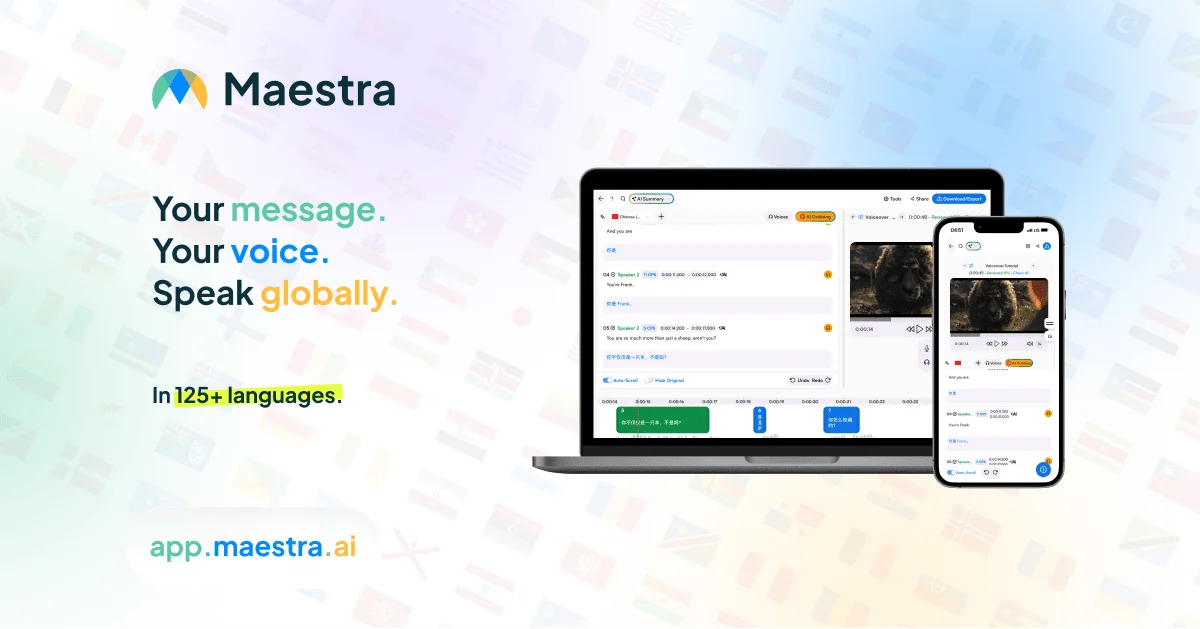
Maestra Video Translator is a comprehensive AI-driven video localization platform designed for content creators, businesses, and global teams who need fast, accurate multilingual video translation. The tool supports over 125 languages and offers two primary localization modes: AI-generated subtitles and AI dubbing with natural-sounding voices, including the ability to clone the original speaker's voice for a seamless experience. Uploading a video is all it takes to get started — Maestra automatically transcribes and translates the content, then generates subtitles or AI voiceovers within minutes. Users can edit the output in a built-in subtitle editor before exporting in their preferred format. A live translation Chrome extension enables real-time interpretation during live events or streaming, with a free trial of up to 10 minutes. Maestra also integrates with YouTube, allowing creators to add and edit translated subtitles directly to their videos without leaving the platform. The tool is praised by users for its transcription accuracy, multi-language support, and time-saving capabilities. It is trusted by both individuals and enterprise teams for e-learning, marketing localization, media production, and internal communications. A free trial is available with no credit card required, making it accessible for users who want to test the platform before committing to a paid plan.
Key Features
- 125+ Language Support: Translate videos to and from over 125 languages, covering a wide range of global markets for comprehensive content localization.
- AI Dubbing with Voice Cloning: Generate natural-sounding AI voiceovers in the target language or clone the original speaker's voice to maintain authenticity.
- Automated Subtitle Generation & Editing: Automatically generate, translate, and fine-tune subtitles with a built-in editor before exporting in your preferred format.
- Real-Time Live Translation Extension: A Chrome extension enables live video translation and interpretation during streaming or live events in 125+ languages.
- YouTube Integration: Connect directly with YouTube to add and edit translated subtitles to your videos without leaving Maestra's platform.
Use Cases
- A YouTube creator translates their English tutorial videos into Spanish, French, and Japanese to reach international audiences without recording new voiceovers.
- An e-learning company localizes its training course videos into 20+ languages with AI dubbing and subtitles to onboard global employees.
- A marketing team adapts product demo videos for regional campaigns by generating localized AI voiceovers and subtitles in each target market's language.
- A conference organizer uses Maestra's live translation extension to provide real-time multilingual captions during a virtual event streamed to a global audience.
- A media production studio uses Maestra to add accurate subtitles to documentary content for international distribution across streaming platforms.
Pros
- No Software Installation Required: The entire workflow runs in the browser, making it instantly accessible with no setup friction.
- Broad Language Coverage: Supporting 125+ languages makes it one of the most versatile video translation tools available for global content teams.
- All-in-One Localization Suite: Combines transcription, subtitling, translation, dubbing, and voice cloning in a single platform, eliminating the need for multiple tools.
- Free Trial with No Credit Card: Users can test core features without any payment commitment, lowering the barrier to entry significantly.
Cons
- Live Translation Trial Limited to 10 Minutes: The free trial for the real-time translation Chrome extension is capped at 10 minutes, which may not be enough for thorough evaluation.
- AI Voice Quality May Vary by Language: While AI dubbing quality is generally strong, accuracy and naturalness of voices can differ across less common languages.
- Paid Plans Required for Full Access: Advanced features such as unlimited exports, higher-volume translations, and premium voice options are gated behind paid subscriptions.
Frequently Asked Questions
How do I translate a video using Maestra?
Upload your video file to Maestra's video translator, select your target language from the 125+ available options, and the platform will automatically generate subtitles and/or AI voiceovers in the chosen language within minutes.
Is Maestra Video Translator free to use?
Yes, Maestra offers a free trial with no credit card required. You can translate videos and access core features for free, with paid plans unlocking higher usage limits and advanced capabilities.
Can Maestra translate YouTube videos?
Yes. Maestra integrates with YouTube, allowing you to directly add and edit translated subtitles to your YouTube videos from within the Maestra platform.
Does Maestra support real-time video translation?
Yes. Maestra provides a live translation Chrome extension and a web captioner tool that can translate video content in real time across 125+ languages. The extension includes a free trial of up to 10 minutes.
Can I clone my voice when dubbing a translated video?
Yes. Maestra supports voice cloning, enabling you to generate AI voiceovers that replicate the original speaker's voice in the translated language for a more authentic result.