

About
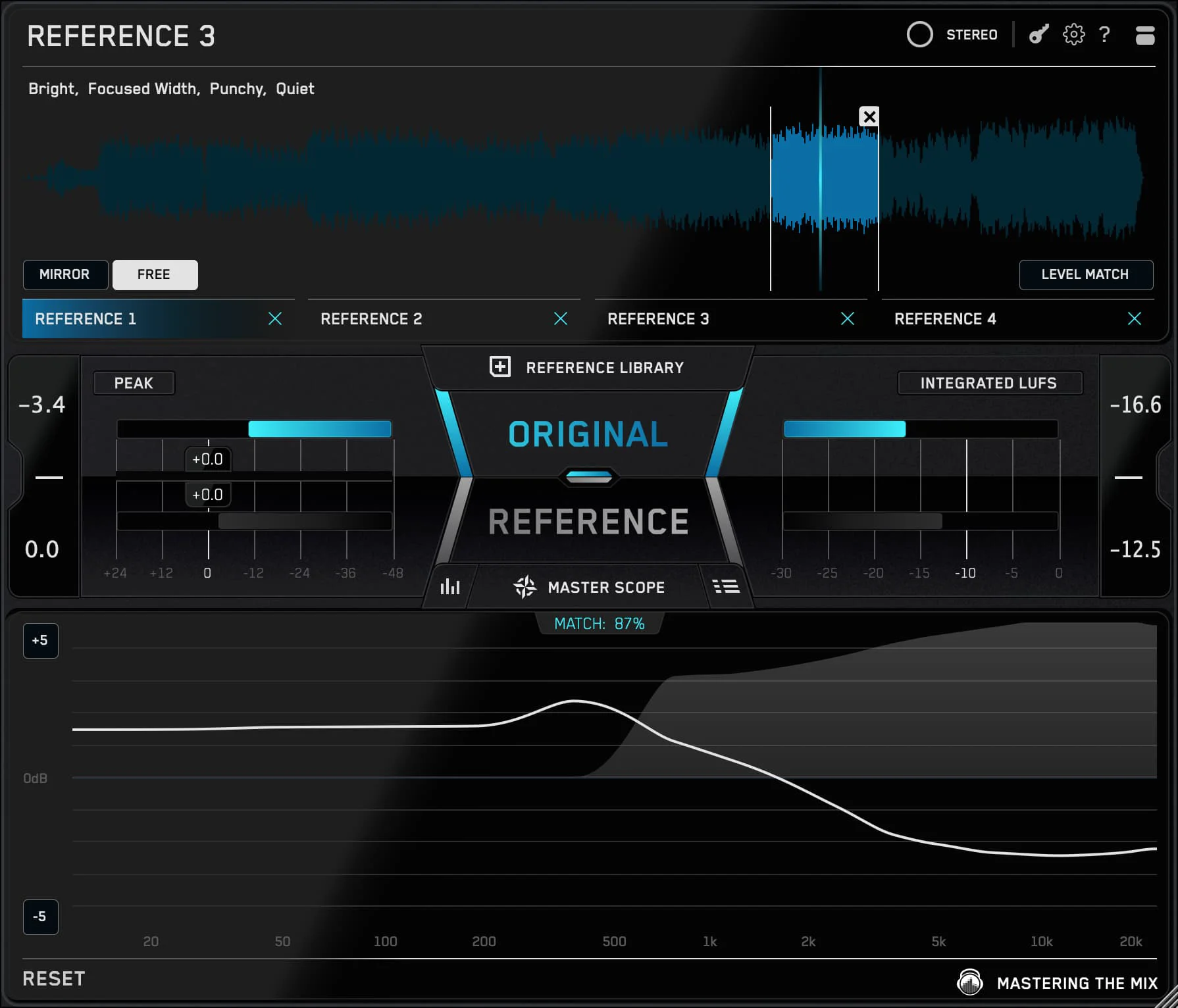
REFERENCE 3 by Mastering The Mix is a powerful audio reference plugin designed for music producers, mixing engineers, and mastering engineers who want to achieve professional-sounding results. The plugin allows users to import their favorite commercial tracks and compare them directly against their own mixes, making it easy to identify differences in frequency balance, dynamic range, loudness, and stereo width. With its intuitive visual interface, REFERENCE 3 displays real-time analysis of both your mix and the reference track side by side, so you can quickly spot problem areas and make informed adjustments in your DAW. The loudness-matching feature ensures that volume differences don't fool your ears during comparison, giving you a truly objective A/B listening experience. REFERENCE 3 also includes a timeline view for analyzing how reference tracks evolve dynamically over time, helping you understand arrangement and energy flow. It supports multiple reference tracks simultaneously, so you can benchmark against several songs at once. The plugin works as a VST, AU, and AAX plugin on both macOS and Windows, integrating seamlessly into any professional DAW environment. Whether you are a bedroom producer trying to achieve a polished commercial sound or a professional engineer fine-tuning a master, REFERENCE 3 provides the clarity and context needed to make confident mixing and mastering decisions.
Key Features
- Real-Time Reference Track Comparison: Import commercial reference tracks and A/B compare them against your mix in real time inside your DAW.
- Loudness Matching: Automatically matches the perceived loudness of your mix to the reference track, removing volume bias from your critical listening.
- Visual Frequency & Dynamic Analysis: Side-by-side visual displays show frequency balance, dynamic range, and stereo width differences between your mix and the reference.
- Timeline View: Analyze how energy and dynamics evolve across a reference track over time to better understand arrangement and production choices.
- Multi-Reference Support: Load multiple reference tracks simultaneously to benchmark your mix against several professional releases at once.
Use Cases
- A music producer imports a chart-topping reference track to compare the low-end balance of their own mix and identify areas that need EQ adjustments.
- A mixing engineer uses the loudness-matching feature to make objective tonal comparisons without being fooled by perceived volume differences.
- A mastering engineer loads multiple reference tracks from the same genre to ensure the master meets competitive loudness and dynamic range standards.
- A bedroom producer benchmarks their mix against professional releases to close the quality gap and develop their ear for commercial sound.
- An audio educator uses REFERENCE 3 during lessons to visually demonstrate to students the frequency and dynamic differences between amateur and professional mixes.
Pros
- Eliminates Volume Bias: Automatic loudness matching ensures you're making fair, objective comparisons rather than being tricked by volume differences.
- DAW-Integrated Workflow: Works as a VST, AU, and AAX plugin, fitting seamlessly into any professional DAW without disrupting your session.
- Clear Visual Feedback: Intuitive visual displays make it easy to identify exactly where your mix diverges from the reference, speeding up the correction process.
Cons
- Paid Only: There is no free tier or permanent free version; users must purchase the plugin to access its features beyond any trial period.
- Desktop Only: REFERENCE 3 is only available as a desktop DAW plugin and cannot be used as a standalone web or mobile application.
Frequently Asked Questions
What formats does REFERENCE 3 support?
REFERENCE 3 is available as a VST, AU, and AAX plugin, making it compatible with major DAWs on both macOS and Windows.
How does loudness matching work in REFERENCE 3?
The plugin automatically adjusts the perceived loudness level of your reference track to match your mix, so you can compare them on an equal footing without being misled by volume differences.
Can I use multiple reference tracks at the same time?
Yes, REFERENCE 3 allows you to load and switch between multiple reference tracks simultaneously, so you can benchmark your mix against several commercial releases.
Is REFERENCE 3 suitable for mastering as well as mixing?
Absolutely. REFERENCE 3 is widely used by both mixing engineers and mastering engineers to ensure their work meets commercial loudness and tonal standards.
Does REFERENCE 3 use AI?
REFERENCE 3 relies on advanced audio analysis and metering rather than machine-learning AI. Its power comes from precise real-time signal analysis and visual feedback tools.