

About
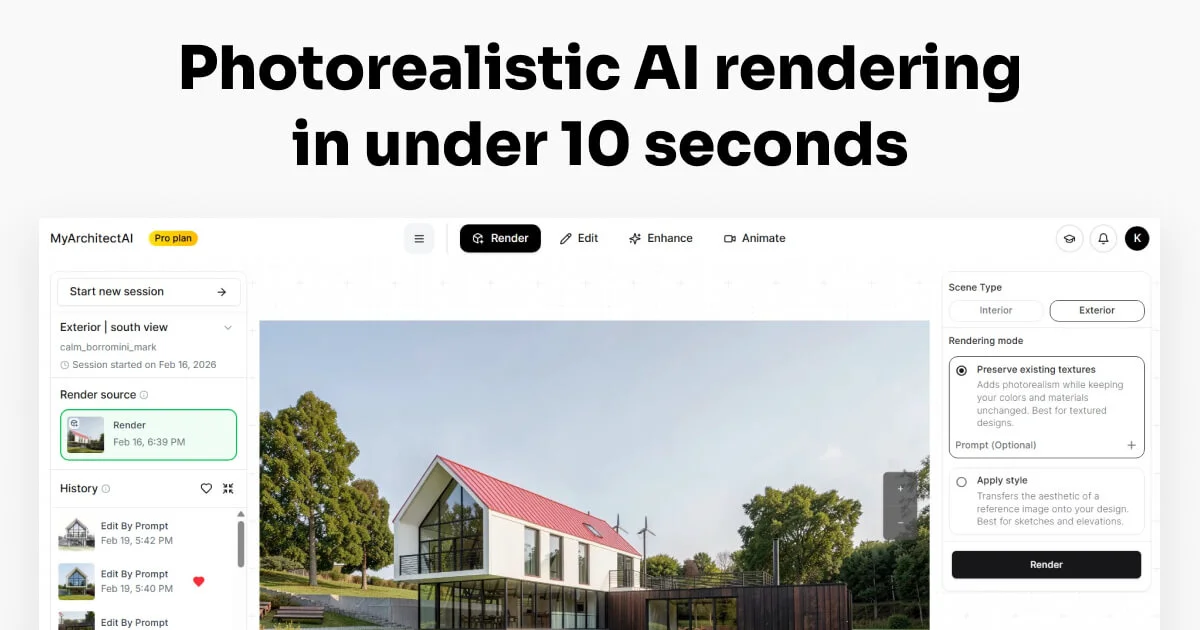
MyArchitectAI is an AI-powered architectural rendering platform that enables architects, interior designers, and design professionals to produce photorealistic visualizations in under 10 seconds — directly from their browser. Unlike traditional rendering software that requires high-end workstations, hours of setup, and steep learning curves, MyArchitectAI runs on any device with no installation required. The platform supports designs from all major CAD and 3D modeling applications, including SketchUp, Revit, Archicad, Rhino, AutoCAD, Chief Architect, and Vectorworks, via standard JPG/PNG uploads. Once uploaded, the AI engine automatically applies photorealistic lighting, materials, and textures while preserving the original geometry. Key features include one-click rendering, AI-powered render enhancement, style transfer, conceptual rendering, animations with pre-set camera presets, and a text-based edit interface (e.g., 'change siding to bleached oak'). Users can also access an API for integration into existing workflows. MyArchitectAI is used in 90+ countries and offers plans for individuals, teams, and enterprises. Pricing starts at $96/year for the Basic plan. New users receive 10 free renders to explore the platform with no commitment. The tool is ideal for architecture firms, interior design studios, furniture brands, and real estate developers looking to accelerate their visualization pipeline without sacrificing quality.
Key Features
- Sub-10-Second AI Rendering: Converts uploaded CAD or 3D model images into photorealistic renders in under 10 seconds using an advanced AI rendering engine.
- Universal CAD Compatibility: Accepts JPG/PNG exports from any 3D modeling or CAD software including SketchUp, Revit, Archicad, Rhino, AutoCAD, Chief Architect, and Vectorworks.
- Text-Based Scene Editing: Edit rendered scenes using natural language commands (e.g., 'change siding to bleached oak') without re-exporting or re-rendering the full model.
- Animations & Style Transfer: Generate camera-path animations in 90–120 seconds using presets, and apply style transfer to match any visual aesthetic.
- One-Click Render Enhancement: Automatically enhance and post-process renders in a single click, eliminating the need for manual Photoshop work.
Use Cases
- Architects generating photorealistic client presentation renders directly from SketchUp or Revit models without rendering workstations.
- Interior designers visualizing furniture arrangements, material finishes, and lighting scenarios in seconds for faster client approvals.
- Furniture brands creating high-quality product renders for e-commerce and marketing without hiring external rendering studios.
- Real estate developers producing architectural visualizations for pre-sale marketing campaigns at a fraction of traditional rendering costs.
- Architecture students and educators rapidly iterating on design concepts with instant visual feedback during the design process.
Pros
- Extremely Fast Turnaround: Renders that previously took 30 minutes to several hours are completed in under 10 seconds, dramatically speeding up design workflows.
- No Installation or Hardware Requirements: Runs entirely in the browser on any device — no need for expensive workstations or GPU setups.
- Broad Software Compatibility: Works with virtually any CAD or 3D modeling tool via standard image formats, making it easy to integrate into existing workflows.
- Accessible Pricing with Free Trial: 10 free renders to get started, with annual plans starting at just $96/year — far cheaper than traditional rendering services or software.
Cons
- Image Format Limitation: Currently only supports JPG/PNG uploads, so users must export from their CAD software rather than uploading native 3D files directly.
- Limited Control for Power Users: The AI handles lighting and materials automatically, which may not satisfy advanced users who want granular control over render settings.
- Internet Dependency: As a fully browser-based tool, it requires a stable internet connection and cannot be used offline.
Frequently Asked Questions
What CAD and 3D software is MyArchitectAI compatible with?
MyArchitectAI works with SketchUp, Revit, Archicad, Rhino, AutoCAD, Chief Architect, Vectorworks, and virtually any other 3D modeling software that can export JPG or PNG images.
Do I need to install anything to use MyArchitectAI?
No. MyArchitectAI runs entirely in your web browser with no software installation, plugins, or high-end hardware required. It works on any device including Mac.
How long does it take to render an image?
Most renders are completed in under 10 seconds. Animations using camera presets typically take 90–120 seconds.
Is there a free trial available?
Yes. New users receive 10 free renders with no credit card required, allowing you to test the platform before committing to a paid plan.
What pricing plans are available?
MyArchitectAI offers three annual plans: Basic at $96/year, Business at $192/year, and Enterprise at $384/year. Each tier includes increasing data storage, analytics, and team features.