
About
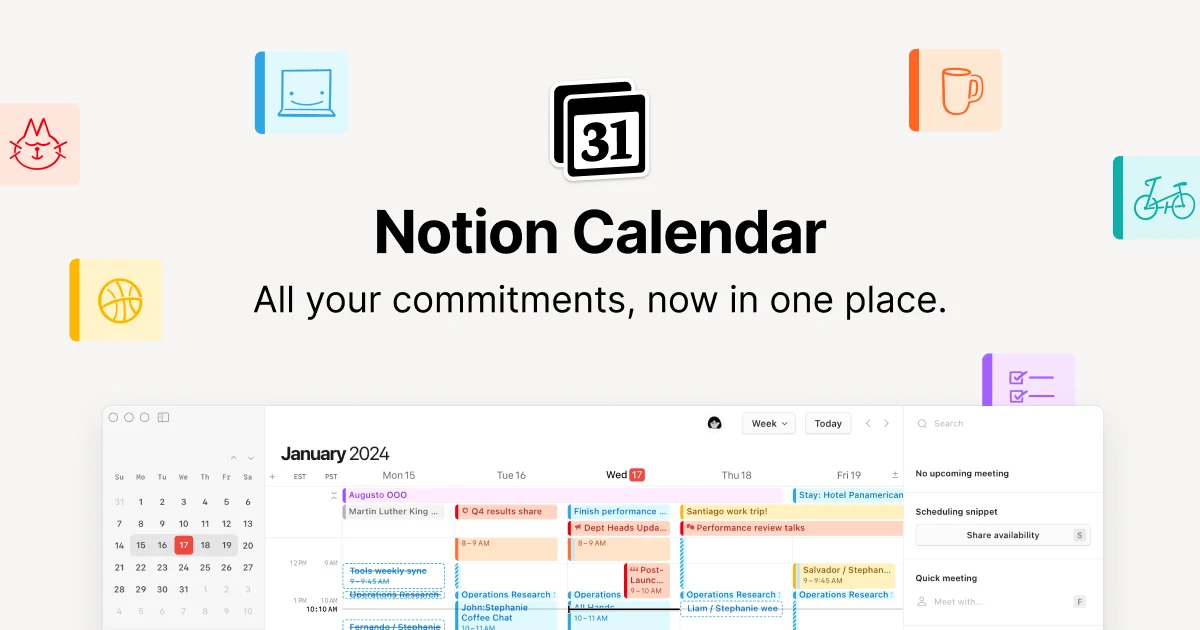
Notion Calendar is a unified scheduling and time-management tool built for teams and individuals who live inside Notion. It brings together your work commitments, personal events, Notion database items, and Google Calendar events into a single, elegantly designed interface. With built-in scheduling, you can share your availability link with others — no separate booking tool required. The calendar supports multiple time zones, making it ideal for distributed and global teams. A command menu and keyboard shortcuts keep power users moving fast, and the app is available in 12 languages. Notion Calendar deeply integrates with your existing Notion workspace: you can view Notion database deadlines alongside calendar events, drag-and-drop to update project timelines, and open Notion docs directly from meeting entries for full meeting context. It also connects with Google Calendar, Apple Calendar, Zoom, and Google Meet out of the box. To prevent scheduling conflicts, Notion Calendar auto-blocks busy slots across all connected calendars. Mobile apps for iOS and Android include home-screen widgets so your day is always at a glance. The app runs on macOS, Windows, iOS, and Android, and is free to use for anyone with a Notion account — making it a powerful, zero-cost upgrade to how you manage time at work and in life.
Key Features
- Notion Workspace Integration: View Notion database deadlines and project timelines alongside calendar events, and drag-and-drop to edit items without leaving the calendar.
- Built-in Scheduling Links: Share your availability and a personal booking link so others can schedule time with you — no third-party scheduling tool needed.
- Multi-Calendar Sync & Conflict Prevention: Connect Google Calendar, Apple Calendar, and Notion in one view, with automatic busy-slot blocking to eliminate double bookings.
- Time Zone Visualization: See your day displayed across multiple time zones at once, making collaboration with global teams effortless.
- Cross-Platform Mobile & Desktop Apps: Available on macOS, Windows, iOS, and Android with home-screen widgets for at-a-glance schedule access.
Use Cases
- Managing daily work schedules alongside Notion project deadlines and database items in a single unified view.
- Scheduling meetings with external clients or teammates by sharing a personal availability link directly from the calendar.
- Coordinating across distributed global teams by visualizing schedules across multiple time zones simultaneously.
- Preventing conflicts between work and personal commitments by syncing multiple Google and Apple calendars with automatic busy-slot blocking.
- Joining video calls quickly from the macOS menu bar without switching between apps or hunting for meeting links.
Pros
- Completely Free: Notion Calendar is free to use for all users, offering premium scheduling features at no cost.
- Deep Notion Integration: Directly surfaces Notion database items, deadlines, and docs inside the calendar, reducing context-switching for Notion-heavy workflows.
- Unified Work & Personal Scheduling: Combines work and personal calendars in one view with automatic conflict detection across all connected sources.
- Wide Platform Support: Runs natively on macOS, Windows, iOS, and Android with widgets, covering virtually all user devices.
Cons
- Limited Calendar Provider Support: Currently only supports Google Calendar and Apple iCloud calendars; Microsoft Outlook and other providers are not yet available.
- Requires a Notion Account: The tool is built around the Notion ecosystem, so users without a Notion account get limited standalone value.
- No Optimized Tablet Experience: iPad and Android tablet support is still in progress; the current mobile app is optimized for phones only.
Frequently Asked Questions
Is Notion Calendar free?
Yes, Notion Calendar is completely free to use for all users.
Which calendar providers does Notion Calendar support?
Notion Calendar currently integrates with Google Calendar and Apple iCloud-synced calendars. Support for Microsoft Outlook and other providers is on the roadmap.
Is Notion Calendar available on mobile?
Yes, Notion Calendar is available for both iPhone and Android devices, including home-screen widgets for quick schedule access.
Can I use Notion Calendar without an existing Notion workspace?
You can connect Notion Calendar to Google Calendar independently, but the deepest features — like viewing Notion database items and docs — require an active Notion workspace.
Does Notion Calendar support Zoom or Google Meet?
Yes. Google Meet is available by default through Google Calendar, and you can create Zoom meetings directly from Notion Calendar as well.