
About
Akiflow is a comprehensive productivity suite that brings together your calendar, tasks, inbox, and AI assistant to help you save hours every week. Designed for founders, C-level executives, developers, designers, marketers, and sales professionals, Akiflow centralizes everything you need to stay on top of your day. At its core, Akiflow is built around time-blocking — a proven productivity method that assigns dedicated time slots to tasks directly on your calendar. The app syncs work and personal calendars seamlessly, giving you a complete unified view of your schedule at all times. Akiflow's Universal Inbox consolidates tasks from all your tools and integrations into a single place, letting you capture, prioritize, and schedule work without switching apps. With built-in projects and folders, work is organized into structured, easy-to-navigate workflows. The AI assistant, Aki, acts as an on-demand executive assistant — answering questions about your schedule, suggesting open time blocks, and surfacing productivity insights. The Meeting Assistant feature keeps you prepared for calls and on top of follow-ups. Other standout features include keyboard shortcuts for rapid task capture, a Focus Timer for deep work sessions, Rituals for building consistent daily routines, and a review system for weekly recaps. Y Combinator-backed and trusted by 10,000+ ambitious professionals worldwide, Akiflow is purpose-built for people who take their time seriously.
Key Features
- Time-Blocking Calendar: Assign dedicated time slots to every task directly on your calendar, syncing both work and personal events into one unified view for complete schedule clarity.
- AI Assistant (Aki): An on-demand executive AI that answers schedule questions, suggests available time slots, generates daily agendas, and helps you plan your week intelligently.
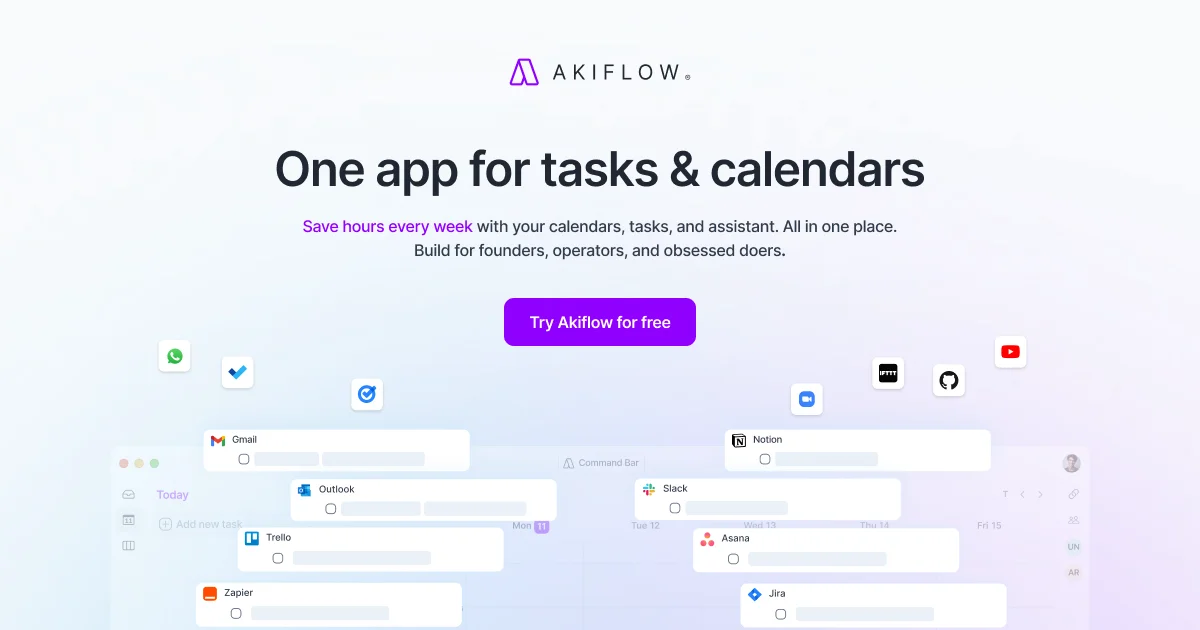
- Universal Inbox & Integrations: Consolidates tasks from all your connected tools into one inbox so you can capture, prioritize, and schedule work without ever leaving the app.
- Meeting Assistant: Keeps you prepared for every meeting with smart prep, notes, and follow-up tracking powered by AI.
- Rituals & Focus Timer: Build consistent daily routines with customizable Rituals and stay in deep work mode with the built-in Focus Timer to protect your most productive hours.
Use Cases
- A startup founder time-blocks their entire week in Akiflow, protecting deep work sessions while fitting in investor calls, team standups, and personal commitments.
- A developer captures tasks from Jira, Slack, and email into Akiflow's Universal Inbox and schedules focused coding blocks each morning using time-blocking.
- A marketing manager uses Rituals to run a consistent 15-minute daily planning session and the Focus Timer to stay on task during campaign sprints.
- An executive uses the Meeting Assistant to prepare for back-to-back calls and asks Aki to check schedule availability without ever leaving the app.
- A remote worker syncs their work and personal calendars in Akiflow to maintain a clear boundary between professional obligations and personal time.
Pros
- All-in-One Productivity Hub: Combines calendar, tasks, inbox, and AI assistant in one app, eliminating the need to juggle multiple productivity tools throughout the day.
- Best-in-Class Time-Blocking: The core time-blocking workflow is purpose-built and highly refined, helping users structure their day visually for maximum throughput and focus.
- Deep Tool Integrations: Connects with popular tools like Slack, Notion, Gmail, Jira, and more so all tasks flow automatically into a single unified inbox.
- Y Combinator-Backed with Strong User Base: Trusted by 10,000+ ambitious professionals from top companies, validating the product's quality and long-term viability.
Cons
- No Permanent Free Plan: Akiflow only offers a 7-day free trial — there is no ongoing free tier, which may be a barrier for budget-conscious users.
- Learning Curve for New Users: The time-blocking methodology and depth of features may feel overwhelming for users unfamiliar with structured scheduling workflows.
- Primarily Individual-Focused: While a Teams plan exists, Akiflow is most powerful as an individual productivity tool and may feel limited for teams needing deep collaborative project management.
Frequently Asked Questions
What is time-blocking and how does Akiflow use it?
Time-blocking is a productivity technique where you assign specific blocks of time on your calendar to each task. Akiflow makes this effortless by letting you drag tasks directly onto your calendar and schedule them with estimated durations, ensuring every priority has a protected time slot.
Who is Akiflow best suited for?
Akiflow is designed for founders, C-level executives, developers, designers, marketers, and sales professionals — anyone managing a high volume of tasks and meetings who wants to stay deeply focused and in control of their time.
Does Akiflow have a free plan?
Akiflow offers a 7-day free trial that includes full access to all features including Aki, the AI assistant. After the trial period, a paid subscription is required to continue using the app.
What tools does Akiflow integrate with?
Akiflow integrates with a wide range of popular tools including Google Calendar, Outlook, Slack, Notion, Todoist, Gmail, Jira, Linear, and more — pulling tasks from all sources into a single Universal Inbox.
What can the Aki AI assistant do?
Aki is Akiflow's built-in AI executive assistant. It can answer questions about your schedule, suggest available time slots for tasks, create daily agendas, and help you plan your week more effectively — all through a natural language chat interface.