

About
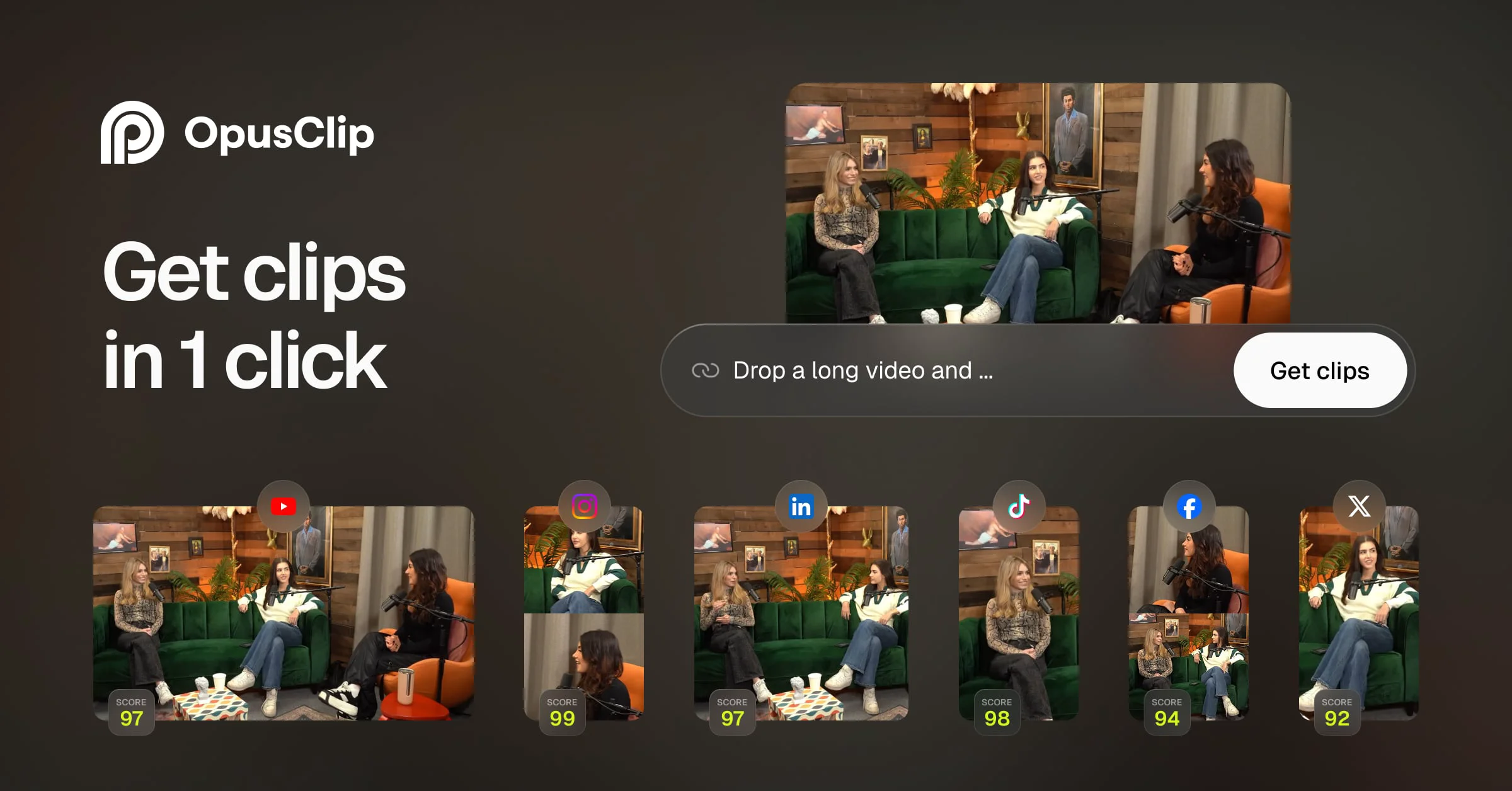
OpusClip is a powerful AI-driven video repurposing platform used by over 16 million creators and businesses worldwide. It takes any long-form video — podcasts, vlogs, sports highlights, interviews, gaming streams, or explainer content — and automatically identifies the most engaging moments, turning them into polished short-form clips ready for social media. At the core of OpusClip is its proprietary ClipAnything model, which unlike competing tools works across every video genre, not just podcasts. The AI Reframe feature keeps moving subjects perfectly centered as it resizes content for any platform aspect ratio. Animated captions are auto-generated and styled to match brand templates, while AI B-Roll automatically sources and inserts relevant footage to enrich clips. OpusClip also includes a social scheduler that lets teams queue a full month of posts to all major platforms in under ten minutes. Brand templates ensure visual consistency with custom fonts, colors, logos, and intro/outro sequences. A team workspace supports agency-scale collaboration, and a robust API enables full workflow automation. The platform is designed for a broad audience: solo content creators seeking viral growth, marketing teams producing social ads at scale, podcasters driving audience growth, agencies managing multiple clients, e-commerce brands boosting product exposure, and livestreamers recycling broadcast content into evergreen shorts. With support for 25+ languages and direct integrations with YouTube, Zoom, Vimeo, Twitch, and more, OpusClip is a comprehensive end-to-end solution for modern video content production.
Key Features
- ClipAnything AI Model: The only AI clipping engine that works across every video genre — vlogs, gaming, sports, interviews, and explainers — automatically selecting the best viral moments in one click.
- AI Reframe & Object Tracking: Intelligently resizes any video for every platform (16:9, 9:16, 1:1) while keeping moving subjects centered using AI object tracking or manual tracking controls.
- Animated Captions: Auto-generates styled, animated captions synchronized to speech, with brand-consistent fonts, colors, and layouts applied instantly.
- AI B-Roll Generation: Automatically sources and inserts contextually relevant B-roll footage into clips in under one minute, elevating production quality without manual effort.
- Social Scheduler & Team Workspace: Schedule a full month of posts to all major social platforms in 10 minutes, with collaborative team accounts, brand templates, and workflow automation via API.
Use Cases
- A YouTube creator repurposes hour-long podcast episodes into 10 punchy TikTok and Instagram Reels clips each week without manual editing.
- A marketing agency uses OpusClip's team workspace and API to produce branded short-form video ads for 20+ clients simultaneously, cutting editing costs by thousands per month.
- A SaaS company's marketing team schedules an entire month of social media video content in under 10 minutes using the built-in social scheduler.
- An e-commerce brand converts long product demo videos into viral short clips with AI B-roll and animated captions to drive traffic and sales.
- A livestreamer automatically clips their Twitch broadcasts into highlight shorts and publishes them to YouTube and TikTok to drive traffic back to their live channel.
Pros
- Works on Any Video Genre: Unlike most AI clipping tools limited to podcast-style content, OpusClip's ClipAnything model handles vlogs, sports, gaming, and more, making it versatile for all creators.
- End-to-End Workflow in One Platform: From clipping and caption generation to B-roll, reframing, brand templating, and social scheduling — everything is handled in a single tool without needing third-party apps.
- Team & Agency Scale Features: The team workspace, brand templates, and API support make it practical for agencies to manage multiple clients and dramatically reduce editing overhead.
- Broad Platform & Language Support: Supports 25+ languages and ingests video from YouTube, Zoom, Vimeo, Twitch, Loom, and more, making it globally accessible and source-agnostic.
Cons
- Extended Video Sources Require Pro Plan: Advanced video source integrations (Zoom, Vimeo, Twitch, LinkedIn, etc.) are locked behind the paid Pro tier, limiting free users to basic input options.
- AI Quality Varies by Content Type: While ClipAnything covers more genres than competitors, AI clip selection accuracy can still vary with highly visual or non-verbal content like silent tutorials or music videos.
- Learning Curve for Advanced Features: Features like manual reframe tracking, brand templates, and API workflow automation require some setup time and may feel complex for casual or first-time users.
Frequently Asked Questions
What types of videos can OpusClip process?
OpusClip supports virtually any video genre including podcasts, vlogs, gaming videos, sports highlights, interviews, explainer videos, and livestream recordings. It ingests video from YouTube, Google Drive, Vimeo, Zoom, Twitch, Loom, Riverside, and more (some sources require a Pro plan).
Is OpusClip free to use?
Yes, OpusClip offers a free plan that lets you get started with AI clipping and basic features at no cost. A Pro plan unlocks additional video sources, higher export limits, advanced AI models, team workspaces, and the social scheduler.
Which social platforms can I publish to?
OpusClip's social scheduler supports publishing to all major platforms in one click, including TikTok, Instagram Reels, YouTube Shorts, Facebook, LinkedIn, Twitter/X, and more.
How does the AI captioning feature work?
OpusClip automatically transcribes speech in your video and overlays animated, styled captions synchronized to the audio. You can customize fonts, colors, and animations or apply your own brand template for a consistent visual identity.
Can agencies or teams use OpusClip collaboratively?
Yes. OpusClip offers a dedicated team workspace where multiple users can collaborate, share brand templates, manage projects, and scale video production. It also exposes an API for full workflow automation, enabling agency-level throughput without proportional headcount increases.