

About
Photomyne is a family-focused photo digitization platform designed to help users save, enhance, and share generations of physical photo memories. Using dedicated mobile apps, users can quickly scan paper photos, slides, film negatives, and even children's artwork — with AI-assisted auto-detection, auto-crop, perspective correction, and color restoration doing the heavy lifting in seconds. Beyond scanning, Photomyne offers a suite of enhancement tools: the AI colorization feature adds realistic color to black-and-white photos, while the Sharpy sharpening tool restores clarity to blurry or faded faces. Users can curate their collections into themed albums, add text and audio notes, tag people and locations, attach dates, and even detect text on the backs of old prints. Sharing and access are built in — collections can be viewed and edited on PC, shared via web links, or turned into collages. Photomyne is ideal for families preserving heritage, genealogy enthusiasts, and anyone with boxes of old photos gathering dust. The platform supports iOS and Android with a freemium model that includes a 3-day free trial on the yearly subscription plan.
Key Features
- Smart Photo Scanning: Auto-detects, crops, rotates, and corrects perspective on printed photos, slides, film negatives, and children's artwork using your smartphone camera.
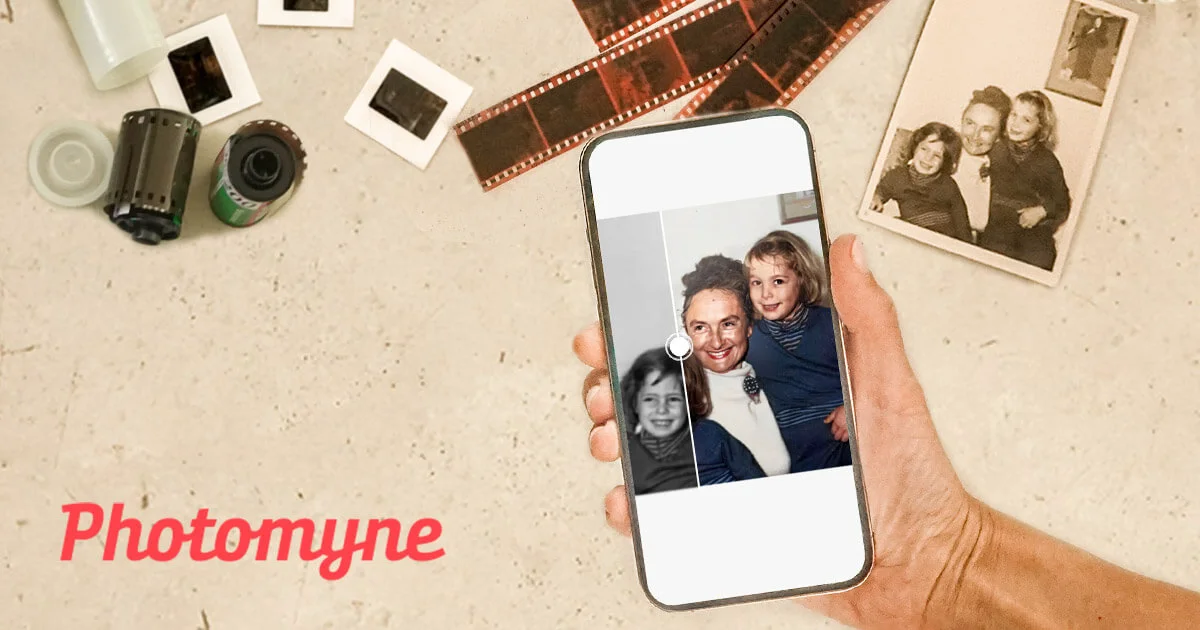
- AI Black & White Colorization: Automatically adds realistic, vibrant color to old black-and-white photos so memories feel as vivid as they do in your imagination.
- Photo Sharpening (Sharpy): Uses AI to restore clarity and sharpness to blurry, faded, or low-resolution old photos — bringing faces and details back into focus.
- Album Curation & Metadata Tagging: Organize scanned photos into albums with text captions, audio notes, people names, location tags, dates, and even the text found on the back of prints.
- Sharing & Multi-Device Access: View and edit collections on PC, share memories via web links, and create photo collages to distribute with family and friends.
Use Cases
- A family digitizes decades of printed photos stored in shoeboxes, organizing them into labeled albums by decade and tagging family members' names.
- A genealogy enthusiast scans old slides and film negatives to preserve and share rare historical family images with distant relatives via web links.
- Someone revitalizes a grandparent's black-and-white wedding photos by using AI colorization to create a meaningful anniversary gift.
- Parents scan their children's hand-drawn artwork to create a permanent digital archive and share collages with grandparents.
- A user with a large collection of blurry old prints uses Sharpy to restore facial clarity before printing a family photo book.
Pros
- All-in-one digitization workflow: Covers the full process from scanning to enhancing to organizing and sharing, removing the need for multiple apps or tools.
- AI-powered enhancements: Colorization and sharpening tools are easy to use and deliver impressive results without any technical knowledge required.
- Supports multiple media types: Handles prints, slides, negatives, and kids' artwork — making it versatile for diverse family archives.
- Family sharing ready: Web links and collage creation make it simple to share memories with family members regardless of device or platform.
Cons
- Subscription required for full access: The most powerful features, including unlimited storage and advanced enhancements, are locked behind a paid yearly plan after the 3-day free trial.
- Mobile-first experience: While PC viewing is supported, the primary scanning experience is mobile-only, which may be limiting for users who prefer desktop workflows.
- Colorization accuracy varies: AI colorization works best on portraits but may produce less accurate results for complex outdoor scenes or specific historical color contexts.
Frequently Asked Questions
What types of photos can I scan with Photomyne?
Photomyne supports scanning printed photos, 35mm slides, film negatives, and even children's artwork using your smartphone camera.
Is there a free trial available?
Yes, Photomyne offers a 3-day free trial when you choose the yearly subscription plan, giving you full access to all features before committing.
Can I share my scanned photo albums with family?
Yes, you can share albums via web links with anyone, create collages, and also view and edit your collection on a PC in addition to your mobile device.
How does the B&W colorization feature work?
Photomyne uses AI to analyze black-and-white photos and intelligently adds realistic color tones, turning monochrome memories into vibrant full-color images.
Does Photomyne work on both iOS and Android?
Yes, Photomyne offers apps for both iOS and Android. Some features like voice control are currently iOS-exclusive.