
About
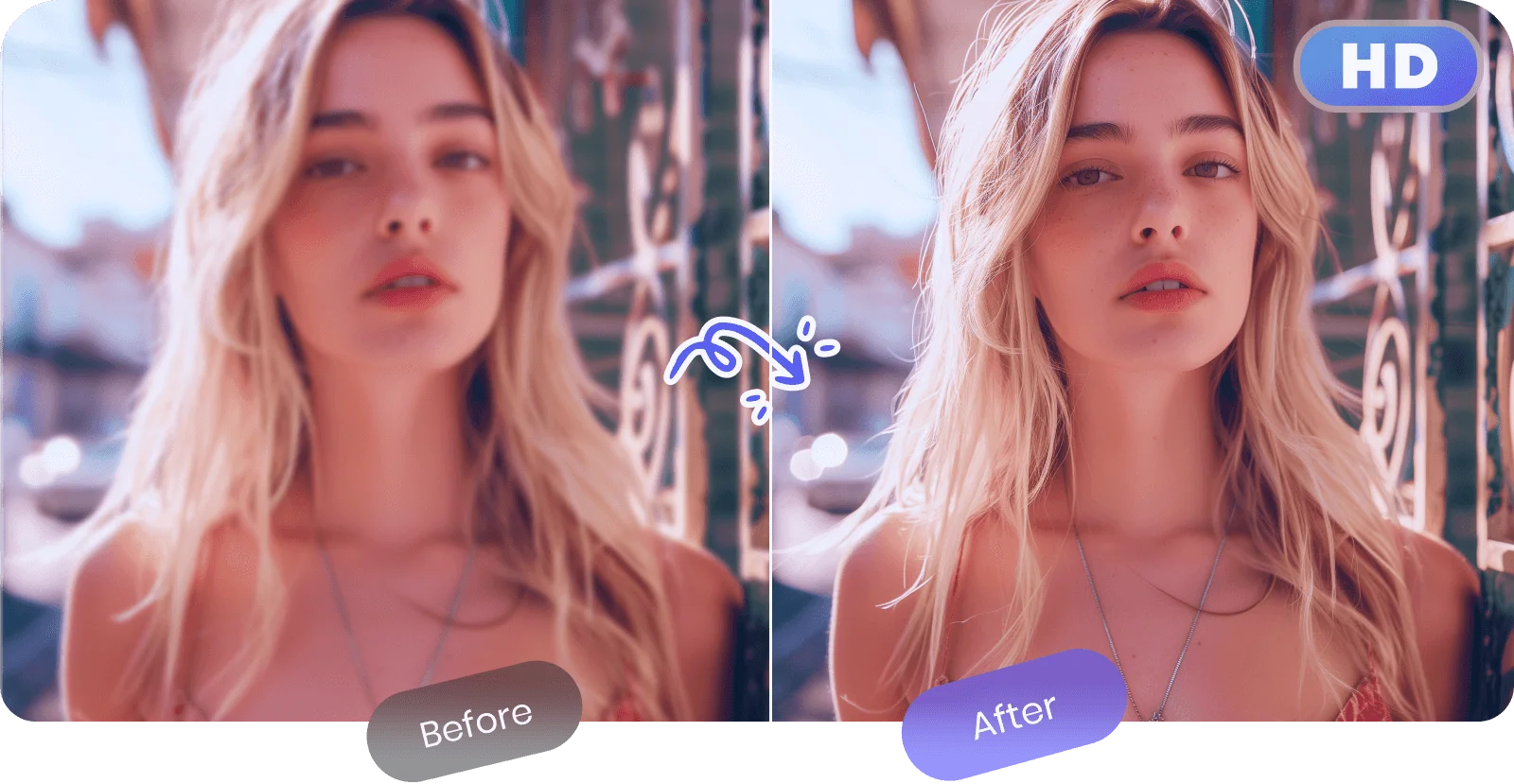
PicWish AI is an all-in-one AI-powered photo editing platform designed to make professional-quality image editing accessible to everyone — no design skills required. Available as a free online tool and mobile app, PicWish offers a wide range of editing capabilities including background removal, image unblurring and sharpening, object removal, and a full Product Studio for e-commerce photography. One of PicWish's standout features is its AI background remover, which can process up to 30 files at a time with high accuracy, making it ideal for e-commerce teams, designers, and content creators. The image enhancement tool transforms blurry, low-resolution photos into crisp, high-resolution images — perfect for restoring old photos or improving scanned documents. The platform also includes an AI Designer that lets users describe their vision in natural language and generates professional visuals instantly, with scenario presets to help beginners get started quickly. PicWish is particularly popular among e-commerce businesses, photographers, and social media creators who need fast, high-quality edits without the complexity of traditional tools like Photoshop. With an intuitive interface, batch processing capabilities, and a free tier that covers core features, PicWish is a compelling choice for anyone looking to streamline their photo editing workflow. It is available on the web, iOS, and Android platforms.
Key Features
- AI Background Remover: Automatically isolates image subjects and removes backgrounds with high precision, supporting batch processing of up to 30 files at once.
- Image Unblur & Sharpening: Enhances blurry or low-resolution images into crystal-clear, high-resolution photos without requiring any technical skills.
- AI Designer: Create professional visuals using natural language prompts, with pre-built scenario presets to help beginners get started quickly.
- Product Studio: A dedicated suite for e-commerce product photography, enabling quick background swaps and polished product image creation.
- Object Removal: Remove unwanted objects or elements from photos seamlessly using AI-powered inpainting technology.
Use Cases
- E-commerce sellers removing product photo backgrounds to create clean, marketplace-ready listings.
- Content creators and social media managers quickly editing and enhancing photos for posts and campaigns.
- Designers using the AI Designer feature to generate professional visuals from natural language descriptions.
- Teachers and researchers sharpening scanned documents, vintage images, or low-quality photos for clarity.
- Small businesses creating polished product photography without hiring a professional photographer.
Pros
- Free to Use: Core editing tools including background removal and image sharpening are available for free, lowering the barrier for individuals and small businesses.
- Batch Processing: Process up to 30 images at a time, saving significant time for e-commerce teams and professional photographers.
- No Design Skills Required: The intuitive interface and AI-driven tools make professional photo editing accessible to complete beginners.
- Cross-Platform Availability: Works on web browsers, iOS, and Android, making it easy to edit photos from any device.
Cons
- Limited Free Tier: Advanced features and higher usage limits require a paid subscription, which may restrict power users on the free plan.
- Internet Dependent: As a primarily web-based tool, PicWish requires an internet connection and is not suitable for fully offline workflows.
- Less Control Than Pro Tools: Users needing granular, manual control over edits may find PicWish less flexible compared to professional desktop tools like Photoshop.
Frequently Asked Questions
Is PicWish AI free to use?
Yes, PicWish offers a free tier that includes access to core tools like background removal and image sharpening. A paid plan is available for higher usage limits and premium features.
How does PicWish remove image backgrounds?
PicWish uses AI-powered computer vision to automatically detect and isolate the subject of an image, removing the background with high accuracy in seconds.
Can PicWish sharpen blurry photos?
Yes, PicWish includes an AI image enhancement tool that can unblur and sharpen low-resolution or out-of-focus photos, restoring fine details without manual editing.
Does PicWish support batch processing?
Yes, PicWish allows users to process up to 30 images at a time, making it efficient for bulk editing tasks such as e-commerce product photography.
What platforms is PicWish available on?
PicWish is available as a web application and as a mobile app for both iOS and Android devices.