
About
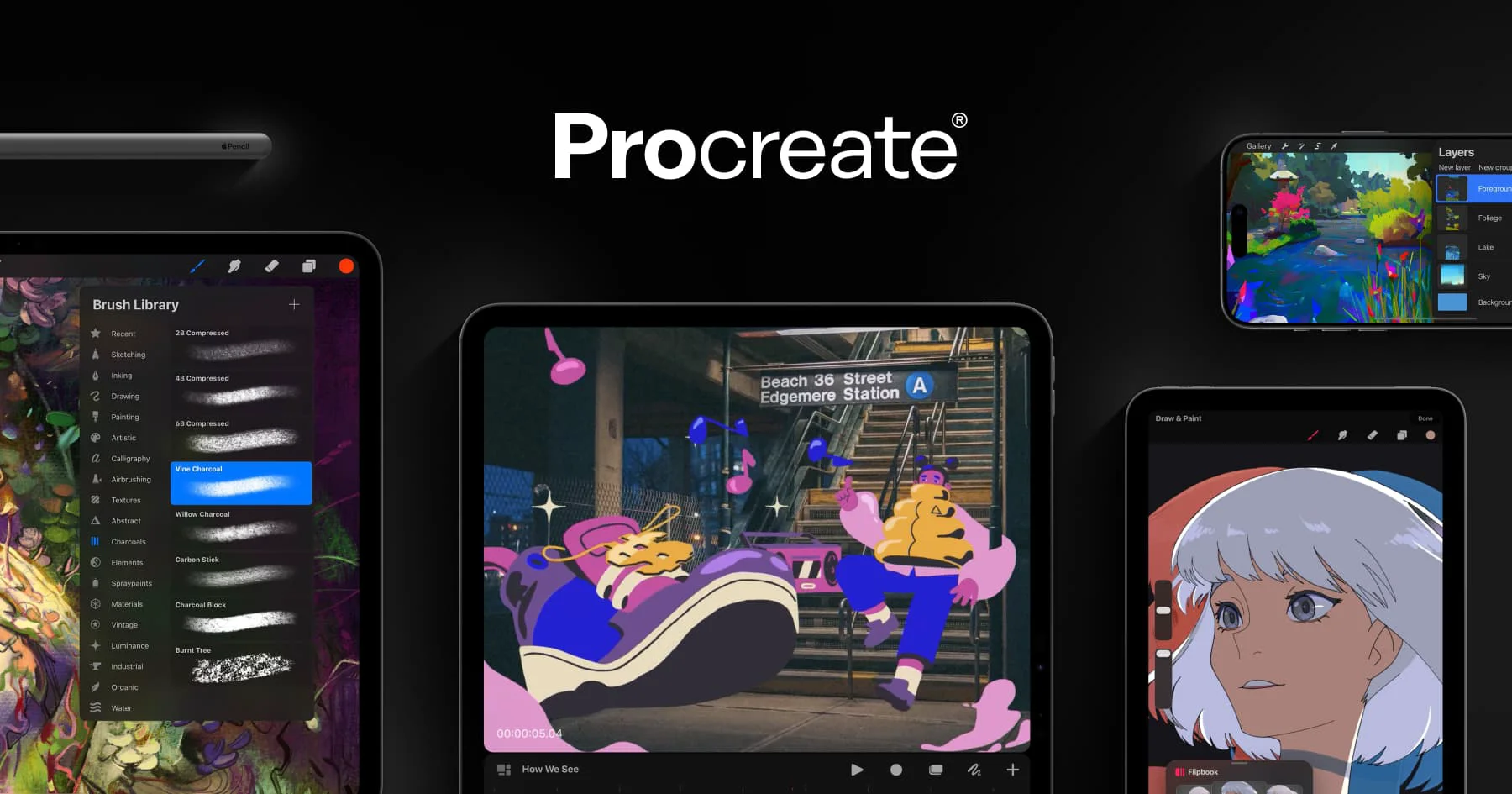
Procreate is one of the most popular and powerful digital art studios available on Apple devices, trusted by professional illustrators, concept artists, graphic designers, and hobbyists around the world. Built exclusively for iPad and iPhone, Procreate delivers a fluid, intuitive creative experience that rivals desktop software in depth and capability. The app provides an extensive library of customizable brushes, a full-featured layering system, advanced color tools, and a responsive canvas that takes full advantage of the Apple Pencil. With the Procreate 5.4 update, users gain access to all-new brushes and enhanced features that push creative possibilities even further. Procreate Dreams extends the platform into animation, enabling artists to bring their illustrations to life directly on their iPad — no desktop required. For iPhone users, Procreate Pocket brings the same powerful toolkit to a smaller form factor. Beyond the app itself, Procreate offers a rich ecosystem of learning resources including a Help Center, a Beginners Series for new artists, and classroom lesson ideas for educators. A thriving global community further supports artists at every skill level. Procreate is ideal for digital illustrators, character designers, concept artists, animators, educators, and anyone looking to express their creativity on an iPad. It is a one-time paid purchase with no subscription, making it exceptional value for the depth of tools provided.
Key Features
- Professional Brush Library: Access hundreds of customizable brushes for sketching, painting, inking, and texturing, with new brushes added in ongoing updates like Procreate 5.4.
- Advanced Layering System: Work with a full-featured layering system including blend modes, clipping masks, and layer groups to build complex, non-destructive artwork.
- Animation with Procreate Dreams: Bring illustrations to life with Procreate Dreams, a dedicated animation app that lets artists create frame-by-frame and timeline-based animations on iPad.
- Procreate Pocket for iPhone: Take creativity on the go with Procreate Pocket, a full-featured version of Procreate optimized for the iPhone screen.
- Rich Learning & Community Resources: Access in-depth handbooks, a Beginners Series, classroom lesson ideas, and a global community forum to support artists at every level.
Use Cases
- Creating professional digital illustrations and character designs for publishing, gaming, or film.
- Producing concept art and visual development work directly on iPad without a desktop setup.
- Animating artwork and short-form video content using Procreate Dreams.
- Teaching digital art in classroom settings using Procreate's lesson ideas and educational resources.
- Sketching and painting on the go with Apple Pencil for hobbyists and aspiring artists.
Pros
- One-Time Purchase, No Subscription: Procreate offers outstanding value with a single upfront payment and no recurring fees, unlike most professional creative software.
- Professional-Grade Toolset: Delivers desktop-level art tools in a mobile app, making it suitable for commercial illustrators, concept artists, and animators.
- Intuitive for All Skill Levels: Despite its depth, Procreate's interface is approachable for beginners while remaining powerful enough for seasoned professionals.
- Continuous Updates: Savage Interactive regularly releases feature-rich updates at no additional cost, continuously improving the app's capabilities.
Cons
- Apple Ecosystem Only: Procreate is exclusive to iPad and iPhone, with no support for Android, Windows, or macOS desktop, limiting accessibility for non-Apple users.
- Upfront Cost: While reasonably priced, the one-time purchase cost may be a barrier compared to free alternatives for casual users.
- No Cloud Sync Across Devices: Project syncing between multiple Apple devices requires manual file management, which can be inconvenient for multi-device workflows.
Frequently Asked Questions
Is Procreate available on Android or desktop?
No. Procreate is exclusively available for iPad, and Procreate Pocket is available for iPhone. There is currently no Android or desktop version.
Does Procreate require a subscription?
No. Procreate is a one-time paid purchase with no subscription. You pay once and receive all future updates at no additional cost.
What is Procreate Dreams?
Procreate Dreams is a companion animation app for iPad that allows artists to create frame-by-frame and timeline-based animations, sold separately from the main Procreate app.
Is Procreate suitable for beginners?
Yes. Procreate offers a Beginners Series with guided lessons and an intuitive interface designed to help new artists learn digital art fundamentals while exploring the app's tools.
Does Procreate use AI features?
Savage Interactive has published a statement on AI outlining their approach. While the core Procreate experience is centered on human-driven creativity, the company continues to evaluate AI's role in future updates.