
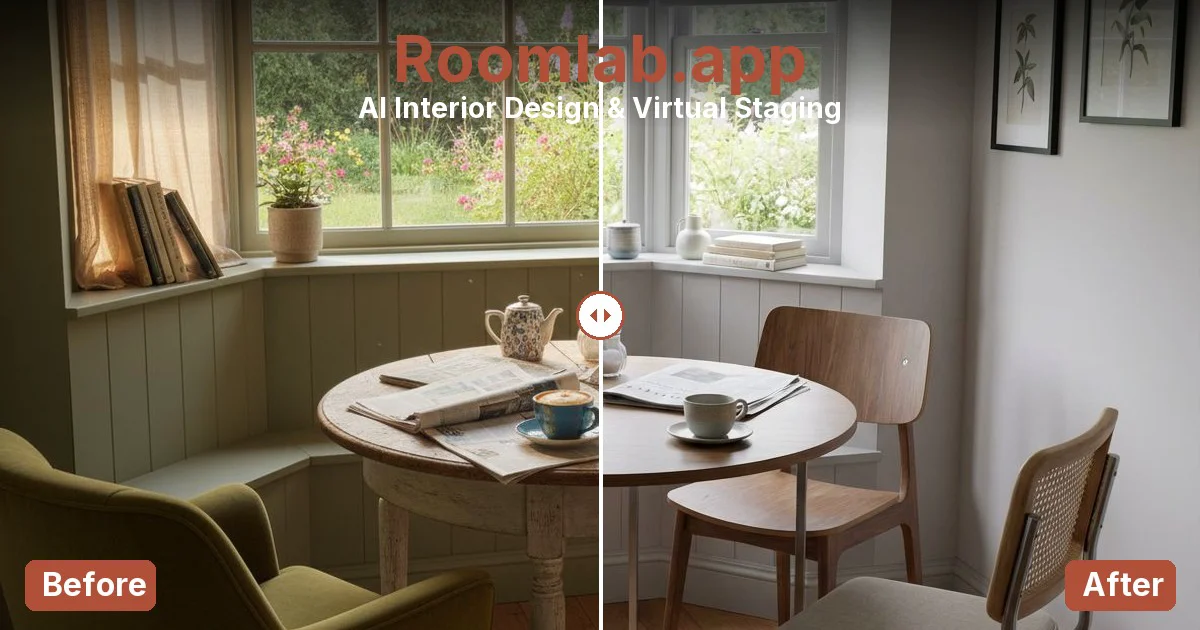

About
RoomLab is an AI-powered room visualization engine built for real estate professionals, interior designers, architects, and virtual stagers. It turns ordinary room photos or 3D models into stunning, client-ready visuals in just a few clicks — no rendering farm or design expertise required. The platform offers several specialized modes: **3D to Render** converts SketchUp or other 3D models into photorealistic images with full lighting, weather, and season control. **Redesign Mode** transforms furnished or empty rooms into any style — Scandinavian, Modern, Industrial, and more. **Replace Mode** lets users swap out individual furniture pieces, floors, or walls using a reference image for perfectly placed results. **Video Mode** generates cinematic property walkthrough videos from a single photo, complete with camera movements and virtual people. Beyond these core modes, RoomLab includes tools for room decluttering, virtual staging, custom AI prompts, a wall color visualizer, and 4K upscaling. These features make it ideal for showcasing renovation potential, prepping listings, presenting design options to clients, or helping furniture shoppers visualize pieces in their own space. With a freemium model requiring no credit card to start, RoomLab serves over 1,150 registered users and supports multiple languages. It is purpose-built for professionals who need to sell, present, or visualize spaces at speed and scale.
Key Features
- 3D Model to Photorealistic Render: Convert SketchUp, Revit, or any 3D model into stunning photorealistic images with control over lighting, season, and environment — no rendering studio needed.
- Room Redesign in Any Style: Upload a furnished or empty room and transform it into Scandinavian, Modern, Industrial, or dozens of other interior design styles instantly.
- Furniture & Material Replacement: Swap sofas, tables, floors, or walls by uploading a reference image and seeing the replacement placed perfectly within the existing room photo.
- Cinematic Walkthrough Video Generation: Generate professional property walkthrough videos from a single photo, with selectable camera movements and the option to add virtual people.
- Virtual Staging & Decluttering: Digitally stage vacant properties or remove clutter from occupied rooms to produce clean, market-ready listing photos in seconds.
Use Cases
- Real estate agents virtually staging vacant properties to attract buyers without physical furniture rental costs.
- Architects converting SketchUp or Revit 3D models into photorealistic client presentations with customized lighting and seasonal settings.
- Interior designers rapidly exploring and presenting multiple style directions to clients during the pitch phase.
- Virtual stagers decluttering occupied listing photos and replacing existing furniture with more appealing alternatives for online listings.
- Furniture retailers and shoppers visualizing how a specific sofa, table, or décor item looks inside a real room photo before purchasing.
Pros
- Multi-mode versatility: Covers rendering, redesign, replacement, video, staging, and decluttering in a single platform — eliminating the need for multiple specialized tools.
- No credit card required to start: The freemium model lets professionals try all features risk-free, making it easy to evaluate before committing to a paid plan.
- Photorealistic output in seconds: Delivers client-ready, high-quality visuals dramatically faster than traditional rendering workflows or manual photo editing.
- Built for industry professionals: Tailored workflows and modes specifically designed for real estate agents, architects, interior designers, and virtual stagers.
Cons
- Credit-based usage limits: Free tier operates on a credit system, meaning heavy or commercial use requires purchasing additional credits or upgrading to a paid plan.
- Output quality depends on input photo: Low-resolution or poorly lit source photos may produce less convincing renders, requiring quality inputs for best results.
- Limited offline or desktop access: RoomLab is a web-only platform, with no dedicated desktop app, which may limit use in bandwidth-constrained environments.
Frequently Asked Questions
What types of images can I upload to RoomLab?
RoomLab supports JPG, PNG, and WebP image formats. You can upload photos of existing rooms, exterior shots, empty spaces, or exported 3D model screenshots from tools like SketchUp or Revit.
Do I need a credit card to try RoomLab?
No. RoomLab offers a free trial with no credit card required. You receive starter credits upon signing up to explore the platform's features before deciding on a paid plan.
What interior design styles does the Redesign Mode support?
Redesign Mode supports a wide range of styles including Scandinavian, Modern, Industrial, and many more. You can also use custom AI prompts to guide the style transformation.
Can RoomLab generate videos as well as images?
Yes. RoomLab's Video Mode generates cinematic walkthrough videos from a single photo, allowing you to choose camera movement paths and optionally include virtual people in the scene.
Who is RoomLab designed for?
RoomLab is built for real estate agents, interior designers, architects, virtual stagers, and even furniture shoppers who want to visualize how pieces look in their own space before purchasing.