
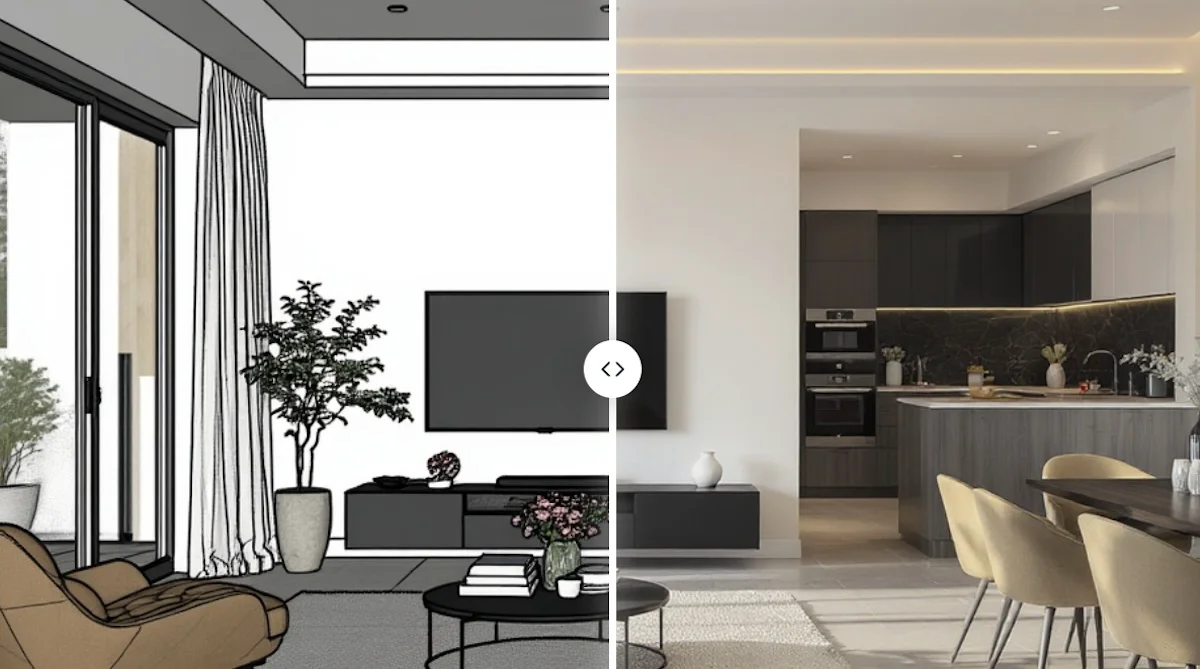

About
Vibe3D is an all-in-one AI rendering platform purpose-built for architects, interior designers, and 3D visualizers. It integrates seamlessly with popular 3D modeling software including SketchUp, Revit, Blender, 3ds Max, Rhino, Archicad, Vectorworks, and Chief Architect, enabling professionals to produce studio-quality renders without leaving their existing workflows. The platform's HyperReal rendering engine delivers ultra-realistic output with 100% accurate geometry, materials, micro-textures, and professional lighting — all in approximately 30 seconds per render. Over 1,000,000 photorealistic renders have been created on the platform to date. Beyond static renders, Vibe3D generates smooth, stabilized cinematic flythrough videos from static renders with automatic camera path generation — no video editing software required. Its one-click Render Enhancing feature intelligently upscales low-resolution outputs, applies AI denoising, and produces HDR-quality results. Render Editing lets users make iterative changes — adjusting time of day, lighting, materials, or landscape — simply by typing natural language instructions. No prompts are required for the core rendering workflow; the AI natively understands architectural context. Vibe3D offers flexible pay-as-you-go pricing based on credits, avoiding expensive monthly subscriptions. It is ideal for architecture firms, interior design studios, and freelance visualizers who need fast, accurate, and client-ready renders without the overhead of traditional rendering pipelines.
Key Features
- HyperReal AI Rendering: Generates studio-quality photorealistic renders with 100% accurate geometry, micro-textures, materials, and realistic lighting in approximately 30 seconds.
- Cinematic Flythrough Videos: Automatically converts static renders into smooth, stabilized 3D cinematic walkthrough videos with auto-generated camera paths — no video software needed.
- One-Click Render Enhancing: Intelligently upscales and post-processes low-resolution renders using AI denoising, texture improvement, and HDR output with a single click.
- Natural Language Render Editing: Allows users to iterate on renders by typing changes — adjust time of day, lighting, materials, or landscape — and the AI applies them instantly.
- Multi-Software Compatibility: Works with SketchUp, Revit, Blender, 3ds Max, Rhino, Archicad, Vectorworks, and Chief Architect, fitting into existing design workflows without friction.
Use Cases
- Architects creating photorealistic client presentation renders directly from SketchUp or Revit models without manual rendering setup.
- Interior designers rapidly iterating on material, lighting, and furniture changes for client approvals using natural language editing.
- 3D visualizers enhancing low-resolution draft renders into polished, HDR-quality final images with one-click AI upscaling.
- Architecture studios producing cinematic walkthrough videos for project pitches and marketing without video editing expertise.
- Freelance designers offering fast turnaround on high-quality renders by leveraging AI automation to reduce manual labor hours.
Pros
- Extremely Fast Render Times: Produces photorealistic renders in roughly 30 seconds, dramatically reducing the time spent on manual rendering workflows.
- No Prompting Required: The AI auto-detects architectural context from uploaded 3D models, so users can render in one click without crafting complex text prompts.
- Wide Software Compatibility: Supports 8+ major 3D modeling platforms, making it accessible to a broad range of architecture and design professionals.
- Flexible Pay-As-You-Go Pricing: Credit-based pricing means users only pay for what they generate, avoiding costly monthly subscriptions.
Cons
- Credit-Based Cost Can Add Up: High-volume users working on large projects may accumulate significant credit costs compared to a flat-rate subscription model.
- Cloud-Dependent Workflow: As a cloud-based platform, Vibe3D requires an internet connection and uploads of 3D scenes, which may raise concerns for teams with strict data privacy requirements.
- Limited Offline Capability: There is no desktop or offline rendering option, making it unsuitable for environments with restricted internet access.
Frequently Asked Questions
Which 3D modeling software does Vibe3D support?
Vibe3D is compatible with SketchUp, Revit, Blender, 3ds Max, Rhino, Archicad, Vectorworks, and Chief Architect, among others.
Do I need to write prompts to use Vibe3D?
No. Vibe3D's AI natively understands architectural context, so you simply upload your 3D scene and click render — no text prompts are required.
How long does a render take?
The average render time is approximately 30 seconds, allowing for rapid iteration and fast client presentations.
How does Vibe3D pricing work?
Vibe3D uses a pay-as-you-go credit system. You purchase credits and spend them only when generating renders or videos, with no mandatory monthly subscription.
Can Vibe3D generate videos as well as static images?
Yes. Vibe3D can generate smooth, stabilized cinematic flythrough videos from static renders automatically, without requiring any external video editing software.