
About
ScreenApp is a comprehensive AI-powered recording and productivity platform designed for teams, educators, and professionals who need to capture, analyze, and act on spoken content. At its core, ScreenApp combines screen recording, meeting capture, real-time transcription, and AI summarization into a single seamless workflow. The platform's AI Notetaker automatically joins or records meetings and conversations, then generates structured notes complete with key points, action items, and decisions. Its AI Summarizer condenses hours of content into executive-level summaries in seconds, saving teams significant time on follow-ups. Users can also ask questions directly against their recorded content, effectively turning every recording into a searchable second brain. Beyond meetings, ScreenApp supports dictation, subtitle generation, voice translation, text-to-speech, video editing, clip creation, and PDF export of recordings. The AI Analyzer can examine video frames and extract contextual insights, while the Video Converter and Compressor round out its media utility features. ScreenApp is available on the web with no installation required, as well as on Android and via a Chrome extension. Its generous free tier — including 45 minutes of monthly AI processing — makes it accessible for individuals and small teams alike, while paid plans cater to high-volume business users. With support for importing content from external sources and real-time translation, it's a versatile tool for global teams and content creators.
Key Features
- AI Notetaker & Meeting Recorder: Automatically records and transcribes meetings, then generates structured notes with key points, decisions, and action items in real time.
- AI Summarizer: Condenses hours of audio or video content into executive summaries, extracting the most important insights in seconds.
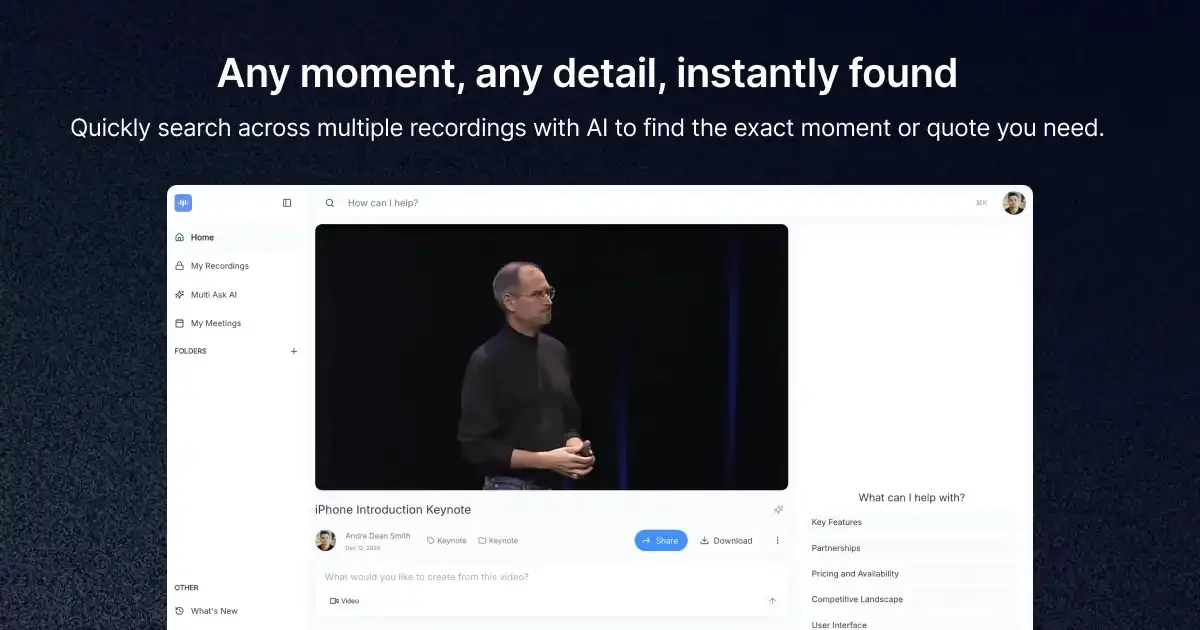
- Searchable Second Brain: Ask questions against any recorded content and instantly retrieve answers, making all past meetings and lectures fully searchable.
- Screen & Voice Recording: Record your screen, webcam, or voice directly from the browser or Android app with no installation required.
- Transcription, Translation & Subtitles: Transcribe recordings in multiple languages, translate content in real time, and auto-generate subtitles for any video.
Use Cases
- Recording and summarizing team meetings to automatically generate action items and follow-up notes without manual effort.
- Transcribing lectures and educational sessions so students and educators can search and review content at any time.
- Creating training videos and step-by-step guides from screen recordings with instant transcription and subtitle generation.
- Capturing client calls and presentations, then using AI summaries to share concise recaps with stakeholders.
- Translating recorded content in real time for international teams or multilingual audiences needing accessible documentation.
Pros
- Generous Free Tier: Offers 45 minutes of monthly AI processing at no cost, making it accessible for individuals and light business use without upfront payment.
- All-in-One Platform: Combines recording, transcription, summarization, translation, and video editing in a single tool, reducing the need for multiple apps.
- No Installation Needed: The web-based platform lets users start recording immediately from any browser, with no software download required.
- Trusted at Scale: Used by over 3 million people globally, with consistently positive reviews praising reliability and AI accuracy.
Cons
- Limited Free AI Minutes: The free plan caps AI processing at 45 minutes per month, which may be insufficient for heavy users or teams with frequent meetings.
- Android-Only Mobile App: The dedicated mobile app is only available on Android, leaving iOS users limited to the web experience.
- Feature Depth May Overwhelm New Users: The wide range of features — from clip making to video conversion to voice testing — can make the interface feel complex for first-time users.
Frequently Asked Questions
How does the AI Notetaker work?
ScreenApp automatically captures, transcribes, and transforms your conversations into structured notes with key points, action items, and decisions — all in real time, during or after a meeting.
Is ScreenApp free to use?
Yes, ScreenApp offers a free plan that includes 45 minutes of AI processing per month. Paid plans are available for users who need higher usage limits and advanced features.
What platforms does ScreenApp support?
ScreenApp works on the web (no installation needed), Android mobile devices, and as a Chrome extension for easy access during browser-based meetings.
Can ScreenApp translate recordings into other languages?
Yes, ScreenApp supports real-time translation of recordings on both the web and Android platforms, making it suitable for multilingual teams and global users.
Can I search through my past recordings?
Yes, ScreenApp indexes all your recordings and lets you search across meetings, conversations, and lectures instantly. You can also ask AI questions about specific recordings to get targeted answers.