
About
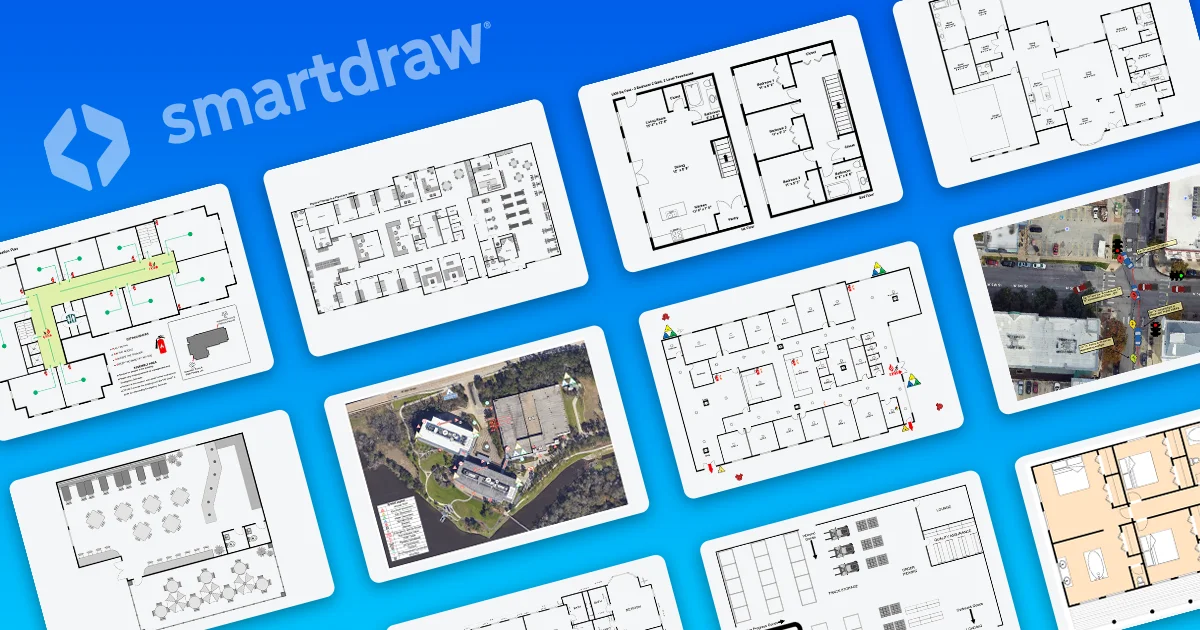
SmartDraw is a comprehensive visual communication platform designed for teams that need to create accurate floor plans, diagrams, and layouts without the steep learning curve of traditional CAD software. It serves industries including construction, healthcare, government, education, retail, fire safety, and law enforcement, among others. Users can build commercial and residential floor plans, warehouse layouts, accident reconstructions, fire pre-plans, evacuation maps, electrical plans, and plumbing diagrams from scratch or by importing existing PDFs and Google Maps as a base layer. Thousands of industry-standard symbols are included to ensure professional accuracy. Beyond spatial planning, SmartDraw covers the full spectrum of business diagramming: flowcharts, organizational charts, mind maps, IT infrastructure diagrams, software engineering diagrams, and project management charts. AI-assisted diagramming accelerates the creation process further. For enterprise customers, SmartDraw offers centralized administration with SSO provisioning, bring-your-own-storage options, enterprise-grade security, and dedicated onboarding and support representatives. It integrates seamlessly with Microsoft 365 and Google Workspace, minimizing disruption to existing IT infrastructure. SmartDraw is ideal for facilities managers, architects, HR teams, IT departments, first responders, and process improvement professionals who need reliable, scalable visual documentation without requiring specialized design or CAD expertise.
Key Features
- Scaled Floor Planning Without CAD: Create precise scaled drawings for commercial buildings, homes, warehouses, and more — no CAD expertise required. Import PDFs or Google Maps as base layers.
- Industry-Standard Symbol Libraries: Access thousands of industry-standard shapes and symbols covering construction, fire safety, electrical, plumbing, law enforcement, healthcare, and more.
- Full-Suite Business Diagramming: Beyond floor plans, create flowcharts, org charts, mind maps, IT infrastructure diagrams, software engineering diagrams, and project management visuals.
- AI-Assisted Diagram Creation: Use built-in AI tools to accelerate diagram generation, saving time while maintaining accuracy and consistency across visual documentation.
- Enterprise Administration & Integrations: Supports SSO provisioning, bring-your-own-storage, enterprise security, and deep integration with Microsoft 365 and Google Workspace.
Use Cases
- Facilities managers designing commercial office layouts, retail planograms, or warehouse floor plans without hiring CAD specialists.
- Fire departments creating pre-plans, evacuation diagrams, and fire incident reports using industry-standard symbols.
- HR and operations teams building organizational charts and process improvement diagrams to communicate structure and workflows.
- IT departments documenting network infrastructure, server layouts, and software architecture diagrams in a centralized platform.
- Law enforcement and insurance investigators creating accurate accident reconstruction and crime scene documentation.
Pros
- No Training Required: SmartDraw's intuitive interface allows non-technical users to produce expert-quality scaled drawings and diagrams without learning CAD or design software.
- Broad Industry Coverage: Pre-built templates and symbol libraries span a wide range of industries — from fire safety and law enforcement to healthcare and retail — making it versatile for many teams.
- Strong Enterprise Fit: SSO, custom storage, enterprise security, dedicated support, and native Microsoft/Google integrations make it easy to deploy at scale.
- All-in-One Visual Platform: Covers both spatial layouts and business diagramming needs in a single tool, reducing the need for multiple software licenses.
Cons
- Paid-Only Access: SmartDraw does not offer a meaningful free tier, which may be a barrier for individual users or small teams with limited budgets.
- Overkill for Simple Diagrams: Teams that only need basic flowcharts or simple diagrams may find SmartDraw's breadth of features more than they need.
- Limited Real-Time Collaboration Compared to Competitors: Real-time co-editing features may not be as fluid as dedicated whiteboard-first competitors like Miro or Lucidchart.
Frequently Asked Questions
Do I need CAD experience to use SmartDraw?
No. SmartDraw is specifically designed to be easier than traditional CAD software. Anyone on your team can create accurate scaled drawings without prior CAD or design training.
What industries is SmartDraw best suited for?
SmartDraw serves a wide range of industries including construction, healthcare, government, education, retail, financial services, fire departments, police departments, and manufacturing.
Can I import existing plans or maps into SmartDraw?
Yes. You can import PDFs or use Google Maps as a base layer, then add your own scaled layout on top of the imported image.
Does SmartDraw integrate with Microsoft and Google tools?
Yes. SmartDraw integrates natively with Microsoft 365 (including SharePoint and Teams) and Google Workspace, allowing teams to embed and share diagrams within existing workflows.
Is SmartDraw suitable for large enterprise deployments?
Absolutely. SmartDraw offers enterprise licensing with SSO, custom storage options, enterprise-grade security, and dedicated onboarding and support representatives for large teams.